
In This Article
Somewhere in your hallway there’s a light switch that’s been doing the exact same job, unchanged, since the house was built. Flick up, light on. Flick down, light off. It’s reliable, it’s dumb as a post, and — here’s the thing most people don’t realise until they start shopping — replacing it with an in-wall smart switch is usually far less disruptive than replacing every bulb in the house with a “smart” equivalent.
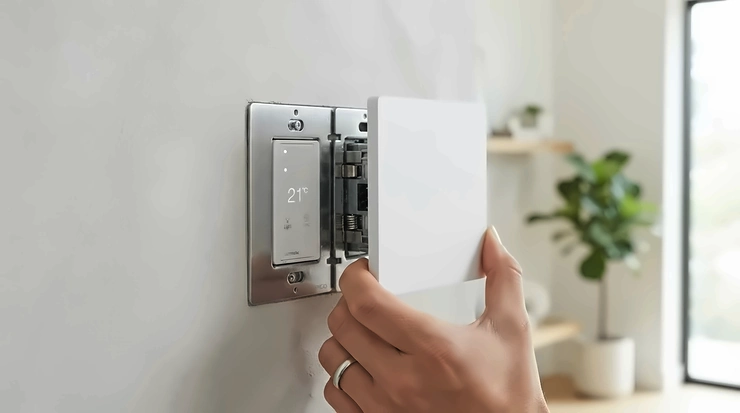
An in-wall smart switch swaps that physical toggle for a connected unit wired directly into your existing switch box, giving you app control, voice control, and scheduling without touching a single light fitting. That matters enormously in the UK, where a huge number of homes were wired decades before “neutral wire” became a phrase anyone worried about, and where a mismatched wall plate can turn a ten-minute job into an afternoon of filing plaster.
This guide walks through seven genuinely available switches — covering wireless dimmers, hardwired Wi-Fi units, and hidden relay modules — with honest analysis of who each one suits, what the neutral-wire question actually means for your wiring, and how to avoid buying something that won’t fit your back box. Everything here is grounded in real specifications, real UK retail listings, and aggregated reviewer sentiment, not invented hands-on impressions. By the end, you’ll know which switch fits your home, your budget, and your existing wall plates.
Quick Comparison Table
| Switch | Neutral Wire? | Protocol | Price Range | Best For |
|---|---|---|---|---|
| TP-Link Tapo S210 | Not required | Wi-Fi/868MHz (hub) | around £16 + hub | Cheapest way in |
| Aqara Smart Wall Switch H1 | Not required | Zigbee 3.0 (hub) | £30-£35 range | All-round reliability |
| Candeo Zigbee Smart Dimmer | Not required | Zigbee 3.0 (hub) | £40-£45 range | Dimming without smart bulbs |
| Shelly 1 Mini Gen4 | Not at switch* | Wi-Fi/Zigbee/Matter | £15-£20 range | Hidden retrofit relay |
| Sonoff TX Ultimate | Required | Wi-Fi (Matter bridge) | £20-£25 range | Touch-control design |
| Meross MSS510X | Required | Wi-Fi (no hub) | £15-£20 range | Budget Alexa/HomeKit combo |
| Eve Light Switch | Required | Bluetooth/Thread | £40-£45 range | Apple Home purists |
Look at that spread and a pattern jumps out immediately: the products that skip the neutral wire requirement almost always ask for a hub in return, while the hub-free Wi-Fi switches almost always want that third wire. There’s no free lunch here — you’re trading installation flexibility for either extra hardware cost or a wiring check beforehand. The Shelly 1 Mini Gen4 is the interesting outlier, because it sidesteps the whole dilemma by not living in the switch box at all.
✨ Ready to stop guessing which switch fits your wiring? Check current prices and confirm compatibility before you buy.
Top 7 In-Wall Smart Switches: Expert Analysis
1. TP-Link Tapo S210 — cheapest entry point into no-neutral smart switching
At well under £20, the TP-Link Tapo S210 is routinely the first switch people try, and the low price hides a genuinely competent bit of engineering underneath. It uses a low-power 868MHz wireless standard rather than standard 2.4GHz Wi-Fi, which is why it doesn’t demand a neutral wire the way a typical Wi-Fi switch would — the trade-off is that it needs a Tapo Hub (H100 or H200) to actually talk to your phone or Alexa.
Reviewers who’ve compared it directly against pricier Zigbee rivals note it holds up surprisingly well: one detailed comparison against the Aqara H1 found the combined switch-plus-hub cost still came in cheaper than the Aqara alone.
Based on the spec comparison, the TP-Link Tapo S210 is the switch to start with if you’re testing the water in one room before committing a whole house to a single ecosystem — it’s single-gang and one-way only, so it won’t replace a two-way landing switch, but for a standalone pendant or lamp circuit it’s hard to beat on price.
Pros:
- ✅ No neutral wire needed — fits most older UK switch boxes
- ✅ Genuinely budget-friendly even after adding the hub
- ✅ Works with Alexa and Google Assistant once hubbed
Cons:
- ❌ Requires a separate Tapo Hub to unlock smart features
- ❌ Single-gang, one-way only — no two-way switching support
Price range: around £16 for the switch, plus roughly £15 for the hub if you don’t already own one — solid value for a first step into smart switching.

2. Aqara Smart Wall Switch H1 — best all-rounder for traditional British homes
If there’s one switch that keeps coming up as the sensible default recommendation for UK retrofits, it’s the Aqara Smart Wall Switch H1. The no-neutral version uses Zigbee 3.0, pairs with an Aqara hub, and — crucially — fits both the square 86mm UK-style back box and the round European pattress that trips up so many imported switches.
What most buyers overlook about this model is its “Wireless Switch Function,” which decouples the physical rocker from the relay, so you can keep a smart bulb permanently powered while still using the wall paddle as a scene trigger rather than a hard cut-off. Reviewers consistently note the tactile click feels far more substantial than older Aqara generations, describing the previous D1 switches as feeling “hollow” by comparison.
On the practical side, Aqara itself recommends a back box depth of at least 40mm, and not every double/twin box is supported, so it’s worth measuring before you order the double-rocker version for a two-gang opening.
Pros:
- ✅ Works in square UK boxes and round EU pattresses alike
- ✅ Decoupled “wireless switch” mode for smart bulb setups
- ✅ Broad ecosystem support via Alexa, HomeKit and Google
Cons:
- ❌ Needs a compatible Aqara Zigbee hub to unlock full features
- ❌ Overload protection only available on the with-neutral model
Price range: typically in the £30-£35 range for the single-rocker no-neutral version, with the double-rocker usually costing a little more — solid mid-range value given the fitting flexibility it buys you.
3. Candeo Zigbee Smart Dimmer Switch — best for dimming without buying smart bulbs
Smart GU10 bulbs add up fast once you’ve got six downlights in a kitchen ceiling, and that’s precisely the maths problem the Candeo Zigbee Smart Dimmer Switch is built to solve. It’s a rotary Zigbee 3.0 dimmer rated for up to 250W of dimmable LED or incandescent load, doesn’t need a neutral wire, and uses trailing-edge dimming technology that’s specifically chosen to avoid the flicker and buzz that cheaper leading-edge dimmers can introduce on modern LED drivers.
The spec sheet won’t tell you this, but reviewers who’ve fitted it behind standard UK switches report it slots into the back box without drama “providing there are not too many other wires to accommodate” — a fair warning for anyone with a crowded two-way lighting circuit.
Its minimum-brightness calibration setting is a genuinely useful touch: it stops LEDs from flickering or refusing to dim below a certain threshold, a common complaint with budget dimmer modules.
Pros:
- ✅ True rotary dimming, not just on/off switching
- ✅ No neutral wire required for most UK installations
- ✅ Trailing-edge tech reduces LED flicker and buzz
Cons:
- ❌ Pricier than basic on/off smart switches
- ❌ Can get cramped in boxes with multiple existing cables
Price range: around £43-£45, positioning it as a premium pick — but weighed against replacing a whole room of GU10s with smart bulbs, the value case is strong.
4. Shelly 1 Mini Gen4 — best hidden relay for tricky no-neutral rooms
Not every retrofit problem is best solved at the switch plate itself, and the Shelly 1 Mini Gen4 is proof of that. Rather than sitting behind the switch, this tiny Wi-Fi, Bluetooth, Zigbee and Matter relay is designed to be tucked inside a ceiling rose or a nearby junction box — locations that almost always have a neutral present, even in homes where the switch drop doesn’t.
Your original wall switch stays exactly where it is, wired into the relay as a manual trigger, so nobody in the household has to relearn anything. Here’s what to weigh: because the smart element moves away from the switch entirely, this approach works regardless of which physical switch you already own, which makes it the most universally compatible option on this list, provided you or an electrician are comfortable opening up a ceiling fitting.
Its potential-free contacts and Matter compatibility also make it a sensible long-term bet, since it isn’t locked into a single voice-assistant ecosystem.
Pros:
- ✅ Solves the no-neutral problem by relocating the smart part
- ✅ Multi-protocol — Wi-Fi, Bluetooth, Zigbee and Matter in one unit
- ✅ Keeps your existing switch and wall plate completely unchanged
Cons:
- ❌ Installation happens at the ceiling rose, not the switch — more involved
- ❌ Bulbs under 5W typically need a companion bypass module
Price range: around £15-£20, making it genuinely affordable once you factor in that it doesn’t force you to buy a new wall plate at all.
5. Sonoff TX Ultimate — best for a genuinely premium look and feel
Most smart switches try to look inconspicuous; the Sonoff TX Ultimate does the opposite. It’s a full touch-panel design with a customisable RGB edge light that doubles as a status indicator or a subtle night light, and it supports dual working modes so the same physical unit can control either a lighting circuit or a motorised curtain rail.
Under the glass, it’s a Wi-Fi device that reaches Matter-compatible platforms — including Apple Home — through Sonoff’s eWeLink CUBE bridge, alongside native Alexa, Google Home, SmartThings and Home Assistant support. What most buyers overlook about touch switches generally is that the interface changes muscle memory: there’s no physical travel to feel for in the dark, just a flush capacitive surface, and multi-sensory feedback (sound plus a slight vibration) is Sonoff’s way of compensating for that.
It’s rated for up to 5A on the single-gang model, comfortably enough for LED lighting circuits, and the cover plate is user-replaceable if you fancy swapping the finish later.
Pros:
- ✅ Genuinely distinctive touch design with adjustable RGB accent lighting
- ✅ Dual-purpose — controls lights or curtains from the same hardware
- ✅ Matter bridge brings Apple Home into an otherwise Android-first ecosystem
Cons:
- ❌ Requires a neutral wire for installation
- ❌ Touch surfaces need a slight adjustment period versus a rocker
Price range: roughly £20-£25 for the single-gang version, which is reasonable for the design and feature set on offer.
6. Meross Smart Wi-Fi Wall Switch MSS510X — best budget pick that skips the hub entirely
The Meross Smart Wi-Fi Wall Switch MSS510X takes the opposite approach to the Tapo and Aqara switches above: rather than dodging the neutral-wire requirement, it accepts it in exchange for connecting straight to your home Wi-Fi with no bridge or hub purchase necessary.
That single decision keeps the total cost down to roughly the price of the switch alone, and it buys compatibility across Apple HomeKit, Amazon Alexa, Google Assistant and Samsung SmartThings simultaneously — a wider spread than several pricier hub-based rivals manage.
Based on the spec comparison, its output rating of 400W for incandescent loads and 150W for CFL/LED bulbs comfortably covers a typical pendant or downlight circuit, and the status LED is a small but genuinely useful touch for locating the switch in a dark hallway. The catch, as with any single-live device pulling standby power through the load, is that blue neutral wire in the back box — if it isn’t there, this one’s off the shortlist immediately.
Pros:
- ✅ No separate smart hub required — connects directly to Wi-Fi
- ✅ Works across HomeKit, Alexa, Google Assistant and SmartThings
- ✅ Straightforward app with schedules, timers and scenes built in
Cons:
- ❌ Neutral wire is mandatory — a dealbreaker in many older homes
- ❌ Wi-Fi-only design adds one more device to a congested home network
Price range: typically in the mid-teens to around £20, making it one of the most cost-effective hub-free options available.
7. Eve Light Switch — best for households fully committed to Apple Home
The Eve Light Switch sits at the premium end of this list, and it’s aimed squarely at one audience: people who’ve built their smart home entirely around Apple’s ecosystem and want a switch that never needs a third-party account or cloud bridge. It’s a Bluetooth and Thread device, meaning local, hub-optional control that only needs a HomePod or Apple TV for away-from-home access — there’s no Alexa or Google Assistant support at all, and that’s a deliberate design choice, not an oversight.
A solid-state capacitive touch surface replaces the moving parts of a traditional rocker, which reviewers say holds up well over time, though at least one documented flaw is worth flagging honestly: wet fingers can occasionally register as a long press, which triggers the device’s reset gesture rather than a simple toggle.
It absolutely requires a neutral wire, and Elgato (the manufacturer) is explicit that existing wall plates aren’t compatible with the unit, so budget for the plate that ships with it rather than reusing your old one.
Pros:
- ✅ Native Thread and Bluetooth — no hub mandatory for local control
- ✅ Premium touch-sensitive design with no moving parts to wear out
- ✅ Schedules run independently of your phone or internet connection
Cons:
- ❌ Apple HomeKit only — no Alexa or Google Assistant support
- ❌ Requires a neutral wire and its own dedicated wall plate
Price range: around £40-£45, reflecting its position as a HomeKit specialist rather than a mass-market pick.
Practical Installation & Retrofit Guide
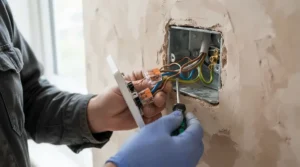
Fitting an in-wall smart switch is mechanically similar to fitting any light switch, but a few extra checks up front save a lot of grief later. First: isolate the circuit at the consumer unit and test with a proper voltage tester before touching anything — smart switch or not, this is still mains electrical work. Second: photograph the existing wiring before you disconnect it. Even simple on/off switches sometimes have surprising loop-in arrangements, and a photo is worth more than memory once you’re staring at four cables an hour later.
Third, and specific to smart switches: identify what’s actually in the box. If you see live, switched-live, earth, and a blue neutral core capped off and tucked to the back, you have a neutral available and your options open up considerably — the standard workaround UK electricians use when a neutral is missing is to relocate the smart element to the ceiling rose instead, which is exactly what devices like the Shelly relay are built around. Fourth: measure your back box depth. Several smart switches, including the Aqara H1, recommend at least 40mm of depth, and a standard UK box can be shallower than that — box extenders (sometimes called switch spacers) solve this cheaply, if not always beautifully.
Common first-30-days mistakes worth avoiding: mounting a Wi-Fi switch inside a metal back box without checking signal strength first (metal boxes can meaningfully attenuate 2.4GHz signal), skipping the firmware update before first use, and forgetting to label switches clearly in the companion app once you’ve got six of them named “Switch 1” through “Switch 6.” None of these are dramatic, but each one turns a fifteen-minute job into a return trip.
Real-World Scenarios: Which Switch Suits Your Home
Picture three fairly typical UK households. First, a young couple in a 1930s semi with the original wiring still largely intact — no neutral at most switch drops, one Alexa Echo in the kitchen, and a modest budget. For them, the TP-Link Tapo S210 paired with a single hub is the sensible starting point: cheap enough to try in one room, no rewiring required, and it grows into a full-house system if they like it.
Second, a family who had a loft conversion and took the opportunity to run fresh cabling with neutrals throughout the upstairs rooms, but who also have older downstairs circuits without one. This is where a mixed approach pays off — the Meross MSS510X or Sonoff TX Ultimate upstairs where neutrals exist, and the Aqara Smart Wall Switch H1 or a Shelly 1 Mini Gen4 downstairs where they don’t. Nobody has to compromise room by room.
Third, a household fully invested in Apple devices, running HomeKit automations for heating and security already, who wants their lighting under the same umbrella without juggling three apps. The Eve Light Switch is the obvious fit here — the lack of Alexa or Google support, which would be a dealbreaker elsewhere, simply doesn’t matter to them.
What Is an In-Wall Smart Switch?
An in-wall smart switch is a connected device that replaces a traditional light switch inside its existing wall box, adding app control, voice control and scheduling while keeping the physical switch in its original location. Unlike a smart bulb, it controls the circuit itself, so any bulb fitted downstream — dumb or smart — responds to it.
How to Choose an In-Wall Smart Switch
- Check for a neutral wire first. Open the switch plate, isolate the circuit, and look for a blue (or old-style black-sleeved) conductor capped off in the box — this single fact eliminates half the market immediately.
- Measure your back box depth. Anything under roughly 35-40mm may need a spacer for bulkier Zigbee or Wi-Fi modules.
- Decide on-off or dimming. Not every switch dims; buying a rotary dimmer for a circuit you never intend to dim is wasted spend.
- Match your voice assistant. Apple-only households should rule out Alexa-first devices early, and vice versa, to avoid app fatigue.
- Factor in hub costs honestly. A £16 switch that needs a £15 hub isn’t really a £16 switch — compare total landed cost.
- Confirm gang count and switching type. Two-way landing switches need explicit two-way support, not just a one-way unit fitted twice.
- Read aggregated review themes, not star ratings alone. Look specifically for recurring wiring or fitment complaints from UK reviewers, since box sizes and wiring conventions vary by country.
Wall Plate Compatibility: What to Check Before You Buy
This is the section most buying guides skim past, and it’s exactly where retrofit installations go wrong. UK switch boxes typically come in two shapes: the square 86mm pattern common in modern new-builds, and older, sometimes shallower boxes in period properties that were never designed to house electronics. Smart switches are, almost without exception, physically deeper than a traditional mechanical switch, because they’re hiding a small radio and relay behind the rocker rather than a simple metal contact.
| Consideration | What to check | Why it matters |
|---|---|---|
| Box depth | Usually need 35-40mm minimum | Prevents forced, cramped wiring |
| Box shape | Square 86mm vs round EU pattress | Not every switch supports both |
| Gang count | Single vs double vs triple | Faceplates aren’t universally interchangeable |
| Existing plate | Some switches ship their own plate | Old decorative plates may not fit at all |
Reading that table, the takeaway is straightforward: a switch that’s technically compatible with your wiring can still be a poor fit if the box itself is too shallow or the wrong shape. The Aqara Smart Wall Switch H1 is unusually accommodating here, supporting both square and round box conventions, while devices like the Eve Light Switch explicitly state that existing wall plates aren’t compatible at all, so you’re committing to the plate in the box whether you love it or not.
In-Wall Smart Switch vs Smart Plug vs Smart Bulb
| Option | Controls | Typical Cost | Best For |
|---|---|---|---|
| In-Wall Smart Switch | Whole circuit | £15-£45 per switch | Permanent, whole-room upgrades |
| Smart Plug | Single plugged appliance | £10-£30 | Lamps, small appliances, renters |
| Smart Bulb | Individual light fitting | £10-£25 per bulb | Colour-changing, single fittings |
A comparison of running costs makes the choice clearer than most marketing copy does. A three-bulb pendant fitted with smart GU10s could easily run to £45-£60 in bulbs alone before you’ve touched the wall — a single Candeo Zigbee Smart Dimmer at the switch controls the same fitting, any bulb in it, for roughly the same money or less. Smart plugs remain the right call for anyone renting or anyone who just wants a lamp on a schedule, since they need no wiring work whatsoever, but they can’t touch a hardwired ceiling light. Smart bulbs still win on colour-changing party tricks a plain switch can’t replicate, but for straightforward on/off and dimming control across a whole room, the wall switch is usually the more durable, more cost-effective long-term choice.
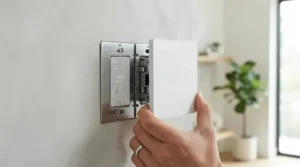
Alexa Compatible Smart Light Switch: Voice Control Integration Explained
Almost every switch on this list claims Alexa compatibility, but “compatible” hides real differences in how that voice control actually reaches your switch. Hub-based Zigbee devices like the Aqara Smart Wall Switch H1 and Candeo Zigbee Smart Dimmer need their own hub to bridge to Alexa — the hub, not the switch, is what registers as an Alexa skill. Direct Wi-Fi switches like the Meross MSS510X connect to Alexa without any middleman, which tends to mean slightly lower latency between saying “Alexa, turn on the landing light” and the bulb actually responding, since there’s one less hop in the chain.
Reviewers consistently note that Matter-bridged devices, such as the Sonoff TX Ultimate via its eWeLink CUBE, add a genuinely useful layer: a single Matter credential works across Alexa, Google Home and Apple Home simultaneously, rather than requiring separate skill setups for each. The trade-off is that Matter bridging is a relatively newer feature set, and firmware maturity varies between manufacturers — worth checking recent reviews for your specific model before assuming day-one Matter support is flawless. For households without any smart speaker at all, this section is largely academic — but for the growing number of UK homes with an Echo or a Google Nest in most rooms, the difference between a laggy hub relay and a direct Wi-Fi connection is noticeable in daily use.
Common Mistakes When Buying a Smart Switch for Existing Wiring
The single most common error is buying before checking for a neutral wire, discovering the switch won’t install, and either returning it or — worse — attempting a workaround without the electrical knowledge to do it safely. A close second is underestimating hub costs: a bundle of six £16 switches sounds like a bargain until you realise you also need £15 hubs to run them, at which point a single £32 self-contained switch per room starts looking competitive. Buyers also frequently overlook two-way switching requirements on staircases and landings, fitting a one-way smart switch where a proper two-way circuit is needed, which either breaks the second switch’s function entirely or requires additional accessory hardware most listings don’t mention up front. Finally, ignoring minimum load ratings on dimmers is a recurring theme in aggregated review complaints — very low-wattage LED bulbs can flicker or refuse to switch off fully on dimmer modules that aren’t rated down to that wattage, a problem the Candeo Zigbee Smart Dimmer‘s adjustable minimum-brightness setting specifically addresses.
Safety & Regulations: Part P and BS 7671 Compliance
Here’s where enthusiasm for a weekend DIY project needs to meet UK building law head-on. Replacing an existing light switch on an existing circuit is generally classed as non-notifiable work under Part P of the Building Regulations, meaning it doesn’t need to be reported to local Building Control — councils explicitly list replacing accessories such as control switches among the works a competent person can carry out and self-certify with a Minor Works Certificate. However, that non-notifiable status assumes straightforward like-for-like replacement on an existing circuit — adding new circuits, or working in a kitchen or bathroom “special location,” pushes the job back into notifiable territory.
Regardless of notifiability, all electrical work in a UK dwelling is expected to follow the design, installation and testing rules set out in BS 7671, however minor the job looks. If you’re not entirely confident isolating a circuit, identifying conductors correctly, or testing before re-energising, this is genuinely a job worth handing to a qualified electrician — the switch itself might only cost £20, but a mistake with mains wiring carries risk that no amount of app convenience is worth. For relay-based retrofits like the Shelly 1 Mini Gen4, which typically involve opening a ceiling rose rather than a simple switch swap, professional installation is even more strongly advisable.
Long-Term Cost & Maintenance
Smart switches are largely maintenance-free once installed — there’s no bulb to change, since they’re controlling the circuit rather than being the light source. The main ongoing consideration is firmware: Wi-Fi and Matter-bridged devices receive periodic updates, and skipping them for too long occasionally causes app pairing issues reviewers report after major app redesigns. Hub-based Zigbee setups carry one extra long-term dependency worth weighing: if the hub manufacturer discontinues support, every switch tied to it loses smart functionality, though it will typically continue working as a basic manual switch. Standalone Wi-Fi switches like the Meross MSS510X, which don’t rely on a proprietary hub, are arguably the safer long-term bet from a “will this still work in five years” perspective, since there’s one fewer point of failure in the chain.
Frequently Asked Questions
❓ Do all smart light switches need a neutral wire?
❓ Can I fit an in-wall smart switch myself?
❓ Will a smart switch work with my existing wall plate?
❓ What's the difference between a smart switch and a smart bulb?
❓ Do in-wall smart switches work with Alexa and Google Assistant?
Conclusion
There’s no single “best” in-wall smart switch — there’s only the best one for the wiring you’ve actually got and the voice assistant you already use. If you’ve checked the box and found no neutral, the Aqara Smart Wall Switch H1 and TP-Link Tapo S210 solve that cleanly, while a genuine neutral opens the door to hub-free options like the Meross MSS510X. Households chasing real dimming control without a shelf full of smart bulbs should look hard at the Candeo Zigbee Smart Dimmer, and anyone facing a switch box with no realistic fix should consider relocating the smart element entirely with a Shelly 1 Mini Gen4 at the ceiling rose instead.
Whichever direction you go, the two checks that matter most — neutral wire presence and back box depth — take five minutes and save considerable frustration. Get those right first, and the rest of the decision is really just picking a design and an ecosystem you’ll be happy living with for years.
Recommended for You
- 7kW vs 22kW Home EV Charger: 7 Best Picks Compared (2026)
- Smart EV Charger For Solar Diversion: 7 Best UK Picks (2026)
- Portable EV Charger Cable: 7 Best Picks for UK Drivers (2026)
Disclaimer: This article contains affiliate links. As an Amazon Associate, I earn from qualifying purchases. If you purchase products through these links, we may earn a small commission at no additional cost to you.
✨ Found this helpful? Share it with your friends! 💬🤗
