
In This Article
A retrofit curtain motor is a small battery-powered device that clips onto your existing curtain pole or rail and pulls the fabric open and closed on command, so you can automate curtains you already own without drilling, rewiring or replacing a single hook. Think of it as a tiny, patient butler riding along behind your fabric.
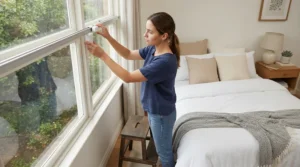
Why bother in 2026? The alternative is ripping out perfectly good curtains for a motorised track. That costs more, takes longer and rarely survives a tenancy inspection. A retrofit curtain motor skips all of it. Clip it on, calibrate it in an app, and your bedroom curtains can glide open at sunrise while you pretend to be someone who wakes up naturally.
There’s a practical angle too. Windows are a notorious weak spot for heat loss, and the Energy Saving Trust’s advice on draught-proofing is a reminder that small, boring fixes add up. Curtains drawn at dusk are one of them. A schedule means they actually get drawn, even when you’re stuck in traffic.
Here’s the catch the glossy listings skim over. Not every motor suits every pole, and the “smart” part often hinges on a hub. This guide compares seven real options and unpicks curtain rail compatibility. It also weighs Bluetooth vs Wi-Fi control and explains when a hub is needed for remote access. If you intend to buy smart curtain opener with hub combos, you’ll see which pairings make financial sense. One note on method: this is analysis built from manufacturer specifications and independent reviews, not hands-on testing, and every price is a range that moves often.
Quick Comparison: Retrofit Curtain Motor Options at a Glance
Before the deep dive, here’s the whole field on one screen. Treat it as a map, not a verdict.
| Product | Fits | Out-of-box control | Hub needed for remote access? | Load rating | Best For |
|---|---|---|---|---|---|
| SwitchBot Curtain 3 (Rod) | Poles 10–40 mm | Bluetooth app, remote, nudge-to-open | Yes (SwitchBot hub) | Up to 15 kg | Most homes with standard poles |
| SwitchBot Curtain 3 (U Rail) | U-rail tracks | Bluetooth app | Yes (SwitchBot hub) | Up to 15 kg (range rating) | Flats with slimline tracks |
| Aqara Curtain Driver E1 | Poles 25–32 mm, U-rail, I-rail | Zigbee via Aqara hub only | Hub needed from day one | 12 kg (about 8 kg I-rail) | Zigbee and Home Assistant fans |
| RYSE SmartCurtain | Poles 15–40 mm (shallow lip only) | Bluetooth app, tug | Yes (SmartBridge) | About 4.5 kg (tech sheet) | Hidden look, tug-to-open fans |
| Zemismart Smart Super Curtain Robot | Pole, U-rail, I-rail adapters | RF remote | Zigbee hub for app and voice | Check listing | Budget tinkerers |
| SOMA Smart Shades 2 | Corded pull systems | Bluetooth app | Yes (SOMA Connect) | No stated limit | Corded tracks |
| Quoya AT5810 | Replaces your track | Wi-Fi app, remote | No hub (Tuya cloud) | Check listing | Long or awkward windows |
Looking at the comparison above, SwitchBot Curtain 3 (Rod) is the easiest starting point because its pole range is the widest. If heavy lined curtains are your priority, the Aqara Curtain Driver E1 offers a stronger stated load but demands a hub from the first minute. Quoya AT5810 is the only entry that skips a hub entirely, though it isn’t a true retrofit.
Read the load column with suspicion. A manufacturer’s rating assumes clean, smooth runners, and a worn track or sticky rings will eat into it. Weigh your actual curtains before you shop.
💬 Just one click — help others make better buying decisions too!😊
Top 7 Retrofit Curtain Motor Picks: Expert Analysis
One honesty note before the list. I couldn’t verify live Amazon UK star ratings or review counts for every product. The sentiment below therefore comes from independent reviewers and, where stated, brand-store reviews. Check the live listing for the current picture, and for current price and availability.
1. SwitchBot Curtain 3 (Rod) — best all-rounder for standard poles
The headline feature is grip. SwitchBot says its hook system suits poles from 10 mm to 40 mm, which swallows most wooden, metal and flat-pack poles in British homes. The motor is rated for curtains up to 15 kg, and the manufacturer claims under 25 dB in QuietDrift mode. Independent measurements put normal mode in the low-to-mid 40s dB. In practice you’ll mostly hear the rings rattling along the pole, not the motor.
On the spec sheet this is the safest first purchase. The 3,350 mAh battery is rated at around eight months, and an optional solar panel (around £25) can keep it topped up if the window gets roughly three hours of light daily. Trusted Reviews found it quieter and quicker than earlier generations. It also noted that Bluetooth-only control works until you leave the house, at which point a hub becomes essential. SwitchBot’s own UK store page shows 31 reviews, roughly three-quarters five-star. That is brand-hosted, so treat it with salt. The recurring themes are easy installation, strong pulling and painless Home Assistant detection.
Pros:
- ✅ Fits poles from 10–40 mm
- ✅ Nudge-to-open “Touch & Go” control
- ✅ Optional solar panel ends charging
Cons:
- ❌ Needs a hub for remote access
- ❌ One motor per curtain panel
Expect around £90–£110 per motor (check current price). A centre-opening window needs two, so it’s strong value for single panels and fair value for pairs.
2. SwitchBot Curtain 3 (U Rail) — made for slimline tracks
The standout is geometry. Where the pole model hangs from a rail and hauls the fabric, the SwitchBot Curtain 3 (U Rail) is a separate model built to ride inside U-rail tracks. These are common in many flats and newbuilds, where there’s no pole in sight. It shares the Curtain 3 platform: Bluetooth control, the same app and a 15 kg range rating. The solar panel listing names both U-rail and rod models as compatible, which matters because track motors often live behind pelmets where sunlight goes to die.
Here’s what the spec sheet won’t tell you. Track motors depend on smooth gliders, and a sticky or sagging track makes any motor work harder. Aqara’s FAQ makes the same point, noting that worn rings, ageing rails and dirt reduce real-world capacity. Independent coverage of the U-rail version is thinner than for the pole model, so use SwitchBot’s compatibility checker and confirm the returns window. SwitchBot’s UK store also lists a separate I-rail accessory kit, so I-rail owners shouldn’t assume this box fits. The sentiment I could verify is mostly about the wider Curtain 3 family: easy setup and decent power, but a hub is needed for remote access.
Pros:
- ✅ Sits inside U-rails, no pole needed
- ✅ Same app and hub ecosystem as the rod model
- ✅ Solar panel supported
Cons:
- ❌ I-rail tracks need an extra accessory kit
- ❌ Less independent testing than the pole version
Pricing sits in a similar bracket to the rod model (check current price). It’s good value if your rail is genuinely U-shaped and a poor buy if you guess.
3. Aqara Curtain Driver E1 — strongest pull, longest battery
The standout is muscle plus stamina. The Aqara Curtain Driver E1 is rated for 12 kg on poles and U-rails (about 8 kg on I-rails). Its 6,000 mAh battery is quoted at up to a year between charges, or you can run it permanently on USB-C. The rod version needs a smooth pole of 25–32 mm, and telescopic poles aren’t supported. That’s a deal-breaker if you bought an adjustable pole in a hurry. A built-in light sensor allows brightness-triggered automations.
On paper it’s the pick for people already living in Zigbee-land. It needs an Aqara Zigbee 3.0 hub and does nothing useful without one, so factor that in before calling it cheap. Aqara has said Matter support would arrive through hub updates. One independent reviewer gave it four stars. They praised pulling power, battery life and HomeKit support, and flagged the narrow pole range, the hub requirement and occasional motor noise. That matches the specs well.
Pros:
- ✅ 12 kg rating suits heavy lined curtains
- ✅ Battery quoted at up to a year
- ✅ Strong HomeKit and Home Assistant support
Cons:
- ❌ Hub required from the very first use
- ❌ Pole must be 25–32 mm and non-telescopic
Budget roughly £80–£100 for the motor, plus a hub unless you own one. That’s good value inside Aqara’s ecosystem and poor value outside it.
4. RYSE SmartCurtain — hidden hanging, tug-to-open
The standout is subtlety. The RYSE SmartCurtain hooks onto the pole between the folds, sits out of sight behind the fabric and auto-calibrates. It responds to a gentle tug as well as the app. RYSE lists poles from 15–40 mm (17–38 mm if there’s a lip up to 2 mm), noise under 35 dB at two metres, and a weight of 545 g. A technical sheet quotes up to eight months of battery and a load of around 10 lb (about 4.5 kg). That is lighter duty than rivals, so heavy thermal curtains deserve a hard look at the numbers.
Control is Bluetooth by default. The separate SmartBridge adds remote access, schedules, groups, and HomeKit, Alexa and Google Home support. Neither device is Matter-certified. One independent comparison site scores it 3.3 out of 5 from 48 ratings, and its review headline hints at a clumsy battery experience. The elegance comes with caveats. RYSE operates UK and EU storefronts, but confirm Amazon UK stock before planning around it.
Pros:
- ✅ Hides behind the fabric for a tidy look
- ✅ Tug-to-open without reaching for your phone
- ✅ Wide pole range, 15–40 mm
Cons:
- ❌ Lower stated load than rivals
- ❌ SmartBridge needed for schedules and voice
This sits in the premium bracket, with a US list price around $200 (check current UK price). It’s hard to justify unless the hidden look genuinely matters to you.
5. Zemismart Smart Super Curtain Robot — budget Zigbee with adapters included
The standout is the bundled parts. The Zemismart Smart Super Curtain Robot (ZM86E series) ships with adapters for poles, U-rails and I-rails. Aqara asks you to choose the right version at checkout. One US head-to-head found it suits poles of roughly 22–32 mm, narrower than SwitchBot’s range, and that it was installable without instructions. It uses Zigbee (a Tuya-compatible hub is needed for app and voice control) and includes an RF remote that talks directly to the motor, which helps if the hub dies.
My read is that this is for people comfortable with Home Assistant or Zigbee2MQTT. The reviewers who like it generally already own a hub. The honest caveat is fit. A Home Assistant community reviewer found the hooks couldn’t engage on a track where the runners sit in a slot on the back face. Another reviewer was pleasantly surprised, though that was a sponsored sample. In that US comparison it undercut SwitchBot by roughly 40%.
Pros:
- ✅ Pole, U-rail and I-rail adapters included
- ✅ RF remote works without the hub
- ✅ Friendly to Zigbee2MQTT users
Cons:
- ❌ Narrower pole range than SwitchBot
- ❌ Can fail to fit unusual tracks
This is the budget bracket (check current UK price and CE marking). It’s good value if your rail suits it and you already own a Zigbee hub.
6. SOMA Smart Shades 2 — the cord-pull specialist
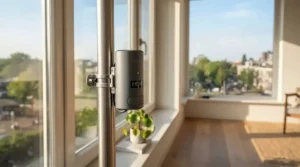
The standout is that it pulls cords, not curtains. Some tracks use a continuous pull cord that no clip-on robot can ride, and the SOMA Smart Shades 2 feeds that cord through a geared motor mounted on the wall. It handles both beaded chains and continuous cords, includes a solar panel, and charges over USB. SOMA’s stance is that it needs no weight limit because it pulls as hard as you could by hand. One reviewer rated it at about 50 dB, with a slower quiet mode that’s still audible.
It’s a niche but genuine fix for corded tracks. There’s no manual override, since once installed you can’t pull the cord the old-fashioned way. Bluetooth-only control means a SOMA Connect hub for voice and hub-needed-for-remote-access duties. One independent reviewer gave it four stars for smart home support while noting the noise and hub dependence. UK distribution has historically run through specialist retailers, so check whether Amazon UK stocks it.
Pros:
- ✅ Works with corded curtain tracks
- ✅ No stated weight ceiling
- ✅ Solar panel included
Cons:
- ❌ No manual override once fitted
- ❌ Roughly 50 dB in use
UK listings I saw sat around £85–£100, with the hub extra. That’s fair for corded tracks and overpriced if you could clip a pole motor on instead.
7. Quoya AT5810 — UK-brand fallback when rails won’t cooperate
The standout is that it needs no hub. The Quoya AT5810 is a modular motorised track from a UK brand, with a Wi-Fi motor controlled via the Tuya app. It spans windows up to about 7 metres (275 inches), mounts to wall or ceiling, and offers 90° and 135° corner options. A remote comes in the box. Quoya claims around 20 dB and gives a three-year motor warranty. I’ve included it for one reason: this is a replacement, not a retrofit, and sometimes curtain rail compatibility loses the argument.
An integrated motor is typically smoother and quieter than a clip-on robot. The trade-offs are a mains socket near the track end, cloud control through Tuya, occasional pairing hiccups, and an install that can take a few hours. One independent reviewer gave it five stars and called it smooth and quiet.
Pros:
- ✅ No hub needed
- ✅ Handles long windows up to about 7 m
- ✅ Corner options and three-year motor warranty
Cons:
- ❌ Replaces your rail, so not a true retrofit
- ❌ Needs mains power and Tuya cloud
Expect a mid-to-premium bracket (check current price). It’s best value on long, awkward windows where clip-ons struggle.
Top 7 Side by Side
| Product | Price range (check current) | Power | Noise | Review sentiment | Best For |
|---|---|---|---|---|---|
| SwitchBot Curtain 3 (Rod) | £90–£110 | Rechargeable, ~8 months, solar option | Under 25 dB QuietDrift (brand claim) | Strongly positive | First-time buyers |
| SwitchBot Curtain 3 (U Rail) | Similar bracket | Same platform, solar option | Same platform | Thinner coverage | U-rail flats |
| Aqara Curtain Driver E1 | £80–£100 | Up to ~1 year, USB-C | Some noise reported | Positive, hub friction | Zigbee homes |
| RYSE SmartCurtain | Premium (~$200 US list) | Up to ~8 months | Under 35 dB at 2 m (brand claim) | Mixed (3.3/5 on one site) | Tug-to-open fans |
| Zemismart Smart Super Curtain Robot | Budget | USB-C rechargeable | Not verified | Positive from enthusiasts | Home Assistant tinkerers |
| SOMA Smart Shades 2 | £85–£100 | Solar and USB | ~50 dB (reviewer) | Positive, but noisy | Corded tracks |
| Quoya AT5810 | Mid to premium | Mains | ~20 dB (brand claim) | Very positive (one reviewer) | Long windows |
The table shows the SwitchBot Curtain 3 (Rod) winning on breadth and price clarity. The Aqara Curtain Driver E1 wins on stated strength, and the Zemismart Smart Super Curtain Robot wins on cost if you can live with rougher edges. Notice that the quietest claims belong to the products with the quietest-sounding marketing, so weigh them against independent measurements. The Quoya AT5810 is a different animal and belongs in the mix only when clip-ons can’t work.
How to Install and Set Up a Retrofit Curtain Motor
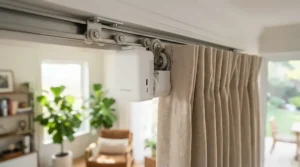
Installation is genuinely a ten-minute job for most clip-on units, but the prep decides whether it works. Follow this order:
- Measure and weigh first. Check your pole diameter, then weigh one curtain panel on bathroom scales and compare it with the rated load.
- Clear the runway. Wipe dust from the pole or track and swap any crumbling gliders or sticky rings.
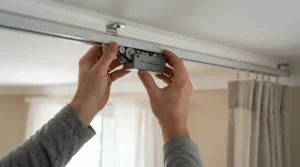
- Clip it on. The pole models hang on the leading edge of the panel, typically between the first two rings. Fit any positioning magnets supplied.
- Pair and calibrate. Stand near the motor, pair over Bluetooth, then run the app’s calibration so it learns the open and closed limits.
- Pick a speed mode. Use quiet mode for bedrooms and performance mode elsewhere. One independent review notes quiet mode consumes more battery.
- Add the hub, then schedule. Create sunrise and sunset routines once the basics work.
Maintenance schedule: glance at battery percentage monthly and wipe the pole quarterly. Apply firmware updates when prompted and re-check the hooks once a year.
Common first-30-day mistakes:
- Forgetting that a centre-opening window needs two motors.
- Setting limits too tight, so the curtains never fully close.
- Pointing a solar panel away from the window.
Fixing Common Retrofit Curtain Motor Problems
Even good kit misbehaves. Here are the usual suspects and the fixes:
- Stalls halfway: Rings are snagging, or the curtain is heavier than the rating. Wipe the pole, upgrade to smoother rings and re-weigh the panel.
- Stops short or overshoots: Re-run calibration and re-set the open and closed positions.
- “Out of range” errors: Bluetooth has limits, and walls shrink the claimed range dramatically. Move the hub closer or add a second one, and remember that a hub is needed for remote access when you’re out.
- Battery drains quickly: Quiet mode eats power. Trade a little speed for longevity, or add the solar panel where the maker supports one.
- Hub won’t pair: SwitchBot’s Hub Mini supports only 2.4 GHz Wi-Fi, and Aqara’s hubs need a 2.4 GHz connection too. Check your router’s band settings.
- Pairs open unevenly: Group the two motors in the app so they move together.
The pattern is simple. Most “faults” trace back to friction, range or Wi-Fi band, not dead hardware. Fix the physical run first, because a free-gliding curtain forgives a lot of software sins.
Real-World Scenarios: Matching a Retrofit Curtain Motor to Your Home
These three profiles are illustrative, built from the specs above rather than from real customers.
The light-sleeping renter. A one-bed flat, ring-top curtains on a 28 mm pole, a budget of around £150–£250, and a daily sunrise routine. The SwitchBot Curtain 3 (Rod) fits the pole comfortably, QuietDrift suits a bedroom, and a small hub unlocks remote access. A solar panel is the stretch goal.
The Home Assistant household. A Zigbee network already humming, heavy thermal living-room curtains, and a budget nearer £200–£300. The Aqara Curtain Driver E1 offers the strongest stated load and fits a non-telescopic 25–32 mm pole. If your pole is telescopic, this is where the Zemismart Smart Super Curtain Robot or the SwitchBot pole model becomes the better route.
The long patio window. A 4-metre run with floor-length drapes used daily. A clip-on may strain here, so the Quoya AT5810 deserves a look despite the faff of a track swap. It covers up to about 7 metres and skips the hub. Budget extra time for the install.
✨ Ready to Pick Your Motor?
🔍 Take your curtains to the next level with these carefully selected options. Click on any highlighted product name to check current pricing and availability. These picks will help you build a smarter, calmer morning routine your whole household will love!
How to Choose a Retrofit Curtain Motor: 6 Steps
Choosing well takes about five minutes and saves a return. Work through these in order:
- Identify your rail. Is it a pole, a U-rail, an I-rail or a corded track? This single answer eliminates half the field, because the SOMA Smart Shades 2 only suits cords and the Aqara Curtain Driver E1 wants a smooth non-telescopic pole.
- Weigh your curtains. Compare one panel with the rated load, then leave headroom, since ratings assume perfect runners.
- Pick your ecosystem. Alexa, Google, HomeKit or Home Assistant? Zigbee suits Home Assistant users, while Bluetooth with a bridge suits everyone else.
- Decide your hub tolerance. If you hate extra boxes, accept Bluetooth-only control or look at the Quoya AT5810.
- Count panels. A pair of curtains means two motors, so budget for both before comparing prices.
- Plan the power. Battery, solar or USB? Choose what fits your window and sockets.
The mistake most buyers make is starting with brand loyalty. Start with rail and weight, then let those facts pick the shortlist. For any retrofit curtain motor, the numbers on your own window matter more than the numbers on the box.
Curtain Rail Compatibility: Will It Actually Fit?
Curtain rail compatibility is where retrofit dreams go to die, so check it with the patience of a tax inspector.
Poles (rods). Ranges differ sharply. SwitchBot Curtain 3 (Rod) lists 10–40 mm, RYSE SmartCurtain lists 15–40 mm (with a shallow lip limit), and Aqara Curtain Driver E1 wants 25–32 mm. Measure with a tape, because eyeballing a pole is how returns happen. One reviewer who bought SwitchBot units discovered they were too small for their poles, which is exactly the avoidable lesson.
Telescopic poles. The Aqara Curtain Driver E1 doesn’t support them, while SwitchBot says its design adapts to telescopic types.
Tracks. U-rail and I-rail are different animals. Aqara lists a lower load for I-rail (about 8 kg), and SwitchBot sells U-rail separately with an I-rail accessory kit. Tracks where the runners sit in a back slot can defeat some hook designs, as one Home Assistant reviewer found with the Zemismart Smart Super Curtain Robot.
Curtain headers. Ring-top, grommet (eyelet) and tab-top styles glide differently. Rings that bind are the commonest cause of stalling.
Curves and bays. I couldn’t find explicit bay-window support for the clip-on motors above, so assume straight runs unless the maker says otherwise. The Quoya AT5810 offers corner sections for exactly this reason.
Bluetooth vs Wi-Fi Control: What Changes Day to Day
Bluetooth vs Wi-Fi control sounds like a spec-sheet squabble, but it changes your daily life.
Bluetooth talks directly to your phone. It’s quick to set up and doesn’t depend on a company’s servers, but it only works within range. Manufacturers quote generous distances in open air, and walls cut that sharply. Out of range, you’ve lost the app. That’s why SwitchBot Curtain 3 (Rod) and RYSE SmartCurtain behave like local gadgets until a bridge joins the party.
Wi-Fi brings remote access, schedules and voice control because the device (or its hub) sits on your network. The catch is that many hubs accept only 2.4 GHz networks, and some, like the Quoya AT5810, route through a cloud platform.
There’s a third player. Zigbee is a low-power mesh standard used by Aqara Curtain Driver E1 and the Zemismart Smart Super Curtain Robot. It’s reliable and frugal with batteries, but it always needs a compatible hub.
My analysis is that Bluetooth with a hub is the sweet spot for most households. You get local speed at home and Wi-Fi reach when you’re away. Zigbee rewards people who already run a smart home, and Wi-Fi-only suits those who dislike extra boxes.
Hub Needed for Remote Access? The Honest Answer
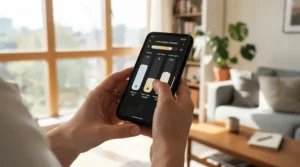
Yes, for nearly every clip-on motor here, a hub is needed for remote access. The motors themselves speak Bluetooth or Zigbee, neither of which reaches your phone when you’re out. A hub bridges that gap to your Wi-Fi. The exception is the Quoya AT5810, which connects over Wi-Fi directly, though through the Tuya cloud.
What does a hub unlock beyond remote access? Voice control through Alexa, Google Home or HomeKit, plus routines that run when your phone isn’t nearby. One caution: reviewers disagree on whether schedules run on the motor itself, so test this in the current app before assuming. If you only ever want a button press and an in-house alarm, you may genuinely not need a hub. For most people, the hub is what makes it feel smart.
Buy Smart Curtain Opener With Hub: Bundle Maths
If you plan to buy smart curtain opener with hub combos, compare the bundle against separate purchases. SwitchBot’s UK store lists a Hub Mini at around £35, a Matter-enabled Hub Mini at around £70, and a Hub 3 at around £130. Entry-level hubs cover most curtain duties, so pay extra only if you need Matter, extra sensors or infrared control. The Aqara Curtain Driver E1 and the SOMA Smart Shades 2 each need their own maker’s hub, which makes them poor candidates if you want one box for everything. Whichever route you take, never buy two hubs by accident, because some bundles already include one.
Smart Curtain Robot Review: What Independent Testers Agree On
Reading a smart curtain robot review across several sites reveals a surprisingly consistent story, and it’s more useful than any single score.
Noise is relative. Testers repeatedly note that exposed clip-on motors transmit vibration through the pole. One independent measurement found that the rings, not the SwitchBot Curtain 3 (Rod), make most of the sound. Slower quiet modes help but cost battery.
Strength is improving. Newer generations pull heavier fabric more convincingly. The Aqara Curtain Driver E1 and SwitchBot Curtain 3 (Rod) both advertise high loads, though a stiff, snagging track can defeat any rating.
Hubs cause friction. Reviewers of Aqara Curtain Driver E1 and SOMA Smart Shades 2 keep flagging the hub requirement, and the same applies to SwitchBot’s smart features.
One motor per panel. Reviews of the SwitchBot and Zemismart units point out that a centre-opening pair needs two motors.
Disclosure matters. Several reviews, including one for the SwitchBot Curtain 3 (Rod), used manufacturer-supplied samples. That doesn’t invalidate them, but it’s worth reading with raised eyebrows.
Retrofit Curtain Motor vs Motorised Track: Which Wins?
A retrofit curtain motor and a motorised track both automate your curtains, but they solve different problems.
| Factor | Retrofit motor | Motorised track | Professional made-to-measure | Manual curtains |
|---|---|---|---|---|
| Install effort | Minutes, no tools | A few hours | Professional fit | None |
| Keeps your curtains | Yes | Often yes, new hooks | Usually new | Yes |
| Noise | Audible but modest | Quietest | Quiet | Silent |
| Power | Battery or solar | Mains or battery | Battery or hardwired | None |
| Best For | SwitchBot Curtain 3 (Rod), Aqara Curtain Driver E1 | Quoya AT5810 | Whole-home projects | Zero budget |
The table makes the trade-off plain. A retrofit curtain motor wins on speed, flexibility and rental-friendliness, which is why the SwitchBot Curtain 3 (Rod) suits so many people. A motorised track like the Quoya AT5810 wins on smoothness and very long windows. Choose the track only if rail compatibility rules out the clip-ons, or you’re replacing an ageing rail anyway.
Long-Term Cost and Maintenance
A retrofit curtain motor looks cheap until you count the whole kit, so total cost of ownership matters more than the sticker.
| Setup | Typical components | Estimated spend | Best For |
|---|---|---|---|
| One panel, Bluetooth only | One motor | £90–£110 | SwitchBot Curtain 3 (Rod) |
| Pair plus hub | Two motors and an entry hub | £200–£260 | SwitchBot Curtain 3 (Rod) |
| Pair, hub and solar | As above plus two solar panels | £250–£300 | Sunny south-facing rooms |
| Zigbee route | Two motors and a compatible hub | £200–£300 | Aqara Curtain Driver E1 |
Across those setups, the biggest swing factor is the hub, not the motor. Spread a roughly £250 setup over five years and you’re at about 14p a day, which is easy to justify for a daily convenience. Running costs are trivial, since you’re charging a small battery a few times a year. Budget instead for the time cost of maintenance: wipe the pole quarterly, apply firmware updates and check battery levels monthly. Solar panels (around £25 each for SwitchBot’s) convert that chore into a one-off decision.
UK Safety, Security and Compliance Guide
Smart curtains are connected devices, so basic security applies. Since 29 April 2024, the UK’s consumer connectable product security regime has required manufacturers to meet minimum standards, including a ban on universal default passwords. Reputable brands should also tell you how long they’ll provide security updates.
Practical steps:
- Use a strong, unique password for each smart home account and enable two-factor authentication where offered.
- Keep firmware updated.
- Prefer local-control options like Zigbee if cloud dependence worries you.
- Check for CE or UKCA marking on the product listing. One Zemismart listing I saw showed CE.
Physical safety deserves a nod too. Charge lithium batteries with the supplied cable, avoid leaving them charging unattended on soft furnishings, and keep fingers, pets and small children clear of a moving motor. A hands-off device can still pinch.
FAQs
❓ Do retrofit curtain motors work with Alexa without a hub?
❓ Can a retrofit curtain motor handle heavy blackout or thermal curtains?
❓ How long does a retrofit curtain motor battery last?
❓ Will a retrofit curtain motor work on a bay window or curved pole?
❓ Is it worth buying a smart curtain opener with hub for just one window?
Conclusion
Pulling it together: for most British homes with ordinary poles, the SwitchBot Curtain 3 (Rod) is the sensible starting point. It has the widest pole range, a strong stated load and a clear upgrade path through hubs and solar. If your window uses a slimline track, the SwitchBot Curtain 3 (U Rail) is the matching model, subject to checking your rail. Zigbee households with heavy curtains should look hard at the Aqara Curtain Driver E1, provided the pole is smooth, non-telescopic and 25–32 mm.
Budget tinkerers can consider the Zemismart Smart Super Curtain Robot, and tug-to-open romantics might fall for the RYSE SmartCurtain. Corded tracks have the SOMA Smart Shades 2, and when nothing clips on, the Quoya AT5810 is the honest fallback.
The big lessons are simple. Measure your pole and weigh your curtains before you shop. Accept that a hub is needed for remote access in almost every case. And remember that Bluetooth vs Wi-Fi control is really a question of how far from the window you want to be able to roam. Buy once, buy right, and let a retrofit curtain motor handle the 7 a.m. opening.
Recommended for You
- Motorised Curtain Track For Bay Windows: 7 Best Picks (2026)
- Zigbee Vs Wi-Fi Motorised Curtain Track: 7 Best Proven Picks (2026)
- Motorised Curtain Track: 7 Best Picks For UK Homes (2026)
Disclaimer: This article contains affiliate links. As an Amazon Associate, I earn from qualifying purchases. If you purchase products through these links, we may earn a small commission at no additional cost to you.
✨ Found this helpful? Share it with your friends! 💬🤗
