
In This Article
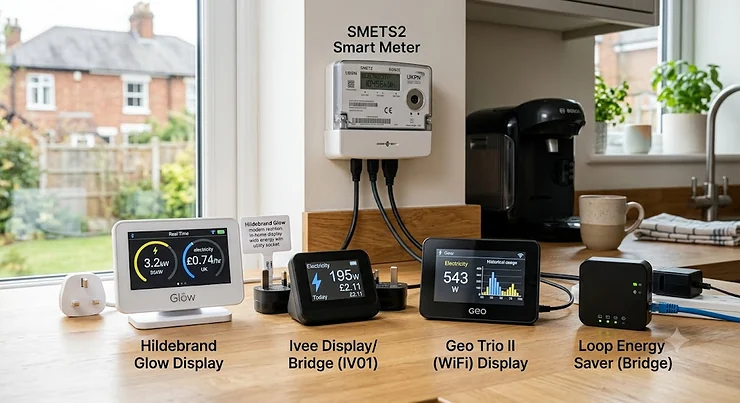
If you’ve ever stood in your kitchen watching the little number on your in-home display climb while the kettle boils, you already understand the appeal of a smart meter add-on. It scratches an itch your supplier’s basic kit never quite reaches. The best smart meter add-on doesn’t replace the free display your energy company bolted to your wall — it goes further, pulling data straight from the Data Communications Company network, breaking usage down by circuit, or putting live figures on your phone instead of a plastic box gathering dust by the toaster.

Here’s the thing nobody tells you when you get your meter installed: the supplier-issued display is the bare minimum, not the finish line. It’s built to satisfy a regulatory requirement, not to satisfy your curiosity about why the electricity bill jumped £40 last month. A proper add-on — whether that’s a dedicated consumer access device, a clamp-on monitor, or a cluster of smart plugs — turns “I think it’s the tumble dryer” into “it’s definitely the tumble dryer, and it’s costing 74p a cycle.”
This guide walks through seven genuinely available products, from a £15 smart plug to a £150 DIN-rail monitor built for Home Assistant obsessives, and explains exactly what each one does with your meter’s data, what it costs, and who should actually bother buying it. We’ve grounded every claim in real specifications and aggregated review sentiment rather than marketing copy, because — and we’ll say this once, clearly — nobody needs another article that just repeats an Amazon listing back at you in a friendlier font.
Quick Comparison Table
Before the deep dive, here’s the shape of the market. Prices are approximate ranges — always check current pricing before buying, since retailers adjust stock and pricing regularly.
| Product | Type | Price Range | Best For |
|---|---|---|---|
| Hildebrand Glow Display & CAD | Combined IHD + CAD | around £65-£75 | DCC-connected phone + kitchen display |
| Loop by Hildebrand | Free app (no hardware) | Free | Trying live data before spending anything |
| TP-Link Tapo P110 | Smart plug | around £12-£18 each | Appliance-level tracking under £50 |
| Efergy Elite Classic 4.0 | CT clamp + screen | around £75-£85 | Non-phone households wanting a dedicated screen |
| OWON WiFi 3-Phase Monitor | CT clamp + app | around £55-£65 | Budget whole-home monitoring |
| Emporia Vue Gen 2 | CT clamp + circuit sensors | around £100-£180 | Circuit-by-circuit breakdowns |
| Shelly Pro 3EM | DIN-rail monitor | around £120-£150 | Home Assistant and solar/EV households |
Looking at the spread, there’s a clear split between devices that talk to your smart meter over the official DCC network (Hildebrand Glow Display & CAD and Loop by Hildebrand) and devices that measure your consumption independently with their own current clamps (everything else on this list). That distinction matters more than most buying guides admit — DCC-connected devices get their numbers from the same source your supplier bills you from, while clamp-based monitors estimate based on what they physically sense at the cable. Neither approach is “wrong,” but they solve different problems, and we’ll unpack exactly why through this guide.
💬 Found a pick you like already? Jump straight to the product that matches your budget below — or keep reading for the full breakdown.
What Is a Smart Meter Add-On (And How Does It Differ From Your IHD)?
A smart meter add-on is any device or app, bought separately from your energy supplier’s standard kit, that gives you extra visibility into your electricity or gas usage — beyond what the free in-home display shows. It might connect via the official DCC network, clamp onto your consumer unit, or plug into a socket to track a single appliance.
That’s different from your IHD (in-home display), which is the small handheld screen your supplier gives you free when the smart meter goes in. As Citizens Advice explains, the IHD is a separate device from the meter itself, connects without wifi, and shows usage in pounds and pence — but it’s deliberately basic. It won’t email you a weekly report, won’t tell you which circuit is drawing power at 2am, and won’t sync with a smart home setup. That’s precisely the gap a smart meter add-on is built to fill.
Worth noting: not every “add-on” talks to your actual smart meter. Clamp-based monitors like the Emporia Vue Gen 2 or Shelly Pro 3EM measure current directly at your consumer unit and never touch the DCC network at all — they’re a parallel measurement, not an extension of your meter’s own reading. Both routes are legitimate; they just answer different questions.
Understanding the DCC Connection: How Add-Ons Actually Talk to Your Meter
Here’s the 50-word version for anyone in a hurry: the DCC connection is the official, government-regulated communications network that links your smart meter to your energy supplier — and, with your consent, to approved third parties. Products that use it read your meter’s real billing data directly, rather than estimating usage from a separate sensor.
The Data Communications Company isn’t a product you buy — it’s infrastructure. According to Ofgem, which regulates it, the DCC operates under a Smart Meter Communications Licence and is the sole channel connecting domestic smart meters to suppliers, network operators, and any approved third-party services. When a company like Hildebrand builds a product on top of this network, it has to become what’s known as a “DCC Other User” — essentially vetted and audited to access your metering data with your explicit consent.
Why should this matter to you as a buyer? Because it changes what a device is actually capable of showing you. A DCC-connected add-on such as Hildebrand Glow Display & CAD or Loop by Hildebrand pulls the same underlying figures your supplier bills from, refreshed roughly every 10 seconds for electricity and every 30 minutes for gas. A clamp-based monitor like the OWON WiFi 3-Phase Monitor, by contrast, measures current independently and calculates its own estimate — usually accurate to within a couple of percent, but not literally the billing figure. If you’re chasing bill accuracy and tariff-matching, DCC wins. If you want circuit-level detail your meter simply can’t provide (because it only measures the whole-house total), a clamp-based device is the only option, DCC or not.
One practical catch worth flagging honestly: DCC connections depend on your meter actually being SMETS2 (or a SMETS1 meter that’s since been “enrolled” onto the DCC network) and having a working communications hub. If your smart meter has gone “dumb” — not unusual with older SMETS1 installs — a DCC-based add-on won’t have anything to connect to until that’s fixed, and no amount of app troubleshooting will solve it.
Why Supplier Apps Fall Short
This is the section most buying guides skip, and it’s exactly why so many people end up shopping for a smart meter add-on in the first place. Supplier apps aren’t badly built out of laziness — they’re built to a minimum regulatory spec, optimised for account management (bills, meter readings, direct debits) rather than granular energy insight.
What most buyers overlook about supplier app limitations is that they’re structural, not cosmetic. Octopus, British Gas, EDF and the rest each maintain their own app, and switching supplier — something Ofgem actively encourages via competition — usually means losing your usage history or starting again in a new interface with different graphs and different data granularity. Based on the pattern across aggregated user reviews for most major supplier apps, three complaints come up repeatedly: usage data lagging by 24-48 hours rather than showing live figures, no circuit-level or appliance-level breakdown, and export/API access being either absent or locked behind developer documentation most customers never find.
Here’s what a dedicated add-on does differently. Loop by Hildebrand and Hildebrand Glow Display & CAD both pull from the DCC independently of your supplier relationship, meaning your historical data survives a switch. Emporia Vue Gen 2 and Shelly Pro 3EM sidestep the supplier app question entirely by measuring your own consumer unit, so the granularity is yours to keep regardless of who bills you. That’s the real value proposition — not that supplier apps are broken, but that they were never designed to be the primary tool for the kind of person reading this article.
Top 7 Smart Meter Add-Ons: Expert Analysis
We’ve picked seven real, currently available products spanning free software, £15 plugs, and £150 professional-grade monitors — covering budget, mid-range and premium buyers, plus a couple of options most comparison articles skip entirely.
1. Hildebrand Glow Display & CAD — official DCC-connected display and phone app in one
The standout here is that it’s the only consumer product combining a physical kitchen display with a genuine DCC-authenticated cloud connection, feeding both a phone app and an open API from the same box. Hildebrand is a SECAS-approved DCC Other User, which in plain English means it’s independently vetted to access your meter data securely rather than relying on a workaround.
On the spec sheet, that translates into real-time electricity readings refreshed roughly every 10 seconds and gas readings roughly every 30 minutes, mirrored simultaneously on the wall-mounted display and the Bright companion app. Because the data comes via the DCC rather than a physical clamp, the readings match what your supplier is actually billing you for — not an estimate.
Based on the spec comparison with clamp-based rivals, this is the pick for anyone who wants both a kitchen-visible display for the whole household and a phone app for checking usage from the sofa or while away. Reviewers consistently note that the setup process, which runs through a supplier consent flow, is the main friction point — it’s not instant, and you’ll need to authorise access before the device pairs. Aggregated feedback also flags the API and MQTT feed as a genuine differentiator for anyone dabbling in Home Assistant, since it’s one of the only consumer IHDs offering that level of open access.
Pros:
- ✅ Official DCC connection matches your actual billing data
- ✅ Combines kitchen display and phone app from one purchase
- ✅ Open API and MQTT feed for home automation projects
Cons:
- ❌ Requires a supplier consent flow before it will pair
- ❌ Battery slots are for short-term backup only, not daily use
Priced around £65-£75 with no ongoing subscription, this sits at the premium end of the add-on market but delivers the closest thing to an “official” real-time electricity usage monitor currently sold to consumers — a fair value trade for anyone who wants both hardware and software from one company.
2. Loop by Hildebrand — free real-time app, no hardware required
The standout feature is the price tag: nothing. Loop is a phone app that connects directly to your SMETS2 meter’s DCC data with zero hardware purchase, which makes it the obvious starting point before you spend a penny on anything else on this list.
Once you’ve verified your meter through the app’s consent process, Loop delivers roughly 10-second live usage figures, historical daily and weekly trend graphs, and an automatic tariff comparison tool that flags whether you’re on a competitive deal. Because it draws from the same DCC pipeline as the Glow Display, the numbers you see are the meter’s actual billing data rather than a clamp-based estimate.
What most buyers overlook is that “free” doesn’t mean “identical” to the paid alternative — Loop leans on your meter’s own communications hub rather than dedicated hardware, so responsiveness can lag slightly (typically 10-30 seconds versus the sub-10-second figures a dedicated CAD reports) and connectivity occasionally drops if your hub’s signal is weak. Reviewers consistently describe it as a genuinely useful first step for anyone unsure whether they need to spend money at all, with the tariff-matching feature singled out as more useful than expected.
Pros:
- ✅ Completely free with no hardware to buy
- ✅ Pulls live data straight from the official DCC network
- ✅ Built-in tariff comparison flags better available deals
Cons:
- ❌ Slightly less responsive than dedicated CAD hardware
- ❌ Depends on your meter’s communications hub staying online
Since there’s no cost involved, the value verdict is straightforward: install it, see what it shows you, and decide from there whether you actually need dedicated hardware.
3. TP-Link Tapo P110 — budget appliance-level tracking under £50
The standout advantage is granularity for a genuinely low outlay — this smart plug sits between the socket and a single appliance, reporting exactly what that one device draws, at a price that lets you monitor three or four appliances for less than a mid-range IHD costs on its own.
Each plug reports live wattage and cumulative usage through the Tapo app, works over standard 2.4GHz wifi, and integrates with Alexa and Google Home for voice control alongside the monitoring function. Because it’s measuring a single circuit directly rather than estimating from a whole-home clamp, the per-appliance figures are notably precise — useful for settling exactly which gadget is the guilty party.
Here’s what the spec sheet won’t tell you, but user reports suggest: the real value of Tapo-style plugs isn’t the monitoring alone, it’s combining several across your worst offenders — the tumble dryer, the electric shower, an old fridge-freezer — to build a genuine appliance-level picture without touching your consumer unit. Aggregated reviewer sentiment is broadly positive on reliability and app stability, with occasional mentions of the app’s historical graphs being less detailed than dedicated energy-monitoring apps.
Pros:
- ✅ Genuinely fits a smart energy monitor under £50 budget
- ✅ Reports live wattage for one specific appliance precisely
- ✅ Doubles as a smart plug for voice control and scheduling
Cons:
- ❌ Only monitors the single appliance it’s plugged into
- ❌ Historical usage graphs are more basic than dedicated monitors
At around £12-£18 per plug, buying two or three for your highest-draw appliances still lands comfortably under £50 — arguably the best value entry point on this entire list for anyone who just wants answers about specific devices rather than whole-home totals.
4. Efergy Elite Classic 4.0 — dedicated screen for households without a smartphone habit
The standout feature is that it doesn’t need a phone at all — a wireless CT clamp transmitter sends live data to its own dedicated screen, which is a genuinely useful distinction for anyone who’d rather glance at a kitchen counter than unlock an app.
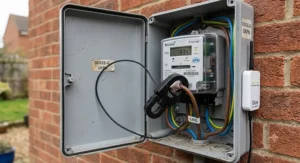
The clamp attaches around your meter tails or consumer unit cable and transmits current readings wirelessly (Efergy specifies a working range of roughly 30 metres) to the paired display, which shows live kilowatt draw, running cost estimates, and historical use. Because it measures current directly at the cable rather than syncing with the meter’s own DCC feed, it works regardless of your meter generation or DCC enrolment status.
Based on the spec comparison with app-only rivals, this is squarely aimed at buyers who found the idea of “another app” unappealing, or households — say, an older relative living independently — where a simple standalone screen beats a smartphone interface every time. Reviewers consistently mention the wireless range holding up well through internal walls, with a smaller number of aggregated complaints about the screen’s backlight being dim in bright daylight.
Pros:
- ✅ Works entirely without a smartphone or app
- ✅ Meter-generation agnostic since it clamps independently
- ✅ Long-quoted wireless range copes with most house layouts
Cons:
- ❌ No phone app means no remote checking away from home
- ❌ Display screen can be hard to read in bright light
At around £75-£85, it costs more than app-based alternatives for broadly similar functionality — the premium is entirely for the standalone screen, which is either essential or pointless depending entirely on how you’d actually use it.
5. OWON WiFi 3-Phase Energy Monitor — budget whole-home clamp monitoring
The standout feature is whole-home coverage at clamp-monitor prices well under the premium tier — three current transformer clamps installed across your supply cables report total household draw through a straightforward smartphone app.
Specification-wise, it uses the Tuya/Smart Life ecosystem, meaning the clamps report live current and voltage readings that the app converts into running wattage and a daily/weekly cost estimate. It’s DIY-installable for anyone reasonably confident opening their consumer unit cover, though — and we’ll say this plainly — anyone uncertain should get an electrician rather than guess.
What most buyers overlook about budget clamp monitors like this is that whole-home totals are genuinely useful for spotting trends (a creeping baseline load, an appliance left running) even without per-circuit granularity. Reviewers consistently flag the Smart Life app as functional but unglamorous compared with purpose-built energy apps, and a recurring aggregated theme is that the bi-directional variant is worth the small price jump for any household with solar panels, since it separates import from export rather than reporting a single blended figure.
Pros:
- ✅ Whole-home CT clamp monitoring at a genuinely budget price
- ✅ DIY installable without specialist tools for confident users
- ✅ Bi-directional variant available for solar import/export tracking
Cons:
- ❌ No per-circuit breakdown, only whole-home totals
- ❌ App interface is functional rather than particularly polished
Sitting around £55-£65 (with the bi-directional solar variant closer to £45-£55), this is the clearest “does the job, nothing fancy” pick on the list — solid value if per-circuit detail isn’t a priority.
6. Emporia Vue Gen 2 — circuit-by-circuit breakdowns for the genuinely curious
The standout feature is expandability — the base unit clamps onto your mains supply, but you can add up to 16 individual 50A circuit sensors, turning a whole-home monitor into a genuinely granular map of exactly which circuit in the house is drawing what, at any given second.
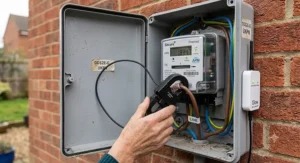
Specification-wise, Emporia quotes one-second data resolution accurate to within roughly 2%, solar and net-metering support built into the app, and compatibility with single-phase and three-phase UK supplies. Installation happens inside your consumer unit using DIY-friendly clamp sensors, though Emporia itself recommends a qualified electrician handle the fitting, particularly once you’re adding multiple circuit sensors rather than just the mains clamp.
Based on the spec comparison with simpler whole-home monitors, this is the pick for households who’ve outgrown “how much electricity am I using” and want “which specific circuit is the problem” — an EV charger, a heat pump, an ageing immersion heater. Aggregated reviewer sentiment is strongly positive on data granularity and the app’s historical export options, with a recurring theme that busbar-style consumer units (increasingly common in newer UK builds) sometimes need Emporia’s separately sold flexible sensors rather than the standard clamps included in the box.
Pros:
- ✅ Expands to 16 individual circuit sensors for real granularity
- ✅ One-second data resolution with solar/net-metering support
- ✅ Works across single-phase and three-phase UK supplies
Cons:
- ❌ Full circuit-level setup needs an electrician in most homes
- ❌ Busbar-style panels may need extra flexible sensors, sold separately
Pricing scales with how many circuit sensors you add — a mains-only setup starts around £100, while a fully-loaded 16-circuit configuration can run closer to £180 — so it’s worth deciding upfront how granular you actually need to go before committing to the higher end.
7. Shelly Pro 3EM — the professional pick for smart-home power users
The standout feature is genuine independence from the cloud: this DIN-rail-mounted monitor exposes live three-phase data through a local REST API and MQTT feed, meaning it keeps working — and keeps logging — even if your internet connection drops.
On the spec sheet, it measures three phases at up to 120A each, mounts inside your consumer unit on a standard DIN rail (which means an electrician, not a DIY afternoon), and stores 60 days of one-minute-resolution readings on-board even without a network connection. That local-first architecture is unusual among consumer-facing monitors, most of which route everything through a manufacturer’s cloud.
Here’s what the spec sheet won’t tell you, but user reports suggest: the real audience for this device isn’t the average household, it’s the smaller segment running solar generation, an EV charger and possibly a heat pump simultaneously, who want one device giving a genuinely complete real-time picture across all three without stitching together several separate apps. Reviewers consistently praise the Home Assistant integration as close to seamless, and aggregated feedback frequently mentions the on-board data retention as a meaningful reassurance for anyone who’s been burned by a cloud outage losing days of history elsewhere.
Pros:
- ✅ Local REST API and MQTT with zero cloud dependency
- ✅ Stores 60 days of data on-board even if wifi drops
- ✅ Measures full three-phase supply, ideal for solar and EV setups
Cons:
- ❌ DIN-rail installation requires a qualified electrician
- ❌ Overkill (and over-budget) for a simple single-appliance query
At around £120-£150 before installation costs, this is squarely a premium, power-user purchase — genuinely excellent value if your setup matches the use case, and genuinely unnecessary if you just want to know what the kettle costs to boil.
Top 7 Smart Meter Add-Ons: Full Specification Comparison
| Product | Connection Type | Live Data Refresh | Price Range | Best For |
|---|---|---|---|---|
| Hildebrand Glow Display & CAD | DCC + wifi | ~10 seconds | £65-£75 | Combined display and phone app |
| Loop by Hildebrand | DCC (app only) | 10-30 seconds | Free | Trying live data at no cost |
| TP-Link Tapo P110 | Wifi smart plug | Live per-appliance | £12-£18 | Single-appliance tracking |
| Efergy Elite Classic 4.0 | Wireless CT clamp | Live, screen-based | £75-£85 | No-app, no-phone households |
| OWON WiFi 3-Phase Monitor | CT clamp + wifi | Live via app | £55-£65 | Budget whole-home totals |
| Emporia Vue Gen 2 | CT clamp + wifi | 1-second resolution | £100-£180 | Circuit-by-circuit detail |
| Shelly Pro 3EM | DIN-rail, local API | 1-minute stored | £120-£150 | Home Assistant, solar and EV |
Reading across this table, the split between DCC-connected products and clamp-based products is the single biggest factor in which one suits you — not price. The Hildebrand Glow Display & CAD and Loop by Hildebrand win on billing accuracy since they read the same feed your supplier does, while the Emporia Vue Gen 2 and Shelly Pro 3EM win on granularity because they measure circuits your meter can’t see at all. Budget shoppers should note that TP-Link Tapo P110 plugs solve a genuinely different problem — single-appliance curiosity — rather than competing directly with whole-home monitors on this table.
Smart Energy Monitor Under £50: What You Actually Get
If your budget caps out under £50, it’s worth being honest about what that buys versus what it doesn’t — because the marketing rarely spells this out.
A single TP-Link Tapo P110 smart plug, priced around £12-£18, gets you precise live and historical data for exactly one appliance — brilliant for settling a specific argument about the tumble dryer, useless for a whole-home picture. Buying two or three still lands under £50 and lets you cover your worst offenders without going near your consumer unit at all.
Loop by Hildebrand is the other genuine option at this budget, because it costs nothing beyond the phone you already own. What most buyers overlook about the free-vs-paid tradeoff is that Loop’s slightly laggier refresh rate (10-30 seconds versus roughly 10 seconds on paid DCC hardware) is a fair trade for zero outlay, and for most households curious about their usage rather than obsessive about circuit-level detail, it’s genuinely sufficient.
What you generally can’t get under £50 is whole-home clamp monitoring — the OWON WiFi 3-Phase Monitor starts around £55, and that’s the cheapest clamp-based option on this list. If whole-home totals matter more than appliance-level precision, budget for slightly above £50 rather than compromising on the wrong product entirely.
✨ See Live Pricing on Today’s Top Picks → Click through to any of the products above to check current stock and pricing before you commit — availability shifts more often than most guides update.
How to Choose the Best Smart Meter Add-On
- Check your meter generation first. DCC-connected products like Hildebrand Glow Display & CAD and Loop by Hildebrand only work with a SMETS2 meter (or an enrolled SMETS1 meter) with a functioning communications hub — confirm this before buying hardware.
- Decide whether you want whole-home or per-appliance data. Clamp monitors like the OWON WiFi 3-Phase Monitor answer “how much am I using overall,” while smart plugs like the TP-Link Tapo P110 answer “what’s this one thing costing me.”
- Weigh app-only versus dedicated screen. If a phone app is genuinely inconvenient for your household, the Efergy Elite Classic 4.0‘s standalone display solves a real problem app-based rivals can’t.
- Factor in installation reality, not just price. DIN-rail and multi-circuit setups like the Shelly Pro 3EM or a fully-loaded Emporia Vue Gen 2 need an electrician — budget for that labour cost alongside the hardware.
- Match granularity to your actual curiosity. If you genuinely want circuit-by-circuit detail for an EV charger or heat pump, pay for it; if you just want a general sense of daily spend, a free or budget option covers it fine.
- Consider solar and export separately. Households generating their own power need a monitor that reports import and export distinctly — the OWON bi-directional variant and Emporia Vue Gen 2 both handle this; a standard clamp reading one direction won’t.
- Think about supplier-switching resilience. DCC-based and self-owned clamp monitors both survive a supplier switch intact; anything tied purely to a supplier’s own app generally doesn’t.
Common Mistakes When Buying a Smart Meter Add-On
The most frequent mistake, based on aggregated buyer feedback across retailer reviews, is buying a DCC-connected product without first confirming the meter is actually SMETS2-enrolled and communicating — leading to a device that arrives, won’t pair, and gets returned as “faulty” when the real issue was upstream. A second common misstep is under-specifying circuit sensors on a product like the Emporia Vue Gen 2, buying the base mains-only kit and then discovering the actual goal — say, isolating the EV charger’s exact draw — needed the additional circuit sensors from the start.
A third mistake worth flagging honestly: assuming a clamp-based monitor’s readings will match the supplier bill exactly. They won’t, not perfectly — CT clamps are accurate to within a couple of percent, not billing-grade precision, which is a meaningful distinction if your goal is auditing your bill rather than spotting trends. For that specific job, a DCC-connected device reading the actual meter data, like Loop by Hildebrand or Hildebrand Glow Display & CAD, is the more appropriate tool.
Smart Meter Add-On vs Supplier IHD: What’s Actually Different
It’s tempting to assume any extra device is redundant once you already have a free in-home display — but the two solve genuinely different problems, and the table below makes the gap concrete.
| Factor | Supplier IHD | Smart Meter Add-On |
|---|---|---|
| Cost | Free | Free to around £180 |
| Data granularity | Whole-home only | Whole-home or per-circuit/appliance |
| Phone app | Rarely, or basic | Usually included, often richer |
| Survives supplier switch | No | Usually yes |
| Open API / automation | No | Often (Glow, Shelly) |
The supplier IHD (in-home display) genuinely does its one job — showing pounds-and-pence usage at a glance — well enough for casual checking, and there’s no shame in sticking with it if that’s all you need. But as the table shows, it falls short the moment you want circuit-level detail, an app that survives a supplier switch, or any kind of automation hookup, which is precisely the gap products like Shelly Pro 3EM and Emporia Vue Gen 2 exist to fill.
Practical Usage Guide: Setup, First 30 Days and Common Pitfalls
Getting a smart meter add-on installed is only half the job — the first month is where most of the actual value gets unlocked, or quietly wasted.
For DCC-connected devices like Loop by Hildebrand and Hildebrand Glow Display & CAD, the setup flow runs through a meter verification step before the device or app can pair — expect to authorise access via the supplier consent process, which can take anywhere from minutes to a day or two depending on your supplier’s response time. Don’t assume the device is faulty if data doesn’t appear instantly; check the verification status in-app first.
For clamp-based monitors, the first 30 days should include a deliberate baseline check: note your whole-home reading at a quiet moment (nobody home, nothing major running) to confirm the “phantom load” figure looks sane, then compare it against known appliance wattages to sanity-check the clamp’s calibration. A common mistake in the first month is over-trusting a single day’s reading — energy use is genuinely lumpy (a cold snap, a big laundry day), so give it at least a full week before drawing conclusions about “normal” usage.
Maintenance is minimal across the board — most of these devices are set-and-forget, though wifi-dependent products occasionally need re-pairing after a router change, and battery-backed displays like the Hildebrand Glow Display & CAD should stay on mains power for daily use rather than relying on batteries, which are intended for short-term backup only.
Real-World Scenarios: Which Add-On Fits Your Household
The renter with a smartphone habit and zero interest in touching a consumer unit. No installation rights, no desire for one either. Loop by Hildebrand is the obvious starting point since it needs no hardware at all — free, DCC-connected, and gone the day you move out with nothing left behind.
The family chasing down a specific appliance culprit on a tight budget. Two or three TP-Link Tapo P110 plugs on the tumble dryer, the electric shower and an ageing fridge-freezer, total spend comfortably under £50, answers the “what’s actually costing us money” question directly rather than guessing from a whole-home total.
The homeowner with solar panels, an EV charger and a genuine curiosity about where every watt goes. This is squarely Emporia Vue Gen 2 or Shelly Pro 3EM territory — both handle solar import/export and multi-circuit detail, with the Shelly edging ahead specifically for anyone already running Home Assistant and wanting local, cloud-independent data.
Problem → Solution: Fixing Common Smart Meter Monitoring Headaches
Problem: “My supplier’s IHD went dead months ago and they haven’t replaced it.” Solution: request a free replacement under your smart meter warranty first — suppliers are obliged to provide this — but if you’re tired of waiting, Loop by Hildebrand sidesteps the hardware question entirely and works from your phone today.
Problem: “I can’t tell if it’s the immersion heater or the tumble dryer driving up the bill.” Solution: a TP-Link Tapo P110 plug on each suspect appliance settles it within a day of use, far faster than staring at a whole-home total trying to correlate spikes.
Problem: “My solar panels are generating, but my monitor just shows one blended number.” Solution: switch to a bi-directional-capable device — the OWON WiFi 3-Phase Monitor‘s bi-directional variant or the Emporia Vue Gen 2, both of which separate import from export rather than netting them together.
Problem: “I switched supplier and lost all my historical usage data.” Solution: this is exactly the failure mode DCC-connected or self-owned monitors avoid — Hildebrand Glow Display & CAD and Shelly Pro 3EM both keep their own historical record independent of who’s currently billing you.
Problem: “I want automation — lights off when usage spikes, alerts on standby drain — and my supplier app can’t do any of it.” Solution: Shelly Pro 3EM‘s local API and MQTT feed, or Hildebrand Glow‘s open API, are built precisely for this kind of home automation hookup.
Long-Term Cost & Maintenance
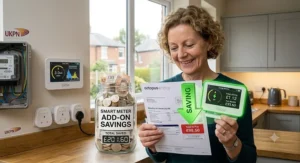
None of the products on this list carry an ongoing subscription — every price quoted above is a one-off hardware cost, which matters when weighing genuine total cost of ownership against a monitor that might charge a recurring app fee elsewhere in the market.
The realistic long-term cost beyond the sticker price is installation labour for anything mounting inside a consumer unit. The Shelly Pro 3EM and a fully-specified Emporia Vue Gen 2 both need a qualified electrician, which typically adds a call-out cost on top of the device itself — worth factoring into the value comparison before assuming the cheaper clamp monitor is automatically the better deal. By contrast, Hildebrand Glow Display & CAD, Loop by Hildebrand and TP-Link Tapo P110 are all genuinely DIY, with no professional install cost to add.
On the return side, the government’s post-2025 smart metering policy framework confirms suppliers remain obliged to keep smart meter communications working as older networks are phased out, which is a reasonable signal that the underlying DCC infrastructure these add-ons depend on isn’t going anywhere — a relevant consideration if you’re weighing a DCC-connected purchase as a multi-year investment rather than a short-term experiment.
Features That Actually Matter (And Those That Don’t)
Real-time refresh rate matters more than most marketing implies — the practical difference between 10 seconds and 30 seconds rarely changes a household’s behaviour. What matters far more is whether the device answers the actual question you have: whole-home trend, single-appliance cost, or circuit-level breakdown.
Voice assistant integration, present on the TP-Link Tapo P110, is a genuinely nice-to-have rather than a deciding factor for most buyers — useful if you already live in an Alexa or Google Home household, irrelevant otherwise. Conversely, open API access — a feature that sounds niche — turns out to matter enormously for the smaller segment of buyers building home automation setups, which is why it’s worth weighing heavily if that’s genuinely your use case, and ignoring completely if it isn’t.
FAQ
❓ What is a smart meter add-on?
❓ Do I need a smart meter to use one?
❓ Is there a genuinely good smart energy monitor under £50?
❓ What's the difference between an IHD and a smart meter add-on?
❓ Can I use one of these if I switch energy supplier?
Conclusion
There’s no single best smart meter add-on for every household — there’s a best one for your specific situation, and hopefully this guide has made that easier to spot. If you want the closest thing to an “official” real-time electricity usage monitor with both a kitchen display and a phone app, the Hildebrand Glow Display & CAD earns its premium price. If you’re not ready to spend anything, Loop by Hildebrand is a genuinely capable free starting point that uses the same DCC connection. Tight budget and a specific appliance mystery to solve? A TP-Link Tapo P110 plug or two, still under £50, does the job precisely.
For households chasing circuit-level detail — solar, EV charging, a heat pump — the Emporia Vue Gen 2 and Shelly Pro 3EM both deliver genuine granularity, with the Shelly’s local-only architecture edging ahead for anyone already committed to Home Assistant. And if a phone app just isn’t your household’s thing, the Efergy Elite Classic 4.0‘s dedicated screen quietly solves a problem none of the app-first competitors address.
Whichever you land on, the underlying logic is the same: your supplier’s free IHD (in-home display) was never designed to satisfy real curiosity about your own energy use — these seven products were.
✨ Ready to Take Control of Your Energy Data?
🔍 Compare current pricing and availability on the pick that matches your household above. A few minutes now could mean genuinely understanding your bill for the first time — rather than just paying it.
Recommended for You
- Multi Socket Smart Extension: 7 Best Picks for UK Homes in 2026
- Mini Smart Plug for Tight Sockets: 7 Best Picks 2026
- Smart Plug With Energy Monitoring: 7 Best UK Picks 2026
Disclaimer: This article contains affiliate links. As an Amazon Associate, I earn from qualifying purchases. If you purchase products through these links, we may earn a small commission at no additional cost to you.
✨ Found this helpful? Share it with your friends! 💬🤗
