
In This Article
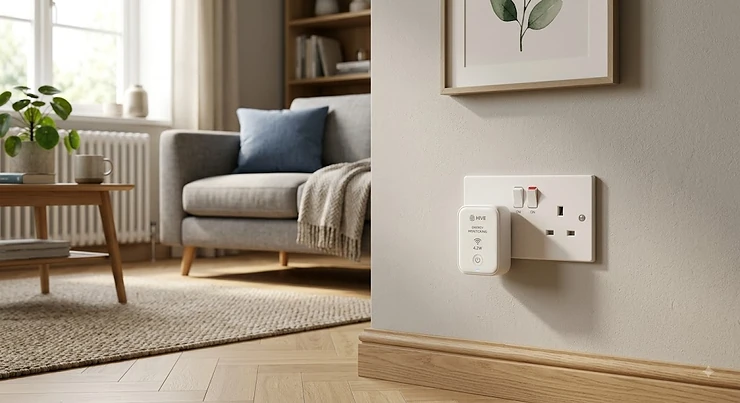
There’s a particular kind of dread that comes with opening your electricity bill in a country where the price cap seems to move every three months like clockwork. You squint at the total, you think about the tumble dryer, and you wonder — genuinely wonder — which appliance is the actual culprit. A smart plug with energy monitoring exists precisely for that moment of squinting. In plain terms: it’s a plug-in device, roughly the size of a chunky phone charger, that sits between your appliance and the wall socket and quietly measures exactly how much electricity flows through it, second by second, reporting the result straight to an app on your phone.

That’s the “what.” The “why” is more interesting. Most of us assume our big appliances are the problem — the oven, the washing machine, the electric shower. And they are, in bursts. But a huge amount of household electricity leaks away in the background, from things you’d never think to blame: a games console that never truly sleeps, a router that hums along at 3am, a soundbar that’s technically “off” but never really is. According to Ofgem’s latest energy price cap figures, households on a standard variable tariff paying by Direct Debit are currently charged in the mid-to-high 20s in pence per kilowatt hour, so every one of those background watts is quietly costing real money, all year round.
We’ve researched seven genuine, currently available UK models spanning budget, mid-range and premium tiers — real products, real specifications, real aggregated review sentiment — so you can pick the one that actually fits your home, your smart ecosystem and your patience for faffing about with an app. No invented five-star reviews here. Just honest analysis of what each plug does well, where it falls short, and who should buy it.
Quick Comparison Table
If you’re short on time, here’s the condensed version. Each of these seven is a genuine smart plug with energy monitoring — not a bare on/off plug wearing a smart home costume — and each has been chosen to represent a distinct use case, from cheapest-that-actually-works to premium-and-future-proofed.
| Product | Price Range | Platform Support | Best For |
|---|---|---|---|
| Tapo P110 | Around £8–£15 per plug (4-pack) | Alexa, Google Home | Budget buyers wanting proven reliability |
| Meross MSS310 | £15–£20 range | Alexa, Google, SmartThings | Widest voice-assistant coverage on a budget |
| Kasa KP115 | £15–£18 range | Alexa, Google, SmartThings | Tight sockets and extension leads |
| Shelly Plus Plug UK | £15–£25 range | Home Assistant, Alexa, Google | Privacy-conscious, no-cloud households |
| Tapo P110M | £15–£20 range | Matter (Alexa, Google, Apple Home) | One plug, every ecosystem |
| Eve Energy (Matter) | £35–£50 range | Matter/Thread, Apple Home-first | Apple households wanting local control |
| Aqara Power Plug H2 UK | £35–£45 range | Matter/Thread and Zigbee | Buyers who want visual energy feedback |
Reading across that table, a pattern emerges quickly: price correlates less with “does it monitor energy accurately” and more with “how does it talk to the rest of your smart home.” The cheapest plug on this list, the Tapo P110, does the core job — watts, kWh, cost estimates — just as competently as the Eve Energy (Matter) at three times the price. What you’re really paying for further up the table is protocol flexibility, local (rather than cloud-dependent) processing, and in the Aqara Power Plug H2 UK‘s case, a genuinely novel way of visualising that data without opening an app at all.
💬 Found a pick that fits your home already? Scroll down to the full breakdown — or jump straight to the FAQs if you’ve got a specific question burning a hole in your pocket.🤗
Top 7 Smart Plugs With Energy Monitoring: Expert Analysis
We’ve deliberately spread this list across budget, mid-range and premium tiers, and across the three major smart home ecosystems, so that whatever’s already humming away in your home — an Echo Dot, a Google Nest Hub, an iPhone full of HomeKit accessories — there’s a sensible option below.
1. Tapo P110 — cheapest genuine energy-monitoring plug on the market
The standout here isn’t cleverness, it’s value: TP-Link has managed to squeeze real-time wattage tracking into a plug that, bought in a four-pack, works out to roughly the price of a supermarket meal deal per unit. That’s rare in this category, where “smart” often means “expensive for the sake of it.”
Under the bonnet, the Tapo P110 connects over 2.4GHz Wi-Fi with no hub required, and the companion app breaks usage down into real-time draw, plus daily, weekly and monthly kWh tracking with an estimated running cost attached. What that means in practice is you can leave it monitoring your tumble dryer for a week and get an actual, pounds-and-pence answer to “is this thing eating my bill,” rather than a vague guess based on the wattage printed on a sticker you’ve never read.
Based on the spec sheet and its footprint, this is squarely a first-smart-plug purchase — for renters, students, or anyone testing the water before committing to a wider smart home setup. The compact body is worth flagging too: unlike some bulkier rivals, it doesn’t block the socket next to it on a standard UK double outlet, which sounds trivial until you’ve tried to cram four smart plugs into a two-gang extension lead.
Aggregated review sentiment across major UK retailers is strongly positive, with buyers consistently citing quick two-minute setup and dependable Wi-Fi reconnection after a power cut as its biggest strengths; a smaller number of reviewers note that the free tier of the app pushes fairly persistent Matter-upgrade prompts.
Pros:
- ✅ Lowest cost-per-plug for genuine energy monitoring
- ✅ Compact design doesn’t block adjacent sockets
- ✅ Setup takes about two minutes, no hub needed
Cons:
- ❌ No Apple HomeKit support on this specific model
- ❌ Historical data only available inside the Tapo app
Priced around £8–£15 per plug depending on pack size, the Tapo P110 is difficult to beat on pure value — for most first-time buyers, this is where the search probably ends.
2. Meross Smart Plug MSS310 — widest voice-assistant compatibility for the price
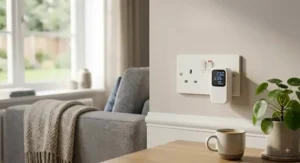
What jumps out about the Meross MSS310 is how unfussy it is about which smart home camp you belong to. Rather than picking a favourite ecosystem, it plays reasonably nicely with Alexa, Google Assistant and Samsung SmartThings straight out of the box, which matters more than it sounds if your household has, say, an Amazon Echo in the kitchen and someone’s personal Samsung phone running SmartThings automations upstairs.
The plug handles up to 13A on the UK model, comfortably covering kettles, heaters and most kitchen appliances, and the built-in electricity meter reports both real-time and historical power consumption through the Meross app, with scheduling and auto-off timers layered on top. On paper this makes it a genuine Swiss Army knife rather than a single-ecosystem specialist.
What most buyers overlook about this model is the setup process, which still leans on the older ad-hoc Wi-Fi pairing method rather than the smoother QR-code flow newer plugs use — a minor friction point during initial pairing, though it rarely causes issues once connected. Reviewers who’ve stuck with the brand across multiple Meross devices consistently describe the hardware itself as dependable over long stretches of use, with the accompanying app doing its job without much drama, even if it isn’t the most polished interface on this list.
Pros:
- ✅ Works across Alexa, Google Home and SmartThings
- ✅ 13A rating handles kettles and heaters comfortably
- ✅ Historical energy data alongside real-time monitoring
Cons:
- ❌ Older ad-hoc Wi-Fi setup process feels dated
- ❌ App interface is functional rather than polished
At around £15–£20, the Meross MSS310 earns its place as the pick for mixed-ecosystem households who refuse to be pinned down to one smart assistant.
3. Kasa KP115 — slimmest profile for tight sockets and extension leads
The party trick of the Kasa KP115 is one you’ll only appreciate the first time you try to plug four smart devices into a six-way extension lead: it’s genuinely slim. TP-Link markets this as the “Kasa Mini,” and for once the marketing isn’t overselling it — the compact body means it rarely blocks the socket immediately next to it, even on cramped multi-gang strips behind a TV unit or under a desk.
Beyond the footprint, the KP115 delivers real-time energy tracking plus weekly and monthly usage summaries through the Kasa Smart app, alongside scheduling, timers and an “Away Mode” that randomises on/off cycles to make an empty house look occupied. Reviewers consistently rate the app itself as one of the more intuitive in this category, with clean graphs that don’t require a data science degree to interpret — genuinely useful when you’re trying to explain to a flatmate why the shared hallway lamp is costing what it’s costing.
The spec sheet’s overheating protection and PC flame-retardant casing are worth a mention too, not as marketing fluff but as the kind of basic safety feature you’d hope is standard by 2026 and, disappointingly, isn’t always.
Pros:
- ✅ Slimmest design in this roundup, ideal for extension leads
- ✅ Weekly and monthly energy summaries built into the app
- ✅ Away Mode randomises schedules to simulate occupancy
Cons:
- ❌ No Apple HomeKit support without a separate hub workaround
- ❌ Requires the Kasa account/cloud login to function fully
At £15–£18, the Kasa KP115 is the pragmatic choice for anyone whose sockets are already a battlefield of chargers and adapters.
4. Shelly Plus Plug UK — local, no-cloud monitoring for privacy-first households
Here’s where this list takes a sharp turn away from “cheap and cheerful” and toward something aimed squarely at people who actually read privacy policies. Most smart plugs — including several others on this page — route your power data through the manufacturer’s cloud servers before it reaches your phone. The Shelly Plus Plug UK doesn’t. It talks directly to your home network, and your phone (or a local hub like Home Assistant) communicates with it there, with no mandatory round trip to a remote server.
Practically, that means the plug’s built-in power meter — accurate to within roughly ±2% according to independent reviewers who’ve bench-tested it against a reference meter — keeps working even if your internet connection drops, and the data stays on your network unless you explicitly choose to sync it elsewhere. It handles loads up to 3000W, comfortably covering a space heater or a washing machine, and adds Bluetooth connectivity that lets it double as a gateway for other Shelly sensors.
What the spec sheet won’t tell you, but users in Home Assistant communities note repeatedly, is how well this plug integrates into existing automation setups: it appears as a fully-fledged entity with historical graphing, not a limited “smart” toggle bolted on as an afterthought. That’s a genuinely different proposition from the app-first plugs elsewhere on this list, and it’s precisely why it’s become something of a cult favourite among UK smart home tinkerers.
Pros:
- ✅ Local-only processing, no mandatory cloud dependency
- ✅ Deep Home Assistant integration with historical graphing
- ✅ Handles loads up to 3000W with a customisable LED ring
Cons:
- ❌ Setup assumes some smart home technical confidence
- ❌ Standalone app is more basic than Tapo or Kasa’s
Priced around £15–£25 depending on retailer, the Shelly Plus Plug UK rewards a bit of setup effort with genuinely superior long-term control — this is the thinking person’s plug.
5. Tapo P110M — Matter certified for effortless multi-ecosystem control
Take everything that makes the standard Tapo P110 good value, then bolt on Matter certification, and you land on the Tapo P110M. The “M” isn’t a cosmetic rebrand — it means this specific plug has been verified by the Connectivity Standards Alliance to work identically across Amazon Alexa, Google Home and, crucially, Apple HomeKit, without needing three separate apps or a household argument about whose phone controls what.
Before Matter existed as a shared standard, buying a “works with Alexa” plug offered zero guarantee it would also cooperate with a partner’s iPhone, which fragmented a lot of UK households into running two or three competing smart home apps just to turn a lamp on. The P110M sidesteps that entirely: pair it once via Matter, and every major platform in the house can see and control it locally, over your existing Wi-Fi, without cloud round-trips slowing things down.
Reviewers who’ve upgraded from the standard P110 report the transition is close to seamless, with energy monitoring data continuing to flow through the Tapo app exactly as before — Matter currently governs on/off control and device discovery rather than energy data itself, so you still get TP-Link’s familiar kWh graphs, just with far broader compatibility wrapped around them.
Pros:
- ✅ Genuine cross-platform Matter certification
- ✅ Works with Apple HomeKit without extra hardware
- ✅ Retains Tapo’s proven energy-monitoring interface
Cons:
- ❌ Small price premium over the non-Matter P110
- ❌ Matter setup still occasionally trips up older routers
At £15–£20, the Tapo P110M is the sensible upgrade pick for any household that’s outgrown a single-ecosystem smart plug.
6. Eve Energy (Matter) — Thread-powered premium pick for Apple-first homes
If the Shelly Plus Plug UK is the tinkerer’s choice, the Eve Energy (Matter) is the polished, no-compromise option for households already committed to Apple’s ecosystem. It’s TÜV-certified, built around Thread — a low-power mesh protocol purpose-built for smart homes — and processes everything locally, with Eve’s long-standing “no cloud account required” stance still holding here.
The UK model supports up to 13A and roughly 2900W, which covers the vast majority of household appliances, and because it operates as a Full Thread Device, every Eve Energy plug you add actually strengthens your home’s mesh network rather than just consuming Wi-Fi bandwidth. Commands issued through Apple’s Home app or Siri execute close to instantly, a responsiveness gap that becomes obvious the moment you switch back to a cloud-dependent Wi-Fi plug afterwards.
Here’s what most buyers overlook when comparing this to the cheaper options on this list: the energy monitoring itself isn’t dramatically more accurate than a £15 Tapo plug in absolute terms — it’s the privacy architecture and the Thread responsiveness you’re paying for, not superhuman precision. Reviewers who’ve lived with it for extended periods consistently praise its reliability and near-instant response times, though a recurring theme in feedback is that the roughly £40 price tag puts it well above the budget tier, and that it works best when you already own an Apple TV or HomePod mini to act as a Thread border router.
Pros:
- ✅ Fully local processing with no cloud account needed
- ✅ Thread mesh strengthens your whole smart home network
- ✅ TÜV-certified build quality and near-instant response
Cons:
- ❌ Premium price relative to monitoring accuracy gained
- ❌ Needs a Thread border router for full Matter benefits
Sitting in the £35–£50 range, the Eve Energy (Matter) is the considered choice for Apple households who value privacy and speed over saving a few pounds.
7. Aqara Power Plug H2 UK (RGB) — dual-protocol newcomer with genuine RGB energy feedback
The newest arrival on this list, and arguably the most interesting one on paper, is the Aqara Power Plug H2 UK (RGB). Aqara built its reputation on sensors and switches rather than plugs, and it shows: this device tries something genuinely different by translating your live power draw into a colour-coded LED ring, so you can glance at the socket itself and get a rough sense of consumption without unlocking your phone.
Rated for 13A and up to 3250W on UK Type-G sockets, the plug supports both Matter over Thread and native Zigbee simultaneously, letting you choose Thread mode for hub-free compatibility with Apple Home, Alexa or Google Home, or switch to Zigbee mode if you’re already running an Aqara hub and want access to its more granular automation features. That dual-protocol flexibility is a genuinely useful hedge against picking the “wrong” smart home standard, something households got badly burned by in the pre-Matter years.
Early adopter and reviewer commentary is more mixed on the RGB gimmick than on the core hardware: several reviewers who’ve tested it note that the colour-coded feedback is a nice-to-have rather than essential, and that its full colour-sensing suite currently needs Zigbee mode plus an Aqara hub to unlock completely, which slightly undercuts the “no hub required” pitch of Thread mode alone. What’s consistently praised, though, is the compact form factor, deliberately designed not to block neighbouring sockets — a lesson Aqara clearly learned from watching bulkier rivals struggle on crowded extension leads.
Pros:
- ✅ Dual Matter/Thread and Zigbee support in one device
- ✅ Colour-coded RGB ring gives at-a-glance consumption feedback
- ✅ Compact design avoids blocking adjacent sockets
Cons:
- ❌ Full RGB feature set needs an Aqara hub and Zigbee mode
- ❌ Newer to market, so long-term reliability data is still limited
At an estimated £35–£45 at the time of research, the Aqara Power Plug H2 UK (RGB) suits early adopters who want flexibility baked in and don’t mind being early to a genuinely new product line.
Top 7 Products at a Glance
| Product | Max Load | Connectivity | Price Range | Best For |
|---|---|---|---|---|
| Tapo P110 | 13A / ~3000W | Wi-Fi 2.4GHz | £8–£15 | First-time buyers on a budget |
| Meross MSS310 | 13A / ~3000W | Wi-Fi 2.4GHz | £15–£20 | Multi-assistant households |
| Kasa KP115 | 13A / ~3000W | Wi-Fi 2.4GHz | £15–£18 | Crowded sockets and extension leads |
| Shelly Plus Plug UK | 13A / 3000W | Wi-Fi + Bluetooth | £15–£25 | Home Assistant and privacy fans |
| Tapo P110M | 13A / ~3000W | Matter/Wi-Fi | £15–£20 | Mixed Apple/Android households |
| Eve Energy (Matter) | 13A / ~2900W | Matter/Thread | £35–£50 | Apple-first, privacy-focused homes |
| Aqara Power Plug H2 UK | 13A / 3250W | Matter/Thread + Zigbee | £35–£45 | Early adopters wanting flexibility |
Lay these seven side by side and the real decision isn’t about raw wattage — every single one comfortably handles a UK kettle or space heater. It’s about which conversation your existing smart home is already having: if it’s Wi-Fi-only and price-sensitive, the Tapo P110 or Meross MSS310 win easily; if you’re knee-deep in Apple Home or Home Assistant, the Eve Energy (Matter) and Shelly Plus Plug UK justify their higher price through architecture, not extra accuracy.
Practical Usage Guide: Getting the Most From Your Smart Plug
Buying the plug is the easy part — most of the value gets left on the table in the first month because nobody bothers to actually set up monitoring properly. Here’s how to avoid that.
Start by pairing the plug with the appliance that’s most likely to be a silent drain: a games console, a set-top box, or a desktop PC left in sleep mode overnight are the classic culprits. Give it a full week before drawing conclusions — a single day’s reading can be skewed by an unusually heavy or light usage pattern, and weekly kWh tracking smooths that noise out into something genuinely useful. Most apps, including Tapo, Kasa and Meross, let you export or at least screenshot weekly summaries, which is worth doing before the data resets or scrolls out of view.
A common mistake in the first 30 days is over-scheduling: people get excited about automation and set aggressive on/off timers that end up switching off a router mid-download or a fridge-adjacent freezer socket by accident. Label your plugs clearly within the app the moment you install them — “TV & Soundbar,” not “Plug 3” — because six weeks later you will absolutely have forgotten which is which. Finally, build a light maintenance habit: reboot the plug (a simple unplug-and-replug does it) if the app starts reporting implausible zero-watt readings, which is usually a sign the internal metering chip needs a fresh handshake with your router rather than anything more serious.
Real-World Scenarios: Who Actually Benefits From This
Specs only tell half the story. Here’s how three genuinely different UK households might use a smart plug with energy monitoring in practice.
Picture a university student in a shared house, budget stretched thin, paying bills split awkwardly between four flatmates who all swear they “barely use” the tumble dryer. A single Tapo P110 clipped onto that dryer for two weeks turns a flatmate argument into an actual number — and at under £15, it pays for itself the moment it prevents one unfair bill split.
Now picture a family of four in a three-bedroom semi, running an Alexa in the kitchen and an iPad the kids use for everything from homework to Apple TV. That’s a mixed-ecosystem household, and the Tapo P110M‘s Matter certification means one plug genuinely serves the whole family without anyone needing to install a second app.
Finally, picture a Home Assistant enthusiast with existing automations tied to occupancy sensors, keen to add appliance-level detail without leaking usage data to another cloud server. That’s precisely the Shelly Plus Plug UK‘s target buyer — someone willing to spend a slightly higher £15–£25 for local control that folds neatly into a setup they already trust.
Problem → Solution Guide
Even a well-chosen smart plug throws up a handful of recurring frustrations. Here’s how to fix the common ones.
Problem: The app shows readings that don’t match your smart meter. This is usually a calibration or rounding difference rather than a fault — most plugs sample power at intervals rather than continuously, so short spikes (like a kettle’s initial surge) can be smoothed out in the app’s average. Trust the plug for relative comparisons between appliances rather than an exact match to your supplier’s bill.
Problem: The plug drops off Wi-Fi after a power cut. Nearly always a router-side issue rather than the plug’s fault — check whether your router assigns a fresh IP address on reconnect, which can confuse some 2.4GHz-only smart plugs. A static IP reservation for smart home devices, set in your router’s settings, solves this permanently.
Problem: You can’t tell which “vampire” devices are worth targeting. Move the plug around your home for a week each rather than buying one for every socket immediately — start with anything that has a remote control or a standby light, since those are statistically the worst offenders for background standby power cost in a typical UK home. For a broader rundown of the worst offenders nationally, Which?’s independent smart plug testing is a useful cross-check against manufacturer claims.
Problem: Historical data disappears after a few months. Most free app tiers cap how far back you can scroll. If long-term trend-spotting matters to you, screenshot monthly summaries or, on the Shelly Plus Plug UK, export to Home Assistant where retention is entirely under your control.
How to Choose a Smart Plug With Energy Monitoring
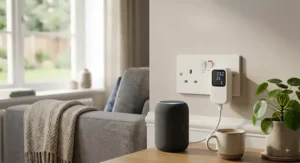
What is the best way to choose a smart plug with energy monitoring? The best approach weighs your existing smart home ecosystem, the load rating of the appliance you’ll monitor, and whether you want cloud convenience or local privacy — then narrows to two or three genuine energy-monitoring models before comparing price.
- Confirm it actually monitors energy. Not every “smart plug” does — many, including some budget Amazon Smart Plugs, only offer on/off control. Check the listing explicitly states real-time or historical power tracking.
- Match it to your ecosystem. Alexa-only household? Almost anything here works. Apple Home? Prioritise Matter-certified or HomeKit-native models like the Tapo P110M or Eve Energy (Matter).
- Check the load rating against your appliance. Most UK plugs top out around 13A/3000W — comfortably enough for a kettle or heater, but always confirm before plugging in anything larger.
- Decide on cloud vs local. If you’re privacy-conscious or already run Home Assistant, the Shelly Plus Plug UK is worth the extra setup effort.
- Weigh app quality, not just hardware. A brilliant meter chip is wasted behind a clunky app — read recent user feedback specifically about the software experience.
- Consider physical footprint. On a crowded extension lead, the Kasa KP115‘s slim profile matters more than an extra feature.
- Budget for more than one. A single plug tells you about one appliance; genuine household insight usually needs three or four spread across your biggest suspects.
Smart Plug With Energy Monitoring vs Whole-Home Energy Monitor
It’s worth being upfront about a limitation none of the seven products above will fix: a smart plug with energy monitoring only ever tells you about the one appliance it’s plugged into. It cannot see your immersion heater, your electric shower, or anything hardwired rather than plugged in — for that, whole-home solutions like clamp-based monitors (the Emporia Vue being a well-known example) or your smart meter’s in-home display are the more appropriate tool.
| Factor | Smart Plug | Whole-Home Monitor |
|---|---|---|
| Setup | Plug in, pair via app, done | Requires clamps on consumer unit, sometimes an electrician |
| Detail Level | Precise per-appliance data | Whole-house total, some circuit-level breakdown |
| Cost | £8–£50 per appliance | £80–£300+ for the full system |
| Best For | Identifying specific culprits like a Tapo P110 on a TV setup | Households wanting a complete consumption picture |
The analysis here is straightforward: think of a smart plug as a magnifying glass and a whole-home monitor as the map. Most UK households get the best value starting with two or three smart plugs on their biggest suspected offenders — entertainment units, tumble dryers, chest freezers — before considering a whole-home system, since the plugs are cheaper, need zero electrical work, and often reveal the answer you were actually looking for anyway.
Standby Power Cost: What You’re Really Paying For
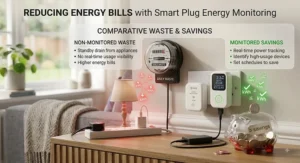
Standby power cost is one of those phrases that sounds abstract until you see a real number attached to it. The Energy Saving Trust estimates the average UK household wastes somewhere between £65 and £100 every year simply on devices left plugged in but not actively used — televisions, games consoles, set-top boxes, phone chargers left dangling in the wall long after the phone is full.
What makes this particularly sneaky is that “off” rarely means truly off. A modern smart TV in standby might draw only a watt or two, but a games console left in a “quick resume” state can pull considerably more, around the clock, 365 days a year. Multiply a handful of watts by every hour of every day, and the annual standby power cost for a typical entertainment setup alone can run into double figures — before you’ve even switched anything on to actually watch or play.
This is precisely where a smart plug with energy monitoring earns its keep beyond the initial novelty. Clip one onto your TV power strip for a fortnight and you’ll get an honest, appliance-specific answer rather than a national average — and because most of these plugs let you schedule a full cut-off overnight or while you’re at work, you can eliminate that standby power cost entirely rather than just measuring it and feeling vaguely guilty. Energy Saving Trust’s own guidance suggests households can save roughly £45 a year in Great Britain just by remembering to switch appliances off standby properly, which for the price of a single budget plug is a genuinely fast payback.
kWh Tracking: Making Sense of the Numbers Your App Shows You
kWh tracking is the actual unit of currency behind every energy bill you’ve ever received, yet most of us have only a fuzzy idea what a kilowatt-hour actually represents. In simple terms, one kWh is the amount of energy used by a 1,000-watt appliance running for a full hour — so a 2,000W kettle boiling for 15 minutes uses roughly 0.5kWh, and a 100W old-style bulb left on for ten hours uses exactly 1kWh.
Every plug in this roundup handles the basic version of kWh tracking well: real-time wattage on screen, and a running daily, weekly or monthly total converted into kWh automatically. Where the plugs genuinely differ is in what they do with that number next. Tapo and Kasa both layer an estimated cost on top, using whatever tariff rate you input, so the raw kWh figure gets translated into pounds and pence without you doing the maths yourself. Shelly’s local-first approach means the raw kWh tracking data is exportable and can feed directly into Home Assistant dashboards or long-term energy-tracking spreadsheets, which matters if you’re the sort of household that likes to compare month-on-month trends rather than a single snapshot.
The practical tip most guides skip: input your actual current tariff rate into the app rather than trusting the manufacturer’s default estimate, and update it whenever your tariff changes — otherwise your kWh tracking is accurate, but the cost estimate sitting next to it quietly drifts out of date.
App Usage Reports: Which Ones Are Actually Worth Reading
App usage reports are where the hardware differences between these seven plugs start to matter less than the software wrapped around them. A brilliant metering chip is wasted if the app buries that data three menus deep, or presents it in a way that requires squinting at a tiny line graph to extract any meaning.
Based on aggregated feedback across UK reviewers, the Kasa and Tapo apps consistently come out ahead for everyday usability — clean daily/weekly/monthly toggles, straightforward cost estimates, and export options that don’t require a workaround. The Meross app usage reports are functional but noticeably less polished, adequate for someone who checks in occasionally rather than someone who wants to obsess over graphs. Shelly’s own app is more basic still by design, because its real strength lies in feeding data out to Home Assistant, where the reporting possibilities become essentially limitless for anyone willing to build their own dashboard.
If app usage reports matter more to you than raw hardware specs — and for most households making day-to-day decisions, they genuinely should — spend five minutes with a demo video or app store screenshots before buying, rather than assuming every energy-monitoring app looks and behaves the same way. They don’t.
Common Mistakes When Buying a Smart Plug With Energy Monitoring
The single most common mistake is assuming every “smart plug” includes energy monitoring by default — plenty of cheap listings on Amazon offer app-based on/off control and nothing more, which is a different (and cheaper) product entirely. Always confirm the listing explicitly mentions power, wattage or kWh tracking before adding to basket.
A close second is buying based on brand loyalty rather than ecosystem fit — picking an Apple-first plug like the Eve Energy (Matter) when your household actually runs entirely on Android and Alexa wastes both money and the plug’s genuine strengths. Buyers also frequently underestimate load ratings, plugging space heaters or hairdryers into plugs rated for lighter use, which can trip built-in overload protection unnecessarily or, worse, indicate a plug wasn’t rated highly enough in the first place. Finally, many buyers install one plug, get one interesting data point, and stop there — real household insight usually only emerges once you’ve rotated the plug around your three or four biggest suspected offenders over a month or two.
Long-Term Cost & Maintenance
The genuine cost-per-use case for a smart plug with energy monitoring is one of the more favourable ones in home electronics, because there’s essentially no ongoing maintenance beyond the occasional firmware update pushed automatically through the app.
| Consideration | Budget Tier (Tapo P110, Meross MSS310) | Premium Tier (Eve Energy, Aqara H2) |
|---|---|---|
| Upfront Cost | £8–£20 | £35–£50 |
| Ongoing Cost | None — app is free | None — app is free |
| Typical Lifespan | 3–5 years with normal use | 3–5+ years, often better build quality |
| Best For | Fast payback on one or two appliances | Households wanting network-strengthening Thread nodes |
Run the numbers and the payback period on even the premium tier is genuinely short: eliminate roughly £45–£90 a year of standby power cost from a single entertainment unit, and even the £50 Eve Energy (Matter) pays for itself within a year, with every subsequent year effectively free savings. The budget tier’s payback is faster still, often inside a couple of months. Where long-term value diverges is build quality and firmware support — TP-Link, Meross, Shelly, Eve and Aqara all have multi-year track records of continued app updates, which matters more than it sounds, since an abandoned app renders even flawless hardware useless.
Safety, Regulations and Compliance Guide
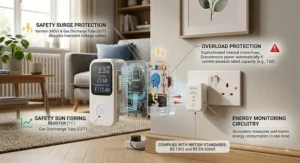
Every genuine UK smart plug should carry UKCA marking (the post-Brexit equivalent of the EU’s CE marking) confirming it meets British electrical safety standards, and all seven products in this guide do. Beyond that baseline, look for basic protections like overheating cutoffs and flame-retardant casing — standard on every plug reviewed here, but worth double-checking on unfamiliar third-party brands elsewhere on Amazon.
If you’re pairing a smart plug with a higher-draw appliance like a space heater or an immersion heater booster, it’s worth confirming your home’s wiring and consumer unit can comfortably handle the additional load, particularly in older properties. GOV.UK’s energy efficiency guidance recommends switching electrical appliances off at the plug when not in use as a straightforward way to cut both energy waste and fire risk, which a scheduled smart plug does automatically, without you needing to remember. Matter-certified devices, including the Tapo P110M, Eve Energy (Matter) and Aqara Power Plug H2 UK, have additionally passed independent certification through the Connectivity Standards Alliance, an extra layer of interoperability and security testing beyond basic UK electrical compliance.
Frequently Asked Questions
❓ Does a smart plug with energy monitoring actually save you money?
❓ Can I use a smart plug with energy monitoring on a fridge or freezer?
❓ Is kWh tracking on a smart plug as accurate as my smart meter?
❓ Do I need a smart home hub for these plugs to work?
❓ What's the difference between a smart plug and a smart socket?
Conclusion
Choosing between these seven ultimately comes down to one honest question: what does your household actually need to know, and where does that data need to live? If you just want a straightforward answer to “what’s this costing me” without any fuss, the Tapo P110 remains the sensible default — cheap, reliable, and genuinely capable of real kWh tracking despite its low price. If your home already leans Apple, the Tapo P110M or Eve Energy (Matter) slot in without friction. If privacy and local control matter more than convenience, the Shelly Plus Plug UK rewards the extra setup time. And if you like being early to something genuinely new, the Aqara Power Plug H2 UK offers a glimpse of where this category is heading next.
Whichever you land on, the underlying value proposition holds steady across all seven: for the price of a few takeaways, you get an honest, appliance-specific answer to where your electricity — and your money — is actually going, backed by real app usage reports you can check any time you like. Given how quietly standby power cost adds up across a typical UK home, that’s rarely a bad trade.
✨ Don’t Miss These Exclusive Deals!
🔍 Take control of your electricity bill today with one of the smart plugs above. Click through to check current pricing and availability, and start turning guesswork into genuine kWh tracking you can act on.
Recommended for You
- Best Outdoor Smart Plug UK 2026: 7 Weatherproof Picks That Won’t Let You Down
- Smart Plug vs Smart Extension Lead 2026: 7 Best Picks Compared
- Best Smart Plug UK 2026: 7 Proven Picks Compared
Disclaimer: This article contains affiliate links. As an Amazon Associate, I earn from qualifying purchases. If you purchase products through these links, we may earn a small commission at no additional cost to you.
✨ Found this helpful? Share it with your friends! 💬🤗
