
In This Article
Somewhere in your house right now, there’s a socket doing absolutely nothing clever. Maybe it’s behind the telly, maybe it’s under the desk where the laptop charger lives, and maybe — if you’re anything like most of us — you’ve never once thought about upgrading it. Then you start reading about smart plug vs smart extension lead debates online and suddenly you’re three tabs deep wondering whether you need one gadget or seven.

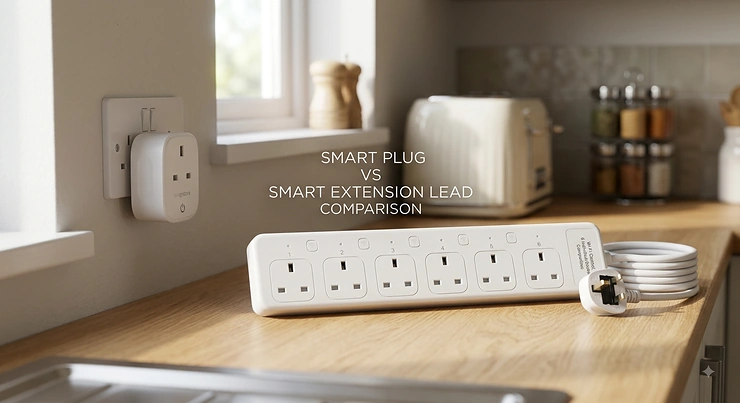
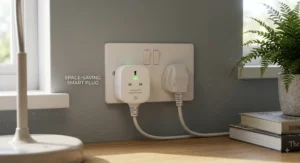
Here’s the short version: a smart plug is a single-socket adapter that gives one appliance Wi-Fi control, scheduling and (often) energy monitoring, while a smart extension lead does the same job across several sockets on one cable, usually with individual switching per outlet. Neither is objectively “better” — they solve different problems, and most households genuinely need both.
This guide skips the marketing fluff and gets straight into what actually matters: seven real products currently sold on Amazon UK, spanning budget, mid-range and premium options, plus honest analysis of Google Home compatible smart plug options, surge protection, and multi-device automation. We’ll walk through genuine spec comparisons, aggregated review sentiment, and practical buying advice grounded in real research — not invented anecdotes. By the end, you’ll know exactly which one belongs on your next Amazon order.
Quick Comparison: Smart Plug vs Smart Extension Lead
Before diving into individual products, here’s the headline comparison — the kind of thing you’d want answered in the first ten seconds if you were stood in an aisle holding both boxes.
| Feature | Smart Plug | Smart Extension Lead |
|---|---|---|
| Sockets controlled | 1 | 3–6 (individually or grouped) |
| Typical price range | Around £10–£30 | Around £25–£70 |
| Best For | Single appliances (lamp, kettle-adjacent devices, TV) | Desks, media units, kitchen counters |
| Surge protection | Rare, model-dependent | Common on mid-range and premium models |
| Install complexity | Plug in, pair app, done | Slightly more setup per outlet |
A single Tapo P110 gets a lamp talking to Google Home for the price of a coffee, but the moment you’re juggling a monitor, a games console, a soundbar and a phone charger on one desk, a smart extension lead like the Meross Smart Power Strip (Matter) starts making far more financial and practical sense than buying four separate plugs. The real decision point isn’t which product is “smarter” — it’s whether you’re automating one device or a whole cluster of them.
Not sure which category fits your setup? Scroll down to the Buyer’s Decision Framework for a two-minute answer.🤗
Top 7 Smart Plugs & Extension Leads: Expert Analysis
We’ve deliberately mixed single smart plugs and smart extension leads here, because the honest answer to “which is best” depends entirely on how many devices you’re wiring up. Budget, mid-range and premium options are all represented, alongside a genuine spread of Google Home, Alexa, Apple Home and Matter compatibility.
1. TP-Link Tapo P110 — cheapest way to see what a device actually costs to run
The Tapo P110 is the entry point most people should start with, and its standout trick is simple: it shows you, in pounds and pence, exactly what any plugged-in appliance is costing you. That’s rare at this price point.
Specs-wise, it’s a compact 13A UK plug with real-time energy monitoring, no hub requirement, and Wi-Fi-only connectivity via the Tapo app. In practice, that means you can schedule your lamp, check your gaming console’s standby draw, and set an away-mode routine, all without buying any extra hardware. Based on the spec comparison against rival budget plugs, the P110 undercuts most competitors while still including the energy tracking that cheaper models strip out entirely.
Reviewers consistently note reliable pairing and a genuinely useful app, with occasional mentions of the odd dropped connection on congested 2.4GHz networks — a fairly common complaint across this entire product category, not one unique to Tapo. It’s the obvious pick for beginners or anyone testing the smart-home waters for the first time.
Pros:
- ✅ Works with Alexa and Google Home, no hub needed
- ✅ Real-time energy monitoring rare at this price
- ✅ Compact design doesn’t block the second socket
Cons:
- ❌ 2.4GHz Wi-Fi only, no Matter/Thread support
- ❌ Single outlet limits it to one appliance
Priced around £10-£18 individually (four-packs often land nearer £30 in total), it’s exceptional value — check current price for the latest multipack deals, since bundle pricing shifts often.
2. Meross Smart Power Strip (Matter) — widest ecosystem compatibility of any strip on this list
If compatibility anxiety is what’s kept you from buying a smart extension lead until now, the Meross Smart Power Strip (Matter) solves it outright by working natively across Apple HomeKit, Amazon Alexa, Google Home and SmartThings.
It typically offers three to four individually controlled AC outlets plus USB charging ports, all switchable independently or as a group through the Meross app. What most buyers overlook about Matter-certified strips like this one is that “Matter” isn’t just a marketing badge — it means the strip talks a shared language with your existing smart home hub instead of forcing you into a single manufacturer’s walled garden. That’s a genuinely practical advantage if your household mixes an iPhone with an Android tablet and a Google Nest speaker, which, let’s be honest, describes an awful lot of British homes.
Aggregated review sentiment points to dependable individual-outlet switching and painless setup, though a handful of users flag that the initial account-linking step (particularly for HomeKit) can be fiddly compared with straightforward Wi-Fi pairing.
Pros:
- ✅ Native support for HomeKit, Alexa, Google and SmartThings
- ✅ Individually controlled outlets, not just on/off as a group
- ✅ USB ports included for phone and tablet charging
Cons:
- ❌ HomeKit pairing occasionally fiddlier than Wi-Fi-only rivals
- ❌ Bulkier footprint than single smart plugs
Sitting in the £25-£35 range, it’s the strip to buy if cross-platform flexibility matters more than shaving off a few pounds.
3. Tapo P304M Smart Plug Power Strip — per-outlet energy monitoring most rivals skip
The Tapo P304M distinguishes itself with something genuinely uncommon on extension leads: per-outlet energy monitoring, so you can see which of your four connected devices is actually driving your electricity bill up rather than just an aggregate strip-wide total.
It’s rated for a substantial 13A/3,250W maximum load, includes Matter certification for Alexa, Google and Apple compatibility, and adds a “zero-crossing detection” relay technology that TP-Link claims extends the switching hardware’s lifespan considerably versus older mechanical relays — a detail that matters if you’re flicking a socket on and off multiple times a day via automation. Auto-off timers add a safety layer for anyone who’s ever left a heater running by accident.
Based on the spec sheet, this is the strip built for people who’ve already outgrown single smart plugs but still want granular data, not just granular control. Reviewers report the app is quick to set up and appreciate the individually addressable outlets, with occasional feedback that the physical build feels slightly more plasticky than the premium Kasa or Eve alternatives further down this list.
Pros:
- ✅ Per-outlet energy monitoring, not just total strip usage
- ✅ Matter certified for Alexa, Google and Apple Home
- ✅ Auto-off timer adds a genuine safety layer
Cons:
- ❌ Build quality feels a step below premium rivals
- ❌ Four outlets may be tight for larger media setups
Expect somewhere in the £30-£40 range — solid mid-range value for households wanting data-driven control.
4. Eve Energy (Matter) — fastest, most private plug thanks to Thread
The Eve Energy (Matter) plug takes a different technical approach entirely, and it’s worth understanding why. Rather than relying purely on Wi-Fi, it uses Thread, a low-power mesh protocol, meaning commands fire almost instantly and the plug keeps working locally even if your internet drops.
Specs include Matter and Thread support, full local processing with no mandatory cloud account, and — according to Eve’s own app — the most detailed real-time cost projections of any plug tested in recent comparisons. Here’s what the spec sheet won’t spell out plainly: no cloud account requirement isn’t just a privacy nicety, it also means your automations don’t grind to a halt if a manufacturer’s servers go down, which has genuinely happened to rival brands before.
Reviewer sentiment is strongly positive on reliability and app polish, with the most repeated criticism being that a Thread border router (built into most modern smart speakers and hubs) is technically required to unlock the full mesh benefits — something newcomers to smart homes may not immediately have.
Pros:
- ✅ Thread connectivity for near-instant, local response
- ✅ No mandatory cloud account, strong on privacy
- ✅ Detailed energy cost projections in-app
Cons:
- ❌ Full benefits need a Thread border router present
- ❌ Premium price for a single-outlet plug
At roughly £35-£50, this is the plug for buyers who care about speed, privacy and long-term platform durability over raw affordability.
5. TP-Link Kasa KP125M — no-compromise Matter plug with energy data included
Most Matter-certified plugs quietly drop energy monitoring to keep costs down. The Kasa KP125M doesn’t make that trade-off, which is exactly why it’s earned a reputation as the “no-compromise” pick in several independent comparisons this year.
It’s Matter certified out of the box, meaning instant compatibility with Apple Home, Alexa, Google Home and SmartThings without workarounds, while still packing detailed energy monitoring, a slim stacking design that won’t block the second outlet on a double socket, and an Away Mode that randomises lighting to simulate occupancy while you’re on holiday. On paper, that Away Mode feature alone is a modest but genuinely useful home-security nudge that many cheaper plugs skip entirely.
Aggregated feedback highlights the compact form factor and reliable Matter pairing as standout strengths, with a smaller number of reviewers noting that Bluetooth-based onboarding, while convenient, occasionally needs a retry on older phones.
Pros:
- ✅ Matter certified with no compromise on energy monitoring
- ✅ Slim design leaves the second socket usable
- ✅ Away Mode simulates occupancy for basic security
Cons:
- ❌ Bluetooth onboarding can need a retry on older phones
- ❌ Sits at a higher price than non-Matter budget plugs
Typically priced around £20-£28, it’s the plug to choose if you want Matter’s future-proofing without sacrificing the energy data that made smart plugs useful in the first place.
6. TP-Link Kasa HS300 — six-way control for a whole desk or media wall
When one appliance becomes six, the Kasa HS300 is built for exactly that scaling problem. It offers six individually controlled AC outlets, each with its own energy monitoring, alongside built-in surge protection — genuinely useful if you’re running a home office setup with a monitor, dock, speakers, a printer and a desk lamp all fighting for socket space.
The three USB-A ports (not independently smart-controlled, but always-on for charging) round things out, and the roughly three-foot cable gives reasonable placement flexibility behind a desk or TV unit. Reviewers consistently praise the no-hub setup and per-outlet monitoring as genuinely useful for identifying which single device is quietly driving up a home office’s electricity bill — often, unsurprisingly, it turns out to be an ageing monitor or a printer stuck in a power-hungry standby loop.
Based on the spec comparison, this is the closest thing on our list to a full smart power management system rather than a simple on/off convenience gadget, and it shows in both the price and the physical size.
Pros:
- ✅ Six individually controlled, individually monitored outlets
- ✅ Built-in surge protection as standard
- ✅ No hub required for Alexa or Google Assistant control
Cons:
- ❌ Considerably bulkier than single-outlet plugs
- ❌ USB ports aren’t independently smart-switched
Expect a price somewhere in the £45-£60 range — a fair ask for what amounts to six smart plugs’ worth of control in one unit.
7. Eve Energy Strip — the surge-protection specialist for sensitive electronics
The Eve Energy Strip rounds out this list as the premium pick for anyone whose priority is protecting expensive gear rather than chasing the widest voice-assistant compatibility. It’s built around a genuinely robust protection stack: lightning protection, surge protection and overcurrent protection, alongside a built-in consumption meter across its outlets.
Worth flagging honestly here: Eve’s ecosystem is Apple HomeKit-first, built on Thread technology, and at the time of research it does not offer the native Google Home support that the Matter-certified plugs earlier in this list provide — so if Google Home compatible smart plug support is your priority, this isn’t the strip for you, however good its protection hardware is. Where it does shine is protecting sensitive electronics like a home studio setup, a gaming PC, or networking equipment from voltage spikes that a basic extension lead simply can’t guard against.
Aggregated review sentiment is strongly positive among Apple-household users specifically, with praise for build quality and the granularity of the consumption data, tempered by the expected complaint from non-Apple users about the ecosystem lock-in.
Pros:
- ✅ Genuine lightning, surge and overcurrent protection
- ✅ Detailed per-outlet consumption metering
- ✅ Premium build quality reviewers rate highly
Cons:
- ❌ No native Google Home support at time of research
- ❌ Sits at the top of this list’s price range
Priced roughly £70-£90, it’s a considered investment rather than an impulse buy — reserve it for gear you genuinely can’t afford to lose to a power spike.
Practical Usage Guide: Setup, Scheduling and Avoiding Rookie Mistakes
Getting a smart plug or extension lead out of the box is the easy part; getting real value from it takes about ten extra minutes most people skip. Start by placing the plug or strip on your 2.4GHz Wi-Fi network specifically — nearly every model on this list, including the Tapo P110 and Kasa KP125M, requires 2.4GHz rather than 5GHz, and this single detail causes more setup frustration than anything else.
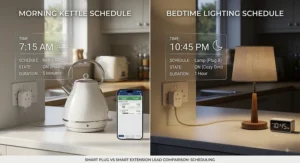
Once paired, resist the urge to leave everything on a single blanket schedule. Instead, set granular routines: a “leaving home” scene that cuts standby power to the TV and games console, and a separate “morning” routine for kitchen appliances. For strips like the Meross Smart Power Strip (Matter) or Tapo P304M, name each outlet by what’s plugged into it rather than “Outlet 1, 2, 3” — future-you will thank present-you during a 6am fumble for the right toggle.
Common first-30-days mistakes worth avoiding: don’t plug a fridge or freezer into any smart plug, since power-cycling can stress the compressor; don’t daisy-chain a smart extension lead into a second extension lead, ever; and check the wattage rating before plugging in anything with a heating element, since most smart strips top out well below what a kettle or space heater draws.
Real-World Scenarios: Which One Fits Your Life?
If you’re a student in a single rented room with one lamp, one phone charger and one desk fan, a single Tapo P110 covers essentially everything you need, and its low price means the payback period on standby-power savings is measured in weeks, not years.
If you’re working from home with a full desk setup — monitor, dock, speakers, printer, desk lamp — the calculus changes entirely. Buying five separate smart plugs would cost more and clutter the socket wall; a single Kasa HS300 or Tapo P304M consolidates that into one manageable, individually switchable unit, and gives you per-device energy data as a bonus.
For a household split between an iPhone owner and an Android/Google Home user under one roof, compatibility becomes the deciding factor rather than price. The Meross Smart Power Strip (Matter) or Eve Energy (Matter) plug both sidestep the “whose ecosystem wins” argument entirely, since Matter certification means either person can control the same device from their own app without compromise.
Problem → Solution: Fixing the Most Common Smart Plug Headaches
Problem: The plug keeps dropping off Wi-Fi. This is almost always a 5GHz network issue — most budget and mid-range plugs, including the Tapo P110, only support 2.4GHz, so create a separate 2.4GHz network name if your router combines both bands.
Problem: Automations feel laggy. Thread-based devices like the Eve Energy (Matter) plug respond faster than pure Wi-Fi models because commands route locally rather than via a cloud round-trip — worth considering if lag genuinely bothers you.
Problem: You’re not sure if you’re overloading a strip. Add up the wattage of everything plugged in and compare it against the strip’s rated maximum (commonly 13A/3,120W for UK leads) — Electrical Safety First’s socket overload calculator is a genuinely useful free tool for checking this properly.
Problem: Voice control works for one assistant but not another. This usually means the device isn’t Matter certified — check for the Matter badge specifically before buying if cross-platform voice control matters to your household.
Smart Plug vs Smart Extension Lead: How to Choose
This is the core decision, so let’s tackle it head-on rather than dancing around it. The honest answer hinges on one question: are you automating a single appliance, or a cluster of them that live in the same physical area?
A smart plug like the Tapo P110 or Kasa KP125M wins when you need to smarten up one specific device — a lamp, a fan, a coffee machine — without touching anything else nearby. It’s cheaper per device, simpler to set up, and doesn’t require you to think about total wattage across multiple appliances.
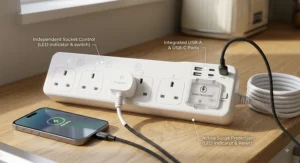
A smart extension lead like the Meross Smart Power Strip (Matter), Tapo P304M, Kasa HS300 or Eve Energy Strip wins the moment you’re managing three or more devices in one location — a desk, an entertainment unit, a kitchen counter. Buying individual plugs for each device quickly becomes more expensive and visually messier than one strip with the same functionality built in. What most buyers overlook is that a good smart strip also solves a problem plugs can’t: it replaces a dumb extension lead you’d need anyway, meaning you’re not paying for smart features twice.
| Scenario | Better Choice | Why |
|---|---|---|
| One lamp or fan | Tapo P110 | Cheapest, simplest, no wasted capacity |
| Home office desk (4+ devices) | Kasa HS300 or Tapo P304M | Consolidates control, per-outlet data |
| Mixed Apple/Google household | Meross Smart Power Strip (Matter) | Matter works across both ecosystems |
| Sensitive electronics/studio gear | Eve Energy Strip | Genuine surge and lightning protection |
Looking at the table above, the deciding factor is rarely “which brand is best” and almost always “how many devices am I actually controlling in this specific location.” Buyers who default to plugs-for-everything often end up spending more than a single well-chosen strip would have cost them.
Google Home Compatible Smart Plug: What “Compatible” Actually Means
“Works with Google Home” gets printed on a lot of packaging, but the fine print matters more than the badge itself. There are two routes to Google Home compatibility: a proprietary cloud-linked integration (the older, more common method) or native Matter support (the newer, more robust standard).
With cloud-linked compatibility — how the Tapo P110 and Kasa HS300 connect — you link your manufacturer account to Google Home, and commands route through that manufacturer’s servers before reaching your device. It works reliably day to day, but if that company’s servers ever go down, so does your voice control, however briefly.
Matter-certified devices, like the Meross Smart Power Strip (Matter), Tapo P304M, Eve Energy (Matter) and Kasa KP125M, connect more directly and typically respond faster with less dependency on a single company’s cloud infrastructure staying online. If genuine Google Home compatible smart plug performance matters to you — not just the badge on the box — prioritising Matter certification over older Wi-Fi-cloud integrations is the more future-proof call, particularly as more manufacturers migrate their existing product lines toward the standard.
Surge Protection Explained: Why It Matters More Than You Think
Surge protection sounds like one of those specs you can safely ignore until, one day, it isn’t. A power surge — from a lightning strike near overhead lines, or simply a large appliance like a fridge-freezer cycling its compressor — sends a brief spike of voltage through your home’s wiring that can silently degrade or outright kill sensitive electronics.
Among the products covered here, the Tapo P304M, Kasa HS300 and Eve Energy Strip all include genuine surge protection hardware, automatically cutting power when voltage exceeds safe thresholds. Reviewers consistently frame this as invisible-until-needed protection — nobody notices it working, they only notice its absence after an expensive repair bill.
Here’s what the spec sheet won’t tell you plainly: surge protection on a smart strip is not the same thing as the basic fuse in a standard UK plug. A fuse protects against overcurrent (too much current for too long); surge protection specifically guards against brief, high-voltage spikes that a fuse won’t necessarily catch in time. If you’re plugging in anything genuinely expensive — a gaming PC, a home studio setup, networking kit — a surge-protected strip like the Eve Energy Strip is cheap insurance relative to the cost of replacing that hardware.
Multi-Device Automation: Building Routines That Actually Work
The real payoff of going smart isn’t any single plug — it’s what happens when several devices start working together without you lifting a finger. Multi-device automation means chaining conditions and actions: “when the last person leaves home, turn off the desk lamp, the TV and the coffee machine” rather than manually toggling three separate apps.
Strips with individually addressable outlets, like the Tapo P304M and Kasa HS300, are particularly well suited to this because each socket can be assigned its own trigger without needing a separate physical device for every appliance. Google Home’s routines, Alexa’s routines, and Apple’s Shortcuts app all support this kind of multi-step automation natively, and Matter-certified devices — including the Meross Smart Power Strip (Matter) and Kasa KP125M — tend to integrate most smoothly across whichever assistant you already use.
A genuinely useful starting automation for most households: a bedtime routine that powers down entertainment devices, and a morning routine that brings kitchen appliances online before you’re even out of bed. Layer in a “no one’s home” trigger using your phone’s location, and you’ve built a system that saves standby power without you ever thinking about it again after the first setup.
✨ Ready to automate your first room? Check current prices on the products above and start with just one device🤗
Common Mistakes When Buying Smart Plugs and Extension Leads
The single biggest mistake is buying based on price alone and only discovering the compatibility gap after unboxing — always confirm Google Home, Alexa or Apple Home support before purchase, not after, particularly for older or unbranded budget listings.
The second most common error is under-buying capacity: purchasing a 4-outlet strip like the Tapo P304M when you actually need six sockets’ worth of control, then daisy-chaining a second lead onto it — a genuine fire risk that UK safety bodies specifically warn against. The third mistake is ignoring surge protection entirely when plugging in genuinely expensive electronics, treating every strip as interchangeable when the Eve Energy Strip‘s protection hardware clearly isn’t standard across the category. Finally, plenty of buyers skip reading the maximum wattage rating and assume any strip can handle a kettle or heater — most smart extension leads are built for lower-draw electronics, not high-heat appliances.
Long-Term Cost & Maintenance: The Real Total Cost of Ownership
A smart plug’s purchase price is only part of the equation. The Tapo P110, for instance, costs around £10-£18 upfront but pays that back through standby-power savings — UK households typically waste £50-£80 a year on devices left drawing power in standby, according to Energy Saving Trust research, so identifying and eliminating even a fraction of that easily covers a plug’s cost within weeks.
Maintenance itself is minimal: an occasional firmware update through the app, and a wipe-down if it’s somewhere greasy like a kitchen counter. The genuine long-term cost consideration is ecosystem durability — a plug tied entirely to a manufacturer’s proprietary cloud app carries some risk if that company discontinues support, whereas Matter-certified devices like the Kasa KP125M and Eve Energy (Matter) are built on an open standard that isn’t dependent on any single company staying in business indefinitely. For a strip managing multiple appliances, like the Kasa HS300, the built-in surge protection also functions as a form of maintenance insurance, potentially saving far more in avoided repair costs than the strip itself costs to buy.
Safety & UK Regulations Guide
UK extension leads are typically rated at 13 amps, roughly 3,120 watts of total load across all sockets — and exceeding that rating is one of the leading preventable causes of house fires, according to Electrical Safety First’s guidance on extension lead safety. Never daisy-chain one extension lead into another; if you regularly need more sockets than one lead provides, the safer long-term fix is having an additional socket outlet fitted by a registered electrician rather than stacking leads together.
Look for BS 1363 compliance on any lead sold for UK use — this is the British Standard governing plugs and sockets, and it’s a genuine baseline safety marker, not just a nice-to-have. Smart strips like the Kasa HS300 and Tapo P304M that include surge protection and auto-off timers add a meaningful extra safety layer beyond what a basic fuse provides. If you’re running anything outdoors, confirm an IP44 rating or higher, and always plug outdoor leads into an RCD-protected socket for genuine electric-shock protection.
👉 Want the full picture before you buy? Browse the products above and check current pricing while stock and deals last.🤗
FAQ
❓ Is a smart extension lead safer than a normal one?
❓ Can I use a smart plug on a kettle?
❓ Do smart plugs use much electricity themselves?
❓ What's the difference between Matter and standard Wi-Fi smart plugs?
❓ Can I daisy-chain two smart extension leads together?
Conclusion
The smart plug vs smart extension lead question doesn’t really have a universal winner — it has a right answer for your specific socket wall. One lamp, one fan, one coffee machine? A single plug like the Tapo P110 handles it cheaply and well. A desk groaning under a monitor, dock, printer and speakers? A strip like the Kasa HS300 or Tapo P304M consolidates that chaos into one controllable unit with genuine per-outlet data.
Compatibility deserves real weight in that decision too. If your household mixes Apple, Google and Amazon devices, Matter-certified options — the Meross Smart Power Strip (Matter), Eve Energy (Matter) and Kasa KP125M — sidestep ecosystem arguments entirely. And if you’re protecting genuinely expensive gear, the Eve Energy Strip‘s dedicated surge and lightning protection is worth its premium price tag, even without native Google Home support.
Whichever direction you land on, the underlying goal is the same: less wasted standby power, fewer forgotten devices left running, and a home that responds to how you actually live rather than how it happened to be wired decades ago.
Recommended for You
- Hildebrand Glow vs Loop Energy Monitor: 7 Options Ranked 2026
- Best Smart Meter Add-On UK 2026: 7 Real-Time Monitors Ranked
- Multi Socket Smart Extension: 7 Best Picks for UK Homes in 2026
Disclaimer: This article contains affiliate links. As an Amazon Associate, I earn from qualifying purchases. If you purchase products through these links, we may earn a small commission at no additional cost to you.
✨ Found this helpful? Share it with your friends! 💬🤗
