
In This Article
There’s a very specific kind of despair that comes from crouching behind a desk with three plugs in one hand and a single free socket staring back at you. If that sounds familiar, you’re exactly who this guide is for. A good multi socket smart extension does more than just multiply your sockets — it lets you kill power to a monitor without unplugging your router, charge a phone without hunting for a spare adaptor, and, in the fancier models, switch everything off from your phone while you’re already halfway to bed wondering if you left the desk lamp on.
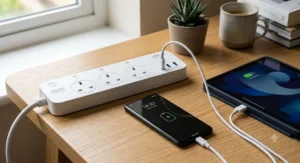
We’ve spent time digging through real UK listings, manufacturer spec sheets, and aggregated customer feedback to pull together seven genuinely available products — from no-frills budget switched strips to app-controlled smart units with energy monitoring. Every product below is a real, currently listed item; none of it is invented. Because “smart” gets used loosely in this category — sometimes meaning WiFi and an app, sometimes just meaning individually switched sockets and fast USB-C — we’ll be upfront throughout about which is which, so you’re not paying smart-home prices for what’s really just a well-built switched strip.
What is a multi socket smart extension? It’s a power strip with several individually controllable outlets — either via physical switches or a smartphone app/voice assistant — plus, on most modern models, integrated USB charging ports. The “smart” element ranges from simple per-socket switching to full WiFi app control with scheduling and energy monitoring.
Before you plug anything in, it’s worth reading the Electrical Safety First guidance on extension leads, which covers the load limits and common misuse patterns that cause the vast majority of extension-related fires in UK homes.
Quick Comparison Table
| Category | Product | Sockets | Smart Control | Best For |
|---|---|---|---|---|
| Best Overall | Meross MSS426HK Smart Extension Lead | 6 | App + Voice | Whole-desk smart control |
| Best Budget | TESSAN Extension Lead with 3 USB Slots | 4 | Manual switches | Tight budgets |
| Best for Home Office | LENCENT Extension Lead with USB-A & USB-C | 4 | Manual switches | Desk setups |
| Best for Fast Charging | Meross MSP843P Smart Fast Charging Power Strip | 4 | App + Voice | Laptop charging |
| Best for Energy Monitoring | TP-Link Tapo P304M | 4 | App + Matter | Tracking bills |
Looking at the spread above, it’s clear “smart” isn’t one single feature set — the Meross MSS426HK and Tapo P304M genuinely connect to WiFi and respond to voice commands, while the TESSAN and LENCENT options are “smart” only in the sense of thoughtful per-socket switching and modern USB-C output. Neither approach is wrong; it depends whether you actually want to control sockets from your phone or just want a tidy desk with fewer wall-wart adaptors fighting for space. Budget-conscious buyers shouldn’t feel short-changed by skipping the app-controlled models — individually switched sockets alone solve most of the everyday annoyance.
💬 Already got a favourite? Skip ahead — but if you’re still deciding, the full breakdown below covers all seven in detail.🤗
Top 7 Multi Socket Smart Extensions: Expert Analysis
1. TESSAN Extension Lead with 3 USB Slots — best budget pick with proper switching
The standout here is simple: proper individual switching at a genuinely low price point, which a lot of budget strips still skip. Specs-wise, you’re getting a 4-way extension with 13A/3250W total capacity, three USB-A ports delivering a combined 2.4A, and a 2-metre cable — enough reach to get from a skirting board socket to most desks without a second extension in the chain. Built-in smart IC charging automatically negotiates the right current for whatever you plug in, so you’re not stuck guessing whether your tablet is actually charging at full speed.
Based on the spec comparison with pricier rivals, the TESSAN unit’s individual switches are the real win: you can kill power to a desk lamp or heater without disturbing a laptop charger on the next socket along. Reviewers consistently note that the wall-mountable design is handy for keeping cables off a cluttered floor, and the fire-retardant casing gets called out favourably in aggregated feedback, though a handful of buyers mention the USB output feels modest for larger tablets compared with newer USB-C-equipped strips.
Pros:
- ✅ Genuinely individual per-socket switching at a low price
- ✅ Wall-mountable design frees up desk and floor space
- ✅ Smart IC charging auto-detects connected USB devices
Cons:
- ❌ USB-A only — no USB-C for modern fast-charging devices
- ❌ Basic build materials compared with premium rivals
Typically found in the under-£20 bracket, this is solid value if you just want reliable switching and a bit of USB charging without paying for WiFi features you might not use.
2. LENCENT Extension Lead with 2 USB-A & 2 USB-C — best all-round pick for a home office setup
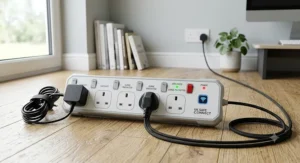
What stands out immediately is the balanced port selection — two USB-A and two USB-C on a single strip, which covers almost every device likely to land on a desk in 2026. The four AC sockets are each individually switched, rated at a combined 3250W/13A, and the whole unit runs on a 1.8-metre braided cable that’s noticeably more resistant to kinking than the rubber-sheathed cables on cheaper competitors.
Here’s what the spec sheet doesn’t spell out clearly: having two USB-C ports matters more than it sounds, because most 2026-era laptops, tablets, and even some monitors now charge via USB-C, and a strip with only one USB-C port forces awkward queuing for the fast port. For anyone building out a proper home office setup — a laptop, a phone, wireless earbuds, and maybe a desk lamp — this port mix removes a genuine daily friction point. Aggregated customer sentiment is largely positive on build quality and the wall-mounting slots, with a recurring theme in reviews being appreciation for the braided cable’s durability versus rubber alternatives.
Pros:
- ✅ Two USB-C ports covers modern laptop and phone charging
- ✅ Braided cable resists kinking better than rubber cables
- ✅ Individually switched sockets with wall-mount slots
Cons:
- ❌ Lesser-known brand means after-sales support is less proven
- ❌ No app or voice control if you want true smart features
Sitting in the mid-£20s to low-£30s range typically, this is genuinely one of the more thoughtfully specced non-app-controlled options currently available.
3. Masterplug SRGDSU62PW 6 Socket Switched Surge Extension — trusted-brand pick with surge protection
Masterplug is one of the longest-running names in UK extension leads, and this model’s standout feature is the combination of six individually switched sockets with genuine surge protection — not every budget strip in this category bothers with the latter. You get a 2-metre cable, a gloss white finish, an LED power/surge indicator, and two USB ports offering roughly 3.1A shared output.
What most buyers overlook about surge protection is that it’s not just about lightning strikes — it also absorbs the smaller voltage spikes that happen every time a fridge compressor or washing machine motor kicks in on a shared domestic circuit, which can quietly shorten the lifespan of sensitive electronics like laptop chargers over years of use. Based on the spec comparison, six sockets is a genuinely generous count for a strip this size, useful for a home office with a monitor, dock, lamp, speakers, and a couple of chargers all needing power at once. Aggregated review sentiment praises the individual switches specifically — a common theme in customer feedback is satisfaction at being able to flick off just one device rather than the whole strip — although a portion of reviews on independent platforms flag mixed experiences with the brand’s after-sales support process when a unit does fail.
Pros:
- ✅ Six individually switched sockets — generous count for a desk
- ✅ Genuine surge protection, not just basic switching
- ✅ Established UK brand with long track record
Cons:
- ❌ No app or voice control — manual switches only
- ❌ Some reviewers report slow after-sales response on faults
Expect a price somewhere in the £20-£30 range, positioning it as a strong mid-tier pick for buyers who value a known brand over smart features.
4. Duronic ST10B 10 Way Tower Extension Lead — most sockets in the smallest footprint
The immediate hook is the sheer socket count — ten AC ways on a single unit — achieved by stacking outlets vertically in a tower format rather than the usual horizontal strip. It’s rated 13A/3000W, includes three USB ports (two USB-A and one USB-C), a master switch, and a 2-metre cable, with surge and spike protection built in.
The tower shape genuinely changes how much power you can fit into a small footprint — a horizontal 10-gang strip would eat most of a desk’s width, whereas this stands like a small cylinder and takes up roughly the same desk real estate as a mug. That’s a meaningful practical difference if your desk or home-office corner is already tight. On paper this makes it the obvious pick for anyone running a full multi-monitor setup with a dock, speakers, a light, and chargers all at once. What reviewers note is that the vertical orientation means bulky plug adaptors can occasionally block an adjacent socket, a minor but real trade-off of the tower format, and that with only three USB ports serving ten AC ways, USB provision is comparatively light relative to socket count.
Pros:
- ✅ Ten AC sockets in a genuinely compact vertical footprint
- ✅ Surge and spike protection included as standard
- ✅ Master switch for quick full shutdown
Cons:
- ❌ Bulky plug adaptors can block neighbouring sockets
- ❌ Only 3 USB ports relative to 10 AC outlets
Typically priced in the £25-£35 range, it earns its keep purely on socket density if your workspace genuinely needs that many outlets.
5. Meross MSS426HK Smart Extension Lead — true app and voice control across six sockets
This is where “smart” stops being a loose marketing term and starts meaning what it says: six AC sockets that can each be switched on or off individually from a smartphone app, plus Siri, Alexa, or Google Assistant voice commands. It also carries four USB-A ports delivering a combined 20W, connects over 2.4GHz WiFi, and needs no separate smart-home hub.
Based on the spec comparison with the manual-switch models above, the practical advantage here is remote and scheduled control — setting a desk lamp to switch on before you sit down each morning, or killing power to a monitor and dock from your phone after you’ve already left the room, is something no physical-switch strip can replicate. Reviewers consistently highlight the value of independent per-socket app control for managing several separate devices — one widely cited use case involves controlling multiple garden lights or decorations from a single strip instead of buying several standalone smart plugs. What the spec sheet won’t tell you, but user reports suggest, is that the four USB-A ports are only switchable as one group rather than individually, and that the WiFi connection is strictly 2.4GHz, which can cause setup friction on modern routers that default to 5GHz.
Pros:
- ✅ Genuine per-socket app and voice control, no hub needed
- ✅ Works across HomeKit, Alexa, Google Home and SmartThings
- ✅ Scheduling and timers for automated on/off routines
Cons:
- ❌ USB ports controlled only as a group, not individually
- ❌ 2.4GHz-only WiFi can complicate setup on dual-band routers
Sitting in the £35-£50 range typically, this is a fair price for the smart-home features on offer, though it’s a step up from the manual-switch strips above.
6. Meross MSP843P Smart Fast Charging Power Strip — fastest laptop charging via 65W USB-C PD
The headline feature is charging speed: two USB-C Power Delivery ports capable of up to 65W combined, built on GaN III semiconductor technology, alongside four individually app-controlled AC sockets and one USB-A port. GaN charging components run cooler and more efficiently than older silicon-based chargers, which is why this strip can pack 65W of output into a housing barely bigger than a standard four-way extension.
What most buyers overlook about the 65W figure is that it’s genuinely enough to charge many laptops directly from the strip’s USB-C port, without a separate laptop charger brick cluttering the socket next to it — useful if you’re trying to declutter a desk that’s accumulated three different charging bricks over the years. Based on the spec comparison, this makes it the strongest pick specifically for anyone who charges a MacBook or USB-C ultrabook daily and also wants smart control over the room’s other devices. Reviewers note the app’s grouping of the USB ports (rather than fully independent control) as the one meaningful limitation, alongside acknowledging it commands a premium price versus non-charging smart strips.
Pros:
- ✅ Up to 65W USB-C PD — genuinely replaces a laptop charger
- ✅ Individually app-controlled AC sockets
- ✅ GaN III tech runs cooler than older fast-charge designs
Cons:
- ❌ Three USB ports controlled as one group, not individually
- ❌ Premium pricing versus non-fast-charging smart strips
Expect to pay in the £45-£60 range, which is justified if the fast USB-C charging genuinely replaces a separate laptop adaptor you’d otherwise need to buy.
7. TP-Link Tapo P304M Smart Wi-Fi Power Strip — best for energy monitoring and Matter integration
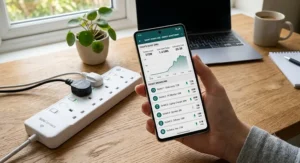
The defining feature isn’t charging or socket count — it’s data. Four individually controlled smart sockets report real-time and historical power consumption back to the Tapo app, broken down by day, month, and year, and the unit is Matter-certified, meaning it plays nicely with Apple Home, Google Home, Amazon Alexa, and Home Assistant without needing brand-specific hubs. It also includes surge protection and zero-crossing detection, a relay technology that reduces the risk of a smart socket’s internal contacts welding shut over years of switching.
Here’s what most buyers overlook: energy monitoring isn’t just a novelty graph — it’s the only realistic way to spot which “always-on” device on your desk is quietly costing you money on standby, something you simply cannot see with a manual-switch strip. Based on the spec comparison, the Matter certification also future-proofs this pick better than brand-locked alternatives, since Matter devices aren’t tied to one ecosystem the way older smart plugs often were. Independent reviewers have called it an easy recommendation for reliable smart control with detailed per-socket monitoring, though the same reviews consistently flag the absence of any USB ports at all as a genuine limitation for desk use, and the four-socket count is the lowest of any smart option on this list.
Pros:
- ✅ Genuine real-time and historical energy monitoring per socket
- ✅ Matter-certified for broad smart-home compatibility
- ✅ Zero-crossing detection improves long-term reliability
Cons:
- ❌ No USB ports at all — needs separate USB chargers
- ❌ Only four sockets, fewer than most rivals here
Recently reported around the £25-£35 range, it’s excellent value if energy tracking and smart-home longevity matter more to you than raw socket count or USB charging.
Top 7 Products: Full Comparison
| Product | Sockets | USB Ports | Smart Control | Price Range | Best For |
|---|---|---|---|---|---|
| TESSAN Extension Lead with 3 USB Slots | 4 | 3× USB-A | Manual | Under £20 | Tight budgets |
| LENCENT Extension Lead with USB-A & USB-C | 4 | 2× USB-A, 2× USB-C | Manual | £20s-£30s | Home office setup |
| Masterplug SRGDSU62PW | 6 | 2× USB-A | Manual | £20-£30 | Trusted-brand buyers |
| Duronic ST10B | 10 | 2× USB-A, 1× USB-C | Manual | £25-£35 | Maximum socket count |
| Meross MSS426HK | 6 | 4× USB-A (grouped) | App + Voice | £35-£50 | Whole-desk smart control |
| Meross MSP843P | 4 | 2× USB-C PD, 1× USB-A | App + Voice | £45-£60 | Laptop fast charging |
| TP-Link Tapo P304M | 4 | None | App + Matter | £25-£35 | Energy monitoring |
The pattern across this table is a genuine trade-off between socket count, USB provision, and true app control — no single unit here maxes out all three. The Duronic ST10B wins on raw socket count but skimps on USB relative to that count, while the Tapo P304M wins on smart-home sophistication but drops USB charging entirely. If you need both plenty of AC sockets and strong USB-C charging in one unit, the LENCENT Extension Lead is the closest single-product compromise among the manual-switch options.
Multi Socket Smart Extension vs Traditional Extension Lead
The gap between a genuinely “smart” multi socket extension and a traditional unswitched multi-plug adaptor is bigger than it first appears. A traditional adaptor gives you extra sockets and nothing else — every connected device shares one all-or-nothing power state, there’s typically no surge protection, and there’s certainly no way to see how much power anything is drawing. A modern multi socket smart extension, even a manual-switch one like the TESSAN or LENCENT models above, adds per-socket control and USB charging as standard; the app-controlled tier, like the Meross MSS426HK or Tapo P304M, adds remote access, scheduling, and in some cases energy monitoring on top of that.
| Feature | Traditional Adaptor | Manual-Switch Smart Extension | App-Controlled Smart Extension |
|---|---|---|---|
| Individual socket control | Rarely | Yes | Yes |
| USB charging built in | Rarely | Usually | Usually |
| Remote/app control | No | No | Yes |
| Surge protection | Rarely | Sometimes | Usually |
| Typical price | Lowest | Low-mid | Mid-high |
The real-world impact of this table is straightforward: if you’re regularly leaving devices on standby because switching them off means unplugging, a traditional adaptor is actively costing you money every month. Stepping up to even the cheapest individually switched model, like the TESSAN, largely solves that. Whether it’s worth stepping up further to app control depends on how much you value being able to switch things off from another room — genuinely useful for some households, unnecessary for others.
Setting Up Your Multi Socket Smart Extension: A Home Office Practical Guide
Getting a new strip out of the box is the easy part — getting genuine value from a home office setup takes a bit more thought. Start by mapping out what actually needs power at your desk: laptop, monitor, dock, lamp, speakers, phone charger. Count them before you buy, because it’s a common first-week mistake to under-buy on sockets and end up daisy-chaining a second extension into the first, which safety bodies specifically warn against.
Once it’s installed, position the strip so the switches are actually reachable — mounting it under a desk facing the wrong way defeats the entire point of individual switching. If you’ve gone for an app-controlled model like the Meross MSS426HK or Tapo P304M, spend ten minutes on setup naming each socket clearly in the app (“Monitor,” “Desk lamp,” “Dock”) rather than leaving them as “Socket 1, 2, 3” — it sounds trivial, but it’s the difference between actually using voice control daily and abandoning the app within a week. For anyone spending long stretches at a screen, it’s also worth glancing at the HSE’s guidance on display screen equipment for home workers, since a genuinely usable home office setup is about more than sockets — cable position and desk layout affect posture too.
A quick maintenance habit worth building in: every few months, check the strip for warm spots, discolouration around the plug, or a burning smell — early warning signs worth acting on immediately rather than waiting for a full failure.
How to Choose a Multi Socket Smart Extension
- Count your devices first, then add two spare sockets. Buying to your exact current device count means the next gadget you buy has nowhere to plug in.
- Decide if you actually want app control, or just individual switching. App control is genuinely useful for scheduling and remote access; if you’ll never open the app after week one, save the money.
- Check the USB port mix, not just the count. A strip with two USB-C ports serves modern devices better than one with four ageing USB-A ports.
- Confirm BS 1363 compliance. Any extension lead sold for UK use should meet the British Standard for plugs and socket-outlets, BS 1363, which governs the 3-pin design, fusing, and shuttered sockets you’ll find on every legitimate product in this guide.
- Look for surge protection if you’re powering anything expensive. It’s cheap insurance against the small voltage spikes a shared domestic circuit throws off regularly.
- Match cable length to your actual socket distance, not the room’s total size — too short and you’ll be tempted to daisy-chain; too long and you’ve got trip-hazard cable to manage.
- Weigh brand trust for after-sales support. Established brands like Masterplug or TP-Link generally offer more predictable warranty handling than lesser-known imports, based on the pattern in aggregated customer reviews across this guide.
USB Charging Ports: What Actually Matters
Not all USB charging ports are created equal, and the spec sheet numbers can be genuinely misleading if you don’t know what to look for. The headline amperage figure (2.4A, 3.1A, and so on) matters less than whether it’s shared across ports or dedicated per port — a strip advertising “3.1A total” across three USB-A ports delivers roughly 1A each if all three are in use simultaneously, which is barely faster than a basic phone charger from a decade ago.
USB-C has become the more important spec to check in 2026, and here’s why: most current phones, tablets, and a growing share of laptops now charge over USB-C, often supporting Power Delivery (PD) for genuinely fast charging. A strip like the Meross MSP843P, with up to 65W across its USB-C PD ports, can charge a laptop directly — something none of the USB-A-only options on this list can do. On the other hand, if your household is mostly older phones and basic gadgets, paying extra for PD wattage you’ll never use is money better spent on socket count or surge protection instead.
Individually Switched Sockets for a Home Office
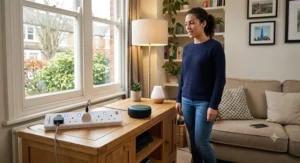
For anyone working from a desk daily, individually switched sockets solve a specific and recurring annoyance: needing to power down one device — a monitor, a desk lamp, a printer — without disturbing everything else plugged into the same strip. Without per-socket switches, the only options are unplugging physically (fiddly, and hard on the plug and socket over time) or leaving everything running on standby, which adds up on an energy bill over a year of daily use.
Every product in this guide, from the budget TESSAN strip through to the smart Tapo P304M, offers some form of individual control — either physical switches or app-based toggles. The practical difference for home-office use specifically is speed of access: physical switches are faster for a device you turn off multiple times a day (a monitor at end of shift, say), while app control shines for devices you want to manage on a schedule or from elsewhere in the house, like a desk lamp you’d rather not walk back to turn off after bedtime.
Real-World Scenarios: Matching the Right Extension to Your Setup
If you’re a student sharing a single bedroom desk with a laptop, phone, and desk lamp on a tight budget, the TESSAN Extension Lead covers the basics without overspending — four switched sockets and USB-A charging is genuinely enough for that setup, and the low price leaves room in the budget for other essentials.
If you’re setting up a proper home office setup with a monitor, dock, speakers, and a lamp, and you want USB-C for a modern laptop and phone, the LENCENT Extension Lead or Masterplug SRGDSU62PW both make sense depending on whether USB-C ports or brand trust and surge protection matter more to you personally.
If you’re a remote professional who wants to schedule your desk to power up before you sit down each morning, or you’re already invested in a smart-home ecosystem like Alexa or Google Home, the Meross MSS426HK brings genuine per-socket app control without a big premium over manual-switch models. And if you’re someone who’s tired of tracking down which idle gadget is quietly running up your electricity bill, the Tapo P304M‘s energy monitoring answers a question no other product on this list can.
Common Problems With Multi Socket Smart Extensions (And How to Fix Them)
Problem: the strip keeps tripping or cutting out. This is almost always an overload issue — add up the wattage of everything plugged in and compare it against the strip’s 13A/3000W-ish rating using Electrical Safety First’s overload guidance, which includes a free calculator for exactly this.
Problem: the smart app won’t find the strip during setup. Nine times out of ten this is a WiFi band issue — most smart strips, including the Meross MSS426HK, are 2.4GHz only, so temporarily disabling 5GHz on a combined router or connecting to a dedicated 2.4GHz network name usually fixes it.
Problem: USB charging feels slow. Check whether the ports are shared or dedicated output, and confirm your cable supports the speed you’re expecting — an old USB-A cable will bottleneck even a fast USB-C port on an adaptor.
Problem: one socket has stopped working while the others are fine. This usually points to a worn switch contact on that specific socket rather than a wiring fault; if it’s still under warranty, contact the manufacturer rather than attempting a repair, since Electrical Safety First specifically advises against repairing damaged leads rather than replacing them.
Problem: too many extension leads plugged into each other. Known as daisy-chaining, this is one of the most common causes of overheating. The fix is simply buying a strip with enough sockets in the first place, which is exactly why counting your actual device needs before buying (see the choosing guide above) matters so much.
Long-Term Cost & Maintenance
Thinking purely in upfront price terms misses half the picture. A £15 basic strip with no surge protection that fails after eighteen months and takes a phone charger with it in the process isn’t actually cheaper than a £30 surge-protected strip that lasts five years. Factor in what you’re protecting: a strip powering a £1,000+ laptop and monitor setup justifies spending more on surge protection than one powering a bedside lamp and phone charger.
Smart strips add a slightly different cost calculation. The Tapo P304M‘s energy monitoring can genuinely pay for itself if it helps you identify and eliminate one or two energy-hungry standby devices over a year — something you can’t do at all without visibility into per-device consumption. On the maintenance side, physical-switch strips need almost nothing beyond an occasional visual check for damage, while app-controlled strips occasionally need firmware updates through their companion app, which is worth doing promptly since updates often patch reliability issues reported by other users.
Safety, Regulations and Compliance Guide
Every extension lead sold for UK domestic use should be rated 13A and fitted with a proper UK 3-pin plug carrying its own fuse, in line with BS 1363. Never plug one extension lead into another — daisy-chaining is a specifically flagged fire risk, not just an inconvenience — and never run a strip while any part of its cable is still coiled, since a coiled cable can’t dissipate heat properly and its effective current rating drops sharply as a result.
Check the total wattage of everything plugged in against the strip’s rating before you plug in high-draw items like heaters, kettles, or hair tools — a laptop, monitor, and phone charger together typically draw well under 300W and are entirely safe, but adding a space heater can push a shared strip close to its 3000W ceiling fast. If you ever notice scorch marks, a burning smell, buzzing, or a socket that feels warm to the touch, unplug it immediately and don’t attempt a repair — Electrical Safety First’s guidance is unambiguous that damaged leads should be replaced, not patched with tape. All seven products in this guide are built for standard UK 230V domestic circuits and carry the fused 13A plug and shuttered-socket design that UK safety standards require.
Features That Actually Matter (And Those That Don’t)
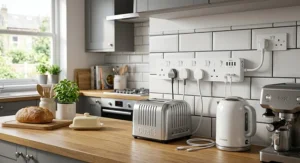
Genuinely useful: individual socket switching, surge protection, USB-C with real PD wattage, and — for households that care about it — app scheduling or energy monitoring. These solve real, everyday problems: standby waste, voltage-spike damage, slow charging, and forgotten-to-switch-off devices.
Largely marketing noise for most buyers: extremely high maximum USB wattage figures you’ll never actually draw from your devices, RGB lighting on a power strip, and “smart” branding on a strip that’s really just individually switched with no app at all. None of these are bad features exactly — they’re just not worth paying a premium for unless you specifically know you’ll use them.
FAQ
❓ What's the difference between a smart extension lead and a normal one?
❓ Are multi socket smart extensions safe to leave plugged in permanently?
❓ Can I plug a laptop charger into a multi socket smart extension?
❓ Do smart extension leads work without WiFi?
❓ How many sockets do I need for a home office setup?
Conclusion
There’s no single “best” multi socket smart extension — there’s only the best one for what’s actually plugged into your desk. If you just want reliable, individually switched sockets without paying for app features you’ll rarely open, the TESSAN or LENCENT options cover that ground affordably. If you’re chasing genuine smart-home integration, energy visibility, or fast USB-C laptop charging, the Meross MSS426HK, Meross MSP843P, and Tapo P304M each solve a different specific version of that problem. And if raw socket count is your priority because your desk has simply outgrown its power supply, the Duronic ST10B‘s ten-way tower format is hard to beat.
Whichever you land on, the underlying principle holds across all seven picks: individual switching and a bit of surge protection quietly pay for themselves over time, both in avoided standby waste and in protecting the increasingly expensive electronics most home offices now rely on. Check current listings and prices before buying, since availability and pricing on all of these shift regularly.
Recommended for You
- Mini Smart Plug for Tight Sockets: 7 Best Picks 2026
- Smart Plug With Energy Monitoring: 7 Best UK Picks 2026
- Best Outdoor Smart Plug UK 2026: 7 Weatherproof Picks That Won’t Let You Down
Disclaimer: This article contains affiliate links. As an Amazon Associate, I earn from qualifying purchases. If you purchase products through these links, we may earn a small commission at no additional cost to you.
✨ Found this helpful? Share it with your friends! 💬🤗
