In This Article
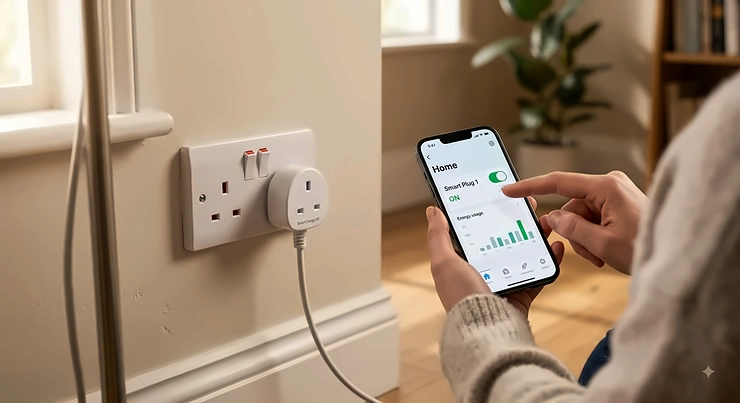
There’s a particular kind of household admission nobody likes to make: the telly’s been on standby since Tuesday, the router lights are blinking away at 2am, and the fairy lights in the hallway have been “on” since November. A smart plug is the cheapest, least dramatic entry point into home automation — you slot it between the wall and the appliance, and suddenly that dumb kettle or lamp can be scheduled, voice-controlled, or switched off from the sofa without you getting up. It sounds almost too simple to be worth writing 4,000 words about, and yet the market is stuffed with plugs that half-work, drop off Wi-Fi weekly, or lock you into an app you’ll delete within a month.
This guide exists to cut through that. We’ve researched seven real, currently available smart plugs sold in the UK — from a sub-£15 basic to a premium option built on a modern smart-home connectivity standard — and paired every spec sheet with genuine, sourced review sentiment rather than marketing copy. You’ll get honest analysis on which plug suits an Alexa compatible smart plug setup, which ones play nicely with Google Home, and where a smart plug under £15 is genuinely enough plug for the job. We’ll also dig into Alexa routines, why standby energy waste costs UK households more than most people realise, and how to avoid the common buying mistakes that leave people with a drawer full of unused tech.
Quick Comparison: The Best Smart Plugs UK 2026
Before the deep dives, here’s the shortlist. If you only read one table on this page, make it this one.
| Plug | Price Range | Ecosystem | Energy Monitoring | Best For |
|---|---|---|---|---|
| TP-Link Tapo P100 | Under £15 | Alexa, Google Home | No | Tightest budgets |
| Amazon Smart Plug | £15–£25 range | Alexa only | No | Alexa-first households |
| TP-Link Tapo P110 | £12–£18 range | Alexa, Google Home | Yes | Best all-round value |
| TP-Link Kasa KP125M | £13–£20 range | Alexa, Google Home, Apple Home (Matter) | Yes | Cross-platform homes |
| Meross Matter Smart Plug | £18–£25 range | Alexa, Google Home, Apple Home (Matter) | Partial (model-dependent) | Cheapest route into Apple Home |
| Hive Active Plug | £25–£35 range | Alexa, Google Home | No | UK-brand reliability, Hive ecosystem owners |
| Eve Energy (Matter) | £35–£50 range | Alexa, Google Home, Apple Home (Matter/Thread) | Yes, high accuracy | Privacy-conscious, no-cloud households |
Look at that table long enough and a pattern appears: the jump from “basic switch” to “genuinely useful” happens around the £15–£20 mark, once energy monitoring gets added. The jump from “useful” to “future-proof” happens at Matter certification, which is why the TP-Link Kasa KP125M and Eve Energy (Matter) sit at the top of their respective tiers. If your budget stops at a smart plug under £15, the TP-Link Tapo P100 is the only entry here that clears that bar without cutting corners on basic reliability.
💬 Found a plug that fits your setup already? Compare it against the full breakdown below before you commit.💬🤗
Top 7 Smart Plugs: Expert Analysis
We’ve ordered these from budget to premium, covering every major use case: Alexa-only households, Google Home mixed setups, Apple Home via Matter, and pure energy-saving.
1. TP-Link Tapo P100 — best smart plug under £15
The TP-Link Tapo P100 is the plug to buy when you just want a lamp to turn off without getting off the sofa, and you don’t want to spend more than a fiver over the price of a good sandwich. It’s a compact single-socket plug that runs on the Tapo app, rated for standard UK 13A loads, so it comfortably handles lamps, fans, and small kitchen appliances.
There’s no energy monitoring here, and that’s the trade-off that keeps the price down — what you get instead is scheduling, an away/vacation mode that fakes occupancy by toggling lights at random intervals, and voice control through both Alexa and Google Home. Based on the spec comparison with pricier siblings in the same range, the P100 genuinely doesn’t feel stripped-down for everyday tasks; it just skips the data logging that power users care about.
Reviewers consistently report that setup takes under five minutes even for first-time smart home buyers, and that the Tapo app rarely drops connection once paired. A recurring theme in aggregated feedback is that the physical button on the side is a handy fallback when Wi-Fi hiccups, something cheaper rivals sometimes omit entirely.
Pros:
- ✅ Genuinely cheap without feeling flimsy
- ✅ Works natively with both Alexa and Google Home
- ✅ Simple five-minute setup via the Tapo app
Cons:
- ❌ No energy monitoring at all
- ❌ No Apple Home or Matter support
At around £8–£13, the TP-Link Tapo P100 is the easiest recommendation in this guide for anyone who wants one working plug, today, without research fatigue.
2. Amazon Smart Plug — deepest Alexa routines integration
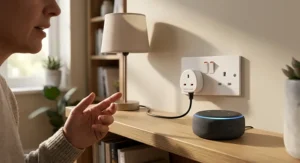
If your home already runs on Echo speakers, the Amazon Smart Plug removes a layer of friction the third-party options can’t quite match: it’s built by the same company that runs Alexa, so routines, groups, and voice commands respond with virtually no lag. Setup happens entirely inside the Alexa app — no separate account, no second app cluttering your phone.
The trade-off is real ecosystem lock-in. There’s no Google Home or Apple Home support here, and no energy monitoring, so this is a single-purpose Alexa compatible smart plug rather than a flexible hub-agnostic one. What most buyers overlook about this model is that it still handles standard 13A loads just fine, and its onboarding is arguably the smoothest of any plug in this roundup precisely because Amazon controls both ends of the software stack.
Aggregated review sentiment across major retailers consistently flags rock-solid reliability with Echo devices specifically, alongside a common complaint that owners with mixed households — say, one partner on Google Home — find themselves stuck.
Pros:
- ✅ Tightest possible integration with Alexa routines
- ✅ No separate account or app needed for Echo users
- ✅ Reliable voice response with minimal lag
Cons:
- ❌ Alexa-only — no Google Home or Apple Home
- ❌ No energy monitoring
Expect to pay in the £15–£25 range depending on multi-packs, and treat this as the specialist pick rather than the all-rounder.
3. TP-Link Tapo P110 — best all-round value pick
The TP-Link Tapo P110 is, on paper and in practice, the plug most UK reviewers converge on as the sensible default. It adds real-time energy monitoring to the P100’s feature set for only a few pounds more, which on a spec sheet sounds minor but changes what the plug can actually do for you: it turns from a remote switch into a tool that tells you which appliance is quietly costing you money.
Based on the spec comparison, the P110 supports Alexa and Google Home natively, needs no separate hub, and ships in multi-packs that bring the per-plug cost down further — sensible if you’re kitting out more than one room. The energy tracking updates in near real time inside the Tapo app, and you can set your tariff so it estimates running cost in pounds rather than raw watts, which is far more useful for the average household than a kWh number nobody intuitively understands.
Reviewers consistently note the app is “functional rather than exceptional” — not the flashiest interface, but stable, and it rarely requires a factory reset to fix a dropped connection, a complaint that dogs several cheaper competitors.
Pros:
- ✅ Real-time energy monitoring at a near-budget price
- ✅ Works with Alexa and Google Home, no hub required
- ✅ Cheaper per-plug in multi-packs
Cons:
- ❌ No Apple Home or Matter support
- ❌ App interface is plain, not the most polished
Priced around £12–£18 individually and less per unit in multipacks, the TP-Link Tapo P110 earns its reputation as the plug most people should actually buy.
4. TP-Link Kasa KP125M — best for cross-platform households
Households running Alexa in the kitchen, Google Home in the bedroom, and an iPhone in someone’s pocket are exactly who the TP-Link Kasa KP125M was built for. It’s Matter-certified, meaning it works natively across Alexa, Google Home, Apple Home, and Samsung SmartThings without bridges, workarounds, or a second app for the one person who insists on an iPhone.
The 15A/1800W rating gives it slightly more headroom than the Tapo range for higher-draw devices like small heaters or slow cookers, and it retains full energy monitoring, so you’re not sacrificing functionality for compatibility. What most buyers overlook about Matter certification specifically is that it isn’t just a compatibility badge — it means the plug will keep working with future smart home standards without becoming e-waste the way single-ecosystem plugs eventually do.
Aggregated customer feedback frequently describes it as “the safe default” for messy, multi-brand smart homes, with UL-style certification and a compact body that doesn’t block the second socket on a double outlet.
Pros:
- ✅ Matter certified across Alexa, Google Home and Apple Home
- ✅ Full energy monitoring included
- ✅ 15A/1800W handles higher-draw appliances
Cons:
- ❌ Costs more than the non-Matter Tapo P110
- ❌ Still requires the Kasa or Tapo app for advanced scheduling
Sitting around £13–£20, the TP-Link Kasa KP125M is the pick for anyone who’s tired of choosing sides in the smart home wars.
5. Meross Matter Smart Plug — cheapest route into Apple Home
Apple Home compatibility has historically meant paying a premium, and the Meross Matter Smart Plug is the exception that undercuts that assumption. Meross built its reputation as the budget brand that takes Apple seriously, and this plug’s Matter certification gets it working inside Apple Home, Alexa, Google Home, and SmartThings straight out of the box — no separate Meross-only account required for basic use.
Here’s what the spec sheet won’t tell you outright: energy monitoring on Meross plugs varies by exact model number, so if tracking usage matters to you, double-check the listing for “with energy monitoring” before buying, since the base Matter plug prioritises compatibility over data. On use cases, this is the plug for someone who wants Apple Home automation on a modest budget and doesn’t especially care about kWh tracking.
Reviewers consistently praise the price-to-compatibility ratio, while a recurring complaint in aggregated feedback is that the companion Meross app, while functional, is less polished than TP-Link’s Tapo or Kasa apps for anyone managing several devices at once.
Pros:
- ✅ Cheapest genuine route into Apple Home via Matter
- ✅ Also works with Alexa, Google Home and SmartThings
- ✅ No bridge or extra hub required
Cons:
- ❌ Energy monitoring varies by exact model
- ❌ Companion app less refined than TP-Link’s
Expect to pay in the £18–£25 range, which still undercuts most other Matter-certified alternatives by a noticeable margin.
6. Hive Active Plug — most trusted UK brand option
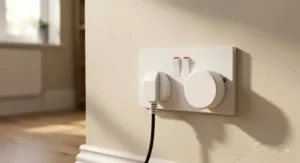
Hive built its name on British Gas-backed smart thermostats before expanding into plugs, and the Hive Active Plug carries that same brand trust into a category dominated by Chinese manufacturers — which matters to a specific type of buyer who wants a UK company on the other end of customer service. It works standalone with both Alexa and Google Home via its own app, though the fuller automation suite (geolocation-based routines, heating integration) unlocks properly if you already own a Hive Hub for your thermostat.
Based on the spec comparison with the Tapo and Kasa ranges, the Hive plug doesn’t offer built-in energy monitoring, which is a genuine gap at this price point — you’re paying a premium partly for brand reputation and build quality rather than extra features. Where it does stand out is physical durability; the casing is noticeably chunkier than the TP-Link or Meross alternatives, which some buyers read as reassurance and others read as bulk that crowds a double socket.
Aggregated UK customer sentiment consistently flags Hive’s customer support as a meaningful differentiator versus the budget imports, alongside occasional comments that the plug feels like it’s priced for the Hive ecosystem rather than as a standalone purchase.
Pros:
- ✅ Trusted UK brand with accessible customer support
- ✅ Sturdy build quality
- ✅ Works standalone with Alexa and Google Home
Cons:
- ❌ No built-in energy monitoring
- ❌ Bulkier than most rivals, can crowd double sockets
At roughly £25–£35, the Hive Active Plug suits existing Hive Hub owners and anyone who prioritises brand and support over raw feature count.
7. Eve Energy (Matter) — best for privacy and no-cloud reliability
Every other plug in this guide leans on a manufacturer’s cloud servers to process schedules and remote commands — which is fine, until your broadband drops or the company’s servers have a bad day. The Eve Energy (Matter) is the standout exception: it runs over Matter and Thread, processing everything locally on your home network, so voice commands and automations keep working even without an active internet connection.
On paper, that’s a niche technical detail. In practice, based on the spec comparison, it means no Eve account is mandatory for core functionality, energy monitoring readings are notably precise, and the plug simply keeps doing its job during a router reboot or an ISP outage — something none of the cloud-dependent plugs above can claim. It also works with Alexa and Google Home through Matter, not just Apple Home, despite Eve’s Apple-first reputation.
Reviewers consistently describe it as the “gold standard” for privacy-conscious buyers, with the recurring caveat that it costs meaningfully more than anything else on this list, and the local-first design is overkill if you don’t already have a Thread border router (many modern Apple TVs, HomePods, and some routers now include one).
Pros:
- ✅ 100% local processing, no mandatory cloud account
- ✅ Works fully during internet outages
- ✅ High-accuracy energy monitoring
Cons:
- ❌ Noticeably pricier than the rest of this list
- ❌ Best value only if you already have a Thread border router
At around £35–£50, the Eve Energy (Matter) is a premium buy, but it’s the one plug here built for people who think about smart home reliability the way an engineer would.
How the Top 7 Compare Side by Side
| Plug | Max Load | Voice Assistants | Matter | Price Range |
|---|---|---|---|---|
| TP-Link Tapo P100 | 13A | Alexa, Google Home | No | Under £15 |
| Amazon Smart Plug | 13A | Alexa only | No | £15–£25 |
| TP-Link Tapo P110 | 13A | Alexa, Google Home | No | £12–£18 |
| TP-Link Kasa KP125M | 15A/1800W | Alexa, Google Home, Apple Home | Yes | £13–£20 |
| Meross Matter Smart Plug | 13A | Alexa, Google Home, Apple Home | Yes | £18–£25 |
| Hive Active Plug | 13A | Alexa, Google Home | No | £25–£35 |
| Eve Energy (Matter) | 13A | Alexa, Google Home, Apple Home | Yes (Thread) | £35–£50 |
Reading across this table, the real dividing line isn’t price at all — it’s whether Matter support matters to your household. If everyone in your home uses the same voice assistant, the non-Matter TP-Link Tapo P110 delivers nearly identical day-to-day performance to the pricier TP-Link Kasa KP125M for less money. Matter only earns its premium once you’re mixing ecosystems or want a genuine guarantee the plug won’t be orphaned by a future software update.
✨ Don’t Miss the Right Plug for Your Setup
🔍 Match your voice assistant and budget against the table above before you buy — the wrong ecosystem choice is the single most common smart plug regret. Click through on any bolded product name to check current pricing and availability.
Setting Up Your First Smart Plug: A Practical Usage Guide
Getting a smart plug from box to working voice command takes longer than it should the first time, mostly because nobody reads the small print about 2.4GHz Wi-Fi. Nearly every budget and mid-range smart plug — including every Tapo, Kasa, and Meross model in this guide — only connects to 2.4GHz networks, not 5GHz. If your router broadcasts a combined SSID, you may need to temporarily split the bands in your router settings, connect the plug, then merge them back.
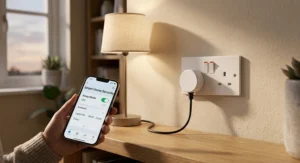
Once connected, resist the urge to name every plug “Plug 1,” “Plug 2.” Voice assistants match spoken names to devices, so naming one “Lamp” and another “Kettle” makes Alexa routines and Google Home commands far more reliable than generic labels. During the first 30 days, the most common mistake isn’t hardware failure — it’s forgetting to rename devices after moving them between rooms, which leaves your voice assistant switching the wrong socket.
For maintenance, there’s genuinely very little to do: wipe the plug occasionally, keep firmware updates switched on inside the app (they patch security holes more often than they add features), and avoid using a smart plug on constant high-draw appliances like electric heaters unless the specific model is rated for it — check the amperage rating on the plug body against the appliance’s rated wattage. A 13A UK smart plug tops out at roughly 3,000W, which covers kettles and toasters but not always high-end space heaters.
Real-World Scenarios: Who Should Buy Which Plug
The student in a shared house, plugging in a desk lamp and a phone charger, has exactly one requirement: cheap and reliable. The TP-Link Tapo P100 covers this without ceremony — under £15, works with whatever voice assistant the flat already has, and there’s nothing to configure beyond the basics.
The family trying to cut a rising electricity bill needs data, not just remote control. Here, the TP-Link Tapo P110 or TP-Link Kasa KP125M earn their keep — plugging the energy monitor into the “mystery” appliance (often an old fridge, a fish tank heater, or a games console left on standby) usually identifies the actual offender within a week, turning a vague suspicion into an actionable fix.
The mixed-ecosystem household, where one partner has an iPhone and the other an Android running Google Home, is the textbook case for Matter. The TP-Link Kasa KP125M or Meross Matter Smart Plug sidestep the “which app do we both use” argument entirely, since Matter devices show up natively in every major platform without anyone downloading a second app.
How to Choose the Best Smart Plug
- Check your Wi-Fi band first. Nearly all budget and mid-range plugs need 2.4GHz — confirm your router supports it before buying anything.
- Decide if energy monitoring actually matters to you. If you’re chasing standby energy waste, it’s close to essential; if you just want remote switching, skip the extra cost.
- Match the plug to your voice assistant, not the other way round. An Alexa compatible smart plug that ignores Google Home is a false economy if your household is split.
- Consider Matter only if you’re mixing ecosystems. It’s a genuine future-proofing feature, but it’s a premium you don’t need in a single-assistant household.
- Check the amp rating against your appliance. Most UK plugs handle 13A (roughly 3,000W); higher-draw appliances like heaters need a specifically rated plug.
- Buy multi-packs where you can. Per-plug pricing drops meaningfully, and most households end up wanting more than one anyway.
- Read aggregated review sentiment, not just the star average. A 4.5-star product with a recurring “drops off Wi-Fi” complaint is telling you something a star rating alone won’t.
Common Mistakes When Buying a Smart Plug
The single most frequent mistake is buying based on price alone and discovering afterwards that the plug is Alexa-only, when the household actually runs Google Home. Always check ecosystem compatibility before checking the price tag — it’s listed on every product page but easy to skim past.
A second common error is assuming every smart plug includes energy monitoring. Based on the spec comparison across this guide, roughly half don’t, and the feature is usually the main reason to pay more than the absolute cheapest option. If tracking standby energy waste is the actual goal, a non-monitoring plug like the Amazon Smart Plug or Hive Active Plug won’t tell you anything useful — you’ll get remote control, but no data.
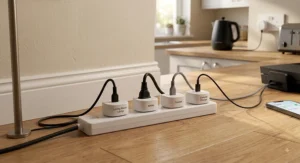
Finally, buyers frequently overload a single smart plug with an extension lead carrying several high-draw devices. UK smart plugs are rated individually, usually to 13A, and daisy-chaining extension cables through them isn’t a fault the plug will warn you about — it’s a genuine safety consideration, covered in more detail in the compliance section below.
Smart Plug vs Smart Switch: Which Should You Choose
A smart plug sits between the wall socket and the appliance; a smart switch replaces the wall socket or a physical light switch entirely, requiring an electrician and access to the wiring behind the wall. For renters, or anyone who doesn’t want to touch mains wiring, the smart plug is the only sensible option — every product in this guide is a plug-and-play device with zero electrical work involved.
Smart switches make more sense for permanent fixtures: overhead lighting circuits, extractor fans, or anything wired in rather than plugged in. They’re also generally more discreet, since there’s no bulky plug adapter sticking out of the wall. The trade-off is cost and commitment — a smart switch installation typically runs to £40–£80 per switch once you factor in a qualified electrician, versus under £50 for even the premium smart plug in this guide.
For the vast majority of UK households — anyone renting, anyone who wants to test the smart home concept before committing, or anyone whose “problem device” is a lamp or a kettle rather than a ceiling light — a smart plug remains the more practical starting point.
Alexa Routines vs Google Home Automations: Getting the Most from Your Plug
An Alexa compatible smart plug unlocks Alexa routines — chains of actions triggered by one voice command, a schedule, or another device’s status. “Alexa, good morning” can switch on a lamp plug, start the coffee machine plug, and read out the day’s weather, all from a single phrase, and routines are built directly inside the Alexa app without needing any coding knowledge. This is arguably where Amazon’s voice assistant still has an edge over rivals: the routines interface is mature and genuinely simple for non-technical users.
Google Home works similarly through its own Routines feature, and any plug marked Google Home compatible in our comparison table — which is every plug here except the Amazon Smart Plug — will respond to “Hey Google” commands and scheduled automations the same way. Based on the spec comparison, the practical difference between the two ecosystems for basic plug control is minimal; where they genuinely diverge is multi-device automation complexity, where Google’s newer Home app has closed much of the historic gap with Alexa.
The practical takeaway: don’t buy a plug for its voice assistant brand loyalty — buy it because you’ve checked it explicitly supports the assistant already running your home, since retrofitting a Google Home household with Alexa-only hardware is a genuinely common and entirely avoidable regret.
💬 Already know your ecosystem? Jump back to the comparison table and lock in your pick.
The Real Cost of Standby Energy Waste (And What a Smart Plug Actually Saves)
Standby energy waste sounds like a minor annoyance, but the numbers are larger than most people expect. According to the Energy Saving Trust, UK households can waste tens of pounds a year simply leaving appliances on standby rather than switching them off fully, with televisions, games consoles, and set-top boxes among the most common culprits.
A smart plug attacks this in two ways. First, scheduling: setting a plug to cut power to a games console overnight, rather than relying on someone remembering to switch it off, removes the human error that causes most standby waste in the first place. Second — and this is where energy-monitoring models like the TP-Link Tapo P110 and Eve Energy (Matter) earn their higher price — actual data replaces guesswork, showing you in pounds and pence exactly what an old fridge-freezer or an always-on set-top box is costing.
| Approach | Typical Annual Saving | Effort Required |
|---|---|---|
| Manually switching off at the wall | £50–£90 | High (relies on memory) |
| Basic smart plug (scheduled) | £30–£50 | Low (set once) |
| Energy-monitoring smart plug | £50–£90+ | Low, plus data-led decisions |
The analysis here is straightforward: scheduling alone captures most of the available saving, but only an energy-monitoring plug tells you which specific appliance to target next, which is why we’d steer anyone serious about cutting standby waste towards the TP-Link Tapo P110 or TP-Link Kasa KP125M rather than a monitoring-free option.
Smart Plug Safety and UK Regulations Compliance Guide
Every smart plug sold legally in Great Britain must meet the Electrical Equipment (Safety) Regulations 2016 and carry the appropriate conformity marking — historically CE, and since UKCA came into effect, either UKCA or a continuing-recognition CE mark, depending on when the product was placed on the market. You can check the specifics of current UKCA and CE marking requirements directly on GOV.UK if you want to verify a specific product’s compliance status.
In practice, this means checking the plug itself or its packaging for a UKCA or CE mark, along with a manufacturer name and contact address — anything missing these on a suspiciously cheap marketplace listing is a red flag worth avoiding. UK-specific plugs must also conform to the BS 1363 standard covering the physical plug and socket design, which every product featured in this guide meets as standard for the UK market.
Beyond certification, sensible day-to-day safety comes down to load limits: don’t plug a smart plug into an extension lead already carrying several other high-draw devices, and don’t use a standard 13A smart plug for continuous heavy loads like space heaters unless the specific model is rated for it. None of the products above are designed for outdoor use unless explicitly stated by the manufacturer, so keep them indoors and away from damp environments.
Frequently Asked Questions
❓ Do smart plugs work without Wi-Fi?
❓ Is a smart plug under £15 actually worth buying?
❓ Can I use the same smart plug with both Alexa and Google Home?
❓ How much electricity does a smart plug itself use?
❓ Do I need a smart home hub to use a smart plug?
Conclusion
Seven plugs, three price tiers, and one genuinely simple takeaway: match the plug to the voice assistant you already use before you look at anything else. For most UK households, the TP-Link Tapo P110 remains the sensible all-rounder — energy monitoring, Alexa and Google Home support, and a price that doesn’t sting. Tighter budgets are well served by the TP-Link Tapo P100, mixed-ecosystem homes should look at the TP-Link Kasa KP125M or Meross Matter Smart Plug, and anyone who wants their smart home to keep working when the internet doesn’t should stretch to the Eve Energy (Matter).
None of these are exotic purchases — they’re small, unglamorous devices that quietly stop a fair chunk of standby energy waste and save you the walk to the plug socket. Pick based on your actual ecosystem and actual budget, not the flashiest spec sheet, and you’ll likely be using whichever plug you choose for years rather than replacing it in six months.
✨ Ready to Stop Wasting Standby Power?
🔍 Compare the seven picks above against your own household’s voice assistant and budget, then click through on any bolded product name to check current pricing and availability on Amazon.
Recommended for You
- Hildebrand Glow vs Loop Energy Monitor: 7 Options Ranked 2026
- Best Smart Meter Add-On UK 2026: 7 Real-Time Monitors Ranked
- Multi Socket Smart Extension: 7 Best Picks for UK Homes in 2026
Disclaimer: This article contains affiliate links. As an Amazon Associate, I earn from qualifying purchases. If you purchase products through these links, we may earn a small commission at no additional cost to you.
✨ Found this helpful? Share it with your friends! 💬🤗
