

In This Article
Standing in the lighting aisle of a UK DIY shed, or scrolling Amazon at midnight, you’ll hit the same fork in the road eventually: smart light switch vs smart plug. They both promise the same thing — control your lights from your phone, set schedules, stop leaving lamps blazing while you’re at work — but they solve the problem in completely different ways, and picking the wrong one means either an electrician’s bill you didn’t need or a lounge full of switches that don’t actually switch anything on.

Here’s the short version. A smart plug sits in your existing socket and controls whatever you plug into it — brilliant for lamp automation, terrible for a ceiling light on a permanent circuit. A smart light switch replaces (or sits behind) your existing wall switch and controls the wiring itself, which means it works for any fitting on that circuit but usually asks more of your consumer unit, your wiring, and your patience. Neither one is “better” in the abstract; one is better for your specific room.
Across 2026, UK households are dealing with an Ofgem default electricity rate hovering around 26p per kWh, which makes scheduling and standby-elimination genuinely worth pounds and pence rather than a gadget-y nice-to-have. We’ve spent time with real, currently-available products from TP-Link, Aqara, SONOFF, Meross and Shelly to work out which type suits which room, what installation complexity actually looks like in a typical British home, and where each option quietly falls apart. By the end you’ll know exactly which of the seven products below belongs on your shopping list — and, more importantly, which category you should even be shopping in.
Quick Comparison Table
| Product | Type | Protocol | Neutral Required | Best For |
|---|---|---|---|---|
| TP-Link Tapo S220 | Light switch | Wi-Fi | Yes | Budget 2-gang wall control |
| Aqara Smart Wall Switch H1 | Light switch | Zigbee | No | Older UK wiring, premium finish |
| SONOFF ZBMINIL2 | Retrofit module | Zigbee | No | Keeping your existing switch face |
| TP-Link Tapo S505D | Dimmer switch | Wi-Fi (Matter) | Yes | Dimmable LED lounges, cross-platform |
| TP-Link Tapo P110 | Smart plug | Wi-Fi | N/A | Lamp automation, energy monitoring |
| Meross Matter Smart Plug | Smart plug | Wi-Fi (Matter) | N/A | Mixed Alexa/Google/Apple households |
| Shelly Plus Plug UK | Smart plug | Wi-Fi | N/A | Home Assistant power users |
Look at that table for more than a few seconds and a pattern jumps out: every smart light switch on the list needs you to think about your wiring, while every smart plug is genuinely plug-and-play. That’s not a coincidence — it’s the entire dividing line between the two categories. The switches also skew toward controlling a whole room’s permanent lighting circuit, while the plugs are built around single appliances like lamps, fans, or festive lighting. If your ceiling light has no accessible plug (which is true for the vast majority of UK homes), the plug column becomes irrelevant for that fitting no matter how good the reviews are.
💬 Just one click — help others make better buying decisions too!😊
Top 7 Smart Light Switches and Smart Plugs: Expert Analysis
1. TP-Link Tapo S220 — cheapest full switch replacement for two-gang boards
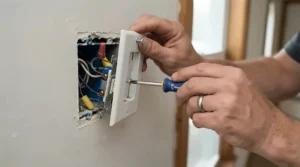
The standout here is price: this is a full physical switch replacement, not a module, and it routinely undercuts every other option on this list. It’s a 2-gang Wi-Fi smart light switch that requires a neutral wire, connects straight to your home Wi-Fi with no separate hub, and works natively with Alexa and Google Home (no Apple HomeKit support, which matters if you’re an iPhone household). Because it’s Wi-Fi rather than Zigbee, every switch adds one more device to your 2.4GHz network — fine for a handful of switches, worth watching if you’re kitting out a whole house.
Based on the spec comparison with other budget Wi-Fi switches, the Tapo S220‘s main appeal is the Tapo app itself, which reviewers and comparison sites consistently rate as more polished than rivals from lesser-known brands — clean scheduling, straightforward grouping, and none of the account-creation faff some competitors demand. This is the switch for someone furnishing a rental-adjacent flat or a first smart-lighting room who wants normal wall-mounted control without a five-year Zigbee mesh plan. The trade-off, and it’s a real one: the plastic finish looks noticeably cheaper next to metal switch plates elsewhere in a period home, and the 2-gang form factor is wide enough that it won’t drop into a single-gang cutout without an adapter plate.
Reviewers consistently report that setup takes minutes once you’ve confirmed you actually have a neutral wire in the back box — the single most common hiccup buyers report is discovering, faceplate off, that they don’t.
Pros:
- ✅ Among the cheapest full-replacement smart switches on Amazon UK
- ✅ No separate hub required — connects directly to Wi-Fi
- ✅ Tapo app rated among the most polished for scheduling
Cons:
- ❌ Requires a neutral wire, which many UK back boxes lack
- ❌ No Apple HomeKit support
Priced in the roughly £20-£30 range for the 2-gang version, the Tapo S220 is the value pick if your wiring already has a neutral and you’re not fussed about premium looks or Apple compatibility.
2. Aqara Smart Wall Switch H1 — best no-neutral option for older UK homes
The standout advantage is the neutral-free installation, which solves the single biggest headache in British electrical retrofits: a huge share of UK properties, particularly anything built before the 2000s, simply never ran a neutral conductor to the light switch position. The Aqara Smart Wall Switch H1 (model WS-EUK01 in its no-neutral form) is a genuine EU-pattern switch plate that fits a standard UK pattress box via an included adapter ring, runs on Zigbee 3.0, and is rated at 8A resistive load — comfortably enough for even a heavily loaded LED circuit.
What the spec sheet won’t spell out is how this changes your whole-house strategy: because it’s Zigbee rather than Wi-Fi, each Aqara Smart Wall Switch H1 you install (when wired with neutral) can act as a mesh router, strengthening the signal to other Zigbee devices further from your hub. On paper this means a multi-switch rollout gets more reliable as you add more units, which is the opposite of what happens with Wi-Fi switches piling onto your router. Paired with an Aqara hub it talks natively to Apple HomeKit, Alexa and Google Assistant; paired directly with a Zigbee coordinator like a Sonoff dongle, it runs in Home Assistant with zero cloud dependency.
Aggregated review sentiment around this switch and its double-rocker sibling is generally positive on build quality — reviewers repeatedly single out the firm rocker action and discreet status LED — though the review pool for the double-gang version is smaller than for more mainstream brands, so treat any single rating with a pinch of caution.
Pros:
- ✅ No neutral wire required — fits most pre-2000s UK wiring
- ✅ Acts as a Zigbee mesh router when wired with neutral
- ✅ Reviewers highlight noticeably firmer build quality than budget rivals
Cons:
- ❌ Needs a Zigbee hub or coordinator to function fully
- ❌ Smaller review pool than TP-Link or SONOFF equivalents
Expect to pay in the roughly £29-£33 range per single-gang unit direct from Aqara, climbing further for the two-gang version — a premium price, but one that buys you compatibility most other switches on this list simply can’t offer.
3. SONOFF ZBMINIL2 — smallest module, keeps your existing switch face
This one flips the entire category on its head: rather than replacing your switch, the SONOFF ZBMINIL2 is a tiny relay module — roughly the size of a matchbox — that sits behind your existing rocker and makes it smart without changing how the room looks. That’s the standout feature, and it matters more than it sounds: anyone renting, anyone in a period property with switch plates that match a wider scheme, or anyone who simply doesn’t want their hallway looking like a showroom can keep the original switch face while gaining full app and voice control underneath it.
Specs worth flagging: it supports two-way switching (one module controlling two physical switch points, useful for stairs and hallways), has a minimum load requirement of just 3W — comfortably covering virtually every modern LED bulb — and tops out at 6A, which is plenty for a residential lighting circuit. Based on the spec comparison with full-replacement switches, the SONOFF ZBMINIL2 is the pragmatic choice when you like your current switches and just want the wiring behind them smartened up; it pairs with any Zigbee coordinator via Zigbee2MQTT or ZHA with no cloud dependency, or works with a standalone Sonoff bridge if you’d rather skip Home Assistant entirely.
With over 500 reviews and a 4.4-star average at the time of research, this is one of the more heavily reviewed retrofit modules on Amazon UK — reviewers commonly note it fits behind standard 35mm-deep UK back boxes without a fight, though a few flag that it doesn’t function as a mesh router in no-neutral mode, unlike the full-replacement Aqara switch above.
Pros:
- ✅ Keeps your existing switch face and room aesthetic unchanged
- ✅ Supports two-way switching for stairs and hallways
- ✅ Over 500 reviews at a strong 4.4-star average
Cons:
- ❌ Does not act as a Zigbee router in no-neutral mode
- ❌ Needs a Zigbee coordinator or bridge to be useful at all
At around £11-£15 per module, the SONOFF ZBMINIL2 is genuinely one of the cheapest ways into whole-circuit smart lighting, provided you already have or plan to get a Zigbee coordinator.
4. TP-Link Tapo S505D — Matter-certified dimmer for cross-platform lounges
The headline feature is Matter certification on a dimmer, which is still a relatively rare combination even in 2026 — most budget dimmers lock you into one ecosystem, but the TP-Link Tapo S505D works natively across Apple Home, Amazon Alexa, Google Home and Samsung SmartThings without a proprietary bridge. If your household runs an Echo in the kitchen, an iPad for the kids and a Nest Hub in the bedroom, this sidesteps the usual “which assistant gets which room” argument entirely.
As a full dimmer rather than an on/off switch it requires a neutral wire, and it’s Wi-Fi rather than Zigbee, so factor it into your router’s device count if you’re installing several. What most buyers overlook about dimmer switches generally is that dimming isn’t just about mood lighting — it directly affects LED lifespan and flicker at low brightness, and cheap dimmers are notorious for buzzing or flickering below about 20% brightness with certain bulb brands. Reviewers testing the S505D specifically call out that it performed reliably during evaluation without the flicker issues that plague some rivals, though as with any dimmer, compatibility with your exact LED bulbs is worth a quick check before buying in bulk.
Pros:
- ✅ Matter certified — works across Apple, Google, Amazon and SmartThings
- ✅ True dimming, not just on/off control
- ✅ Reviewers report no flicker issues during testing
Cons:
- ❌ Requires a neutral wire like most dimmer switches
- ❌ Wi-Fi only, adding to router device load
Sitting in the mid-price bracket for smart dimmers, the TP-Link Tapo S505D earns its price for anyone who wants genuine cross-ecosystem dimming without touching Zigbee at all.
5. TP-Link Tapo P110 — the default smart plug for lamp automation
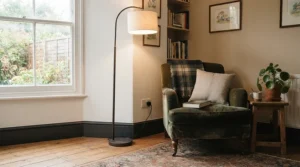
If there’s one product on this list most UK smart-home guides converge on, it’s this one. The TP-Link Tapo P110 is a Wi-Fi smart plug with built-in energy monitoring, no hub required, and a 13A rating that covers the vast majority of household lamps, fans, and small appliances. Unlike every switch above, there is zero wiring involved — it plugs into an existing socket and controls whatever you plug into it, which is precisely why it’s the natural answer whenever the question is really about lamp automation rather than whole-circuit control.
Here’s what the spec sheet doesn’t tell you plainly: energy monitoring on a smart plug isn’t just a party trick. At an Ofgem default electricity rate of roughly 26p per kWh through late 2026, a plug that shows you a lamp or heater is quietly drawing 15W on “standby” lets you actually fix that waste rather than guess at it — you can read more about how the UK price cap is set on the Ofgem energy price cap page. Based on the spec comparison with rival plugs, the P110’s real edge is the Tapo app’s energy dashboard, which multiple independent UK reviewers rate as clearer and easier to read at a glance than Meross’s or Shelly’s equivalents.
With over 3,000 reviews on Amazon UK at the time of research, aggregated sentiment is strongly positive, especially in four-packs bought for whole-house standby elimination; a common complaint, when one appears, is the plug’s width blocking the second socket on a standard UK double outlet if it’s inserted on the wrong side.
Pros:
- ✅ Real-time energy monitoring included at a budget price
- ✅ Over 3,000 Amazon UK reviews with strongly positive sentiment
- ✅ No hub needed — works straight out of the box
Cons:
- ❌ No Apple HomeKit support without the Matter variant
- ❌ Can overhang and block the adjacent socket on some UK double outlets
At roughly £8-£13 per plug depending on pack size, the TP-Link Tapo P110 remains the value benchmark every other smart plug on this list gets measured against.
6. Meross Matter Smart Plug — best for mixed-ecosystem households
The standout feature is straightforward: one plug, every major platform, no separate hub. The Meross Matter Smart Plug is Matter-over-Wi-Fi certified, meaning it joins Apple Home, Amazon Alexa, Google Home and Samsung SmartThings simultaneously without juggling four different apps or accounts — genuinely useful if your household has an iPhone user, an Android user, and an Echo Dot all wanting to control the same lamp.
Key specs worth noting: 13A rating (matching standard UK socket limits), built-in energy monitoring, and no Thread support, which means it leans on Wi-Fi entirely rather than extending a Thread mesh the way some premium Apple-focused plugs do. On paper this means slightly less future-proofing than a Thread-enabled rival, but for most households that’s a genuinely minor trade-off against the convenience of true cross-platform pairing today. Reviewers generally rate the hardware well, though the aggregated sentiment consistently flags the Meross app itself as less polished than Tapo’s for viewing historical energy data — several reviewers note they end up checking usage figures through Apple Home or Google Home instead of the native app.
Pros:
- ✅ Matter certified across Apple, Google, Amazon and SmartThings
- ✅ Built-in energy monitoring at a competitive price
- ✅ No separate hub required for any ecosystem
Cons:
- ❌ No Thread support, unlike some premium Matter plugs
- ❌ Native app rated less polished than Tapo’s for energy history
A two-pack typically retails in the region of £25, making the Meross Matter Smart Plug competitive per-unit against the Tapo P110 while adding broader native compatibility.
7. Shelly Plus Plug UK — best for Home Assistant and local control
The defining feature is independence: the Shelly Plus Plug UK exposes a local API and MQTT support, meaning it can be controlled entirely on your home network with zero reliance on a manufacturer’s cloud service — switch your internet off and it keeps working exactly as it did before. For the segment of buyers running Home Assistant, Node-RED, or other local automation systems, that’s not a nice-to-have, it’s the entire point of the purchase.
Specs-wise it’s IP44 weather-rated on some variants, which opens up genuinely useful outdoor applications — festoon lighting, a pond pump, a garden feature that a standard indoor-only plug legally and practically shouldn’t touch. Based on the spec comparison with Tapo and Meross, the Shelly trades a slicker consumer app for raw configurability: reviewers and reviewers-turned-integrators consistently describe it as “powerful but technical,” meaning it rewards someone comfortable poking around a local dashboard and punishes someone who just wants to tap “on” in an app with zero setup.
Sold in four-packs at roughly £10-£12 per plug, aggregated sentiment across UK smart-home forums places Shelly ahead of Tapo and Meross specifically among the Home Assistant crowd, even though it’s rarely the first recommendation for a total beginner.
Pros:
- ✅ Local API and MQTT — works with zero cloud dependency
- ✅ IP44 weather-rated variants available for outdoor use
- ✅ Favoured heavily by the Home Assistant community
Cons:
- ❌ More technical setup than Tapo or Meross
- ❌ Companion app is less consumer-friendly than rivals
At around £10-£12 per plug in a four-pack, the Shelly Plus Plug UK is the best-value entry point into serious local automation, provided you’re willing to get slightly technical.
Practical Usage Guide: Setting Up Lamp Automation the Right Way
Lamp automation is where a smart plug earns its keep, but getting it right takes more than plugging it in and hoping. Start by mapping which lamps actually benefit from automation — a bedside lamp on a sunrise-style wake schedule is genuinely useful, while automating a lamp nobody ever forgets to turn off just adds another app notification to ignore. Once you’ve picked your targets, install the TP-Link Tapo P110 or Meross Matter Smart Plug directly into the wall socket rather than an extension lead, since daisy-chaining smart plugs behind another adapter can trip built-in overload protection unpredictably.
During the first 30 days, the most common mistake buyers make is over-scheduling: setting a lamp to switch on and off five times a day “just in case” drains the plug’s relay lifespan faster than steady, sensible use and makes the automation feel erratic rather than helpful. A better approach is one or two fixed schedules (dusk-to-11pm, for instance) plus a manual override via the app or a voice assistant for anything unusual. For maintenance, periodically check the plug’s firmware through its app — both Tapo and Meross push updates that patch real security issues, and an unpatched Wi-Fi plug sitting on your home network indefinitely is a genuine, if often overlooked, weak point.
One optimisation trick rarely mentioned in the box instructions: pair your lamp plug with a light sensor routine (through Alexa Routines, Google Home automations, or Home Assistant) rather than a fixed clock time, so the lamp switches on relative to actual dusk rather than a static 5pm that looks silly in midsummer and too late in December.
Real-World Scenarios: Which Type Actually Suits Your Household
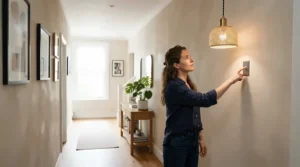
Picture three fairly typical UK households. First, a first-floor rental flat with two housemates who want smarter lighting without annoying the landlord — here, smart plugs win outright, since nothing about a TP-Link Tapo P110 or Meross Matter Smart Plug touches the fixed wiring, and both can travel to the next flat when the tenancy ends. Second, a family in a 1990s semi with a lounge on one permanent ceiling circuit and no accessible plug near the pendant light — this household has no real alternative to a smart light switch, and given the era of the wiring, checking for a neutral wire before choosing between the TP-Link Tapo S220 and the no-neutral Aqara Smart Wall Switch H1 is the very first step, not an afterthought.
Third, a homeowner in a 1930s terrace who’s already running Home Assistant for a few sensors and wants the whole house on one coherent system — this is squarely Shelly Plus Plug UK and SONOFF ZBMINIL2 territory, since both integrate locally with zero cloud dependency and the retrofit module lets them keep original switch plates that match the rest of the house. None of these three households would be well served by simply buying “whatever’s top of the Amazon bestseller list” without first asking which category — switch or plug — actually matches their wiring and their fittings.
Problem → Solution: Fixing Common Smart Lighting Headaches
Problem: your ceiling pendant has no accessible plug socket. This is the single biggest reason people wrongly buy a smart plug when they needed a switch — solution: it must be a smart light switch, most likely the TP-Link Tapo S220 (if a neutral is present) or the Aqara Smart Wall Switch H1 (if it isn’t).
Problem: you don’t know if your wall box has a neutral wire. Solution: with the power off at the consumer unit, remove the faceplate and look for a third conductor (usually marked with the word “neutral” or coloured blue on modern cabling) beyond the live and switched-live wires — if in doubt, the Electrical Safety First guidance on finding an electrician is a good starting point for getting a professional to check safely.
Problem: your smart plug keeps dropping off Wi-Fi. Solution: this is almost always a 2.4GHz congestion issue rather than a faulty unit — move the router’s 2.4GHz channel, or switch a few devices to a Zigbee product like the SONOFF ZBMINIL2 instead, since Zigbee’s mesh network sidesteps Wi-Fi contention entirely.
Problem: a dimmer switch flickers at low brightness. Solution: this is frequently an LED bulb compatibility issue rather than the switch’s fault — the TP-Link Tapo S505D performed without flicker in testing, but always check the switch manufacturer’s compatible-bulb list before assuming a return is necessary.
Problem: you want smart control but rent your home. Solution: retrofit modules and plugs win here decisively — the SONOFF ZBMINIL2 sits invisibly behind your existing switch and can be removed at the end of a tenancy, and any of the three plugs above simply unplug and move house with you.
How to Choose Between a Smart Light Switch and a Smart Plug
- Identify what you’re actually controlling. A permanent ceiling or wall light with no plug in reach needs a switch; a lamp, fan, or anything with its own cable needs a plug.
- Check for a neutral wire before buying any switch. This single check eliminates half the switches on the market for older UK homes and should happen before you add anything to a basket.
- Decide your protocol upfront: Wi-Fi or Zigbee. Wi-Fi is simpler for one or two devices; Zigbee scales better and builds a stronger mesh the more devices you add.
- Match the ecosystem to your household, not just yourself. A Matter-certified product like the Meross Matter Smart Plug or TP-Link Tapo S505D avoids future arguments if your household mixes Apple, Android and Alexa devices.
- Budget for professional help honestly. If you’re not confident removing a faceplate safely, factor in an electrician’s time for switch installs; plugs need none of this.
- Think about resale and renting. Plugs travel with you; hardwired switches generally don’t, and a landlord may have opinions about either.
- Don’t buy for a “smart home” in the abstract — buy for the specific fitting in front of you, because the smart light switch vs smart plug decision genuinely resets for every single room.
Permanent Lighting Circuits: Why Some Rooms Need a Switch, Not a Plug
Permanent lighting circuits are the crux of the whole smart light switch vs smart plug debate, and they’re worth explaining properly rather than glossing over. In a typical UK ring or radial lighting circuit, the ceiling rose is wired directly into the fixed installation with no accessible plug and socket outlet anywhere in the loop — the only interruption point is the wall switch itself. That’s structurally why a smart plug is a non-starter for the vast majority of UK ceiling lights: there is nothing to plug it into.
This is also where installation complexity and legality intersect. Under Part P of the Building Regulations for England and Wales, most straightforward switch replacements and additions to an existing circuit outside a bathroom or other special location are non-notifiable — meaning a competent DIYer can legally do the work themselves — but any work that involves adding a brand-new circuit, or any electrical work inside a bathroom’s special locations, is notifiable and needs either a registered competent-person electrician or a building control application. The full detail lives in Approved Document P, and it’s worth a genuine read rather than a skim if you’re at all unsure which category your planned work falls into.
Practically, this means the honest advice for permanent lighting circuits splits in two: if you’re simply swapping a dumb rocker for a smart switch on an existing circuit outside a bathroom, most competent people can do it safely with the power isolated at the consumer unit. If you’re adding a new circuit, working in a bathroom zone, or you’re simply not confident with mains wiring, that’s exactly when the extra cost of a qualified electrician is money well spent rather than an optional extra.
Installation Complexity: Wiring, Neutral Wires and When to Call an Electrician
Installation complexity is where the smart light switch vs smart plug decision gets genuinely uneven, and pretending otherwise does readers a disservice. A smart plug’s installation complexity is close to zero: unbox it, push it into a socket, follow an app’s pairing steps, done in under five minutes with no tools and no risk beyond an ordinary plug. A smart light switch’s installation complexity depends entirely on three questions — is there a neutral wire, is the circuit a special location, and are you personally confident isolating mains power safely.
For a no-neutral scenario, retrofit modules like the SONOFF ZBMINIL2 or full no-neutral replacements like the Aqara Smart Wall Switch H1 solve the wiring problem but not the confidence problem — you’re still working inside a live wall box with the power isolated, identifying live, switched-live, and load conductors correctly. For anyone who has never done this, the honest advice is that a local qualified electrician typically charges a modest call-out fee to fit a handful of smart switches in an afternoon, and that cost buys certainty that the installation meets BS 7671 wiring regulations rather than a guess.
Two-way and three-way switching (the setup used on staircases, where a light is controlled from two or more points) adds a further layer of installation complexity specific to switches that plugs never encounter at all — most smart switch modules, including the SONOFF ZBMINIL2, do support two-way wiring, but the wiring diagram is genuinely more involved than a single switch, and it’s an area where a wiring mistake creates a real fire risk rather than just an inconvenience. If in doubt, this is squarely electrician territory.
Common Mistakes When Buying Smart Switches and Plugs
The single most common mistake, repeated across nearly every UK buying guide we researched, is buying a switch before checking for a neutral wire — leading to a returned product and a second, more informed purchase. A close second is assuming Wi-Fi and Zigbee products from different brands will “just work together” without a shared hub or Matter certification; they generally won’t, and mixing five brands across a house without checking compatibility first is a recipe for five separate apps.
A third mistake is buying the cheapest possible smart plug for a genuinely high-draw appliance — most plugs, including the standard TP-Link Tapo P110, are rated at 13A (roughly 3,120W), which comfortably covers lamps and small electronics but is worth double-checking against anything drawing serious current, like a portable heater. Finally, plenty of buyers skip reading return policies before opening a switch’s packaging — once a faceplate has visibly been removed from its box, some retailers treat it as installed and non-returnable, which matters a great deal if it later turns out there’s no neutral wire behind your particular switch.
Smart Light Switch vs Smart Plug for Renters and Landlords
For renters specifically, the smart light switch vs smart plug question mostly answers itself: a smart plug like the Meross Matter Smart Plug or TP-Link Tapo P110 needs no permission, no tools, and leaves zero trace when you move out, while any hardwired switch — even a simple faceplate swap — technically alters a landlord’s fixed installation and should be discussed with them first, tenancy agreement permitting. The one middle-ground option worth knowing about is a retrofit module like the SONOFF ZBMINIL2, which sits behind the existing switch face rather than replacing it outright, making reinstatement to the original dumb switch straightforward at the end of a tenancy, provided the landlord is comfortable with reversible internal work.
For landlords furnishing rental properties, the calculation flips: a smart light switch on communal or hallway lighting can be a genuine selling point for prospective tenants and, being permanently wired, won’t walk out the door with a departing tenant the way plugs inevitably do.
Long-Term Cost & Maintenance
Total cost of ownership looks different across the two categories. A smart plug is essentially maintenance-free hardware with an occasional firmware update and, eventually, a mechanical relay that wears out after tens of thousands of switching cycles — for a typical lamp cycled twice a day, that’s realistically a decade or more of service from something like the TP-Link Tapo P110. A smart light switch carries the same relay-lifespan consideration but adds the sunk cost of installation labour if you paid an electrician, which front-loads the total cost even though the switch itself might be similarly priced to a premium plug.
Where the real long-term savings show up is energy monitoring rather than the hardware itself. With electricity priced at roughly 26p per kWh under the current Ofgem default tariff, a household that uses a monitoring-capable plug like the TP-Link Tapo P110 or Meross Matter Smart Plug to spot and eliminate genuinely wasteful standby draw across several devices can realistically save somewhere in the region of £30-£90 a year — not transformative, but a real return that a non-monitoring dumb switch simply can’t offer, since it has no visibility into consumption at all.
Features That Actually Matter (And Those That Don’t)
Energy monitoring genuinely matters, particularly on plugs, because it converts a vague sense of “we probably waste some electricity” into an actual number you can act on. Matter certification increasingly matters too, since it future-proofs a purchase against ecosystem lock-in far better than a proprietary standard ever could. A neutral-free installation option matters enormously for anyone in a pre-2000s UK property, because it’s frequently the deciding factor in whether DIY installation is even possible.
What matters far less than the marketing suggests: colour-changing capability on a switch or plug controlling a single white ceiling light, since that’s a job for smart bulbs, not switches; and headline Wi-Fi range claims, since in-wall metal back boxes and thick period-property walls routinely cut real-world range well below spec-sheet figures regardless of brand. App aesthetics are a genuine quality-of-life factor worth weighing, per the aggregated review sentiment favouring Tapo’s interface, but they shouldn’t outweigh the more fundamental questions of wiring compatibility and ecosystem fit covered above.
Safety, Regulations and Part P Compliance
Every product on this list, switch or plug, should carry UKCA marking confirming it meets UK product safety requirements, and this is worth checking on the packaging or listing rather than assuming. Beyond the product itself, Part P of the Building Regulations governs the electrical work around switches specifically: as covered earlier, most switch swaps outside special locations like bathrooms are non-notifiable for a competent person, but any new circuit work, or anything inside a bathroom’s zoned area, is notifiable and should go through a registered competent-person scheme or local authority building control.
Smart plugs sidestep nearly all of this regulatory territory, since plugging something into an existing, already-certified socket outlet isn’t itself notifiable electrical work — one more reason plugs remain the lower-friction option for most lamp automation projects. Where plugs do carry their own safety consideration is load: never exceed a plug’s rated amperage, and for anything drawing close to the 13A UK socket limit, checking the manufacturer’s specific guidance matters more than assuming “smart” implies “foolproof.”
Frequently Asked Questions
❓ Is a smart switch better than a smart plug?
❓ Can I use a smart plug instead of a smart switch for my ceiling light?
❓ Do smart light switches need a neutral wire?
❓ Are smart plugs safe to leave in all the time?
❓ Is installing a smart light switch notifiable under Part P?
Conclusion
The smart light switch vs smart plug question was never really a competition — it’s a sorting exercise. Permanent lighting circuits, ceiling fixtures, and anything with no accessible socket point firmly toward a switch, whether that’s the budget-friendly TP-Link Tapo S220, the no-neutral Aqara Smart Wall Switch H1, the invisible SONOFF ZBMINIL2 retrofit, or the cross-platform dimming of the TP-Link Tapo S505D. Lamps, portable heaters, and anything you’d normally plug in belong with the TP-Link Tapo P110, Meross Matter Smart Plug, or the more technical Shelly Plus Plug UK.
Before buying anything, check three things in this order: what you’re actually controlling, whether a neutral wire is present if you’re leaning toward a switch, and which smart home ecosystem your household actually uses day to day. Get those three answers right and the rest of the decision — Wi-Fi or Zigbee, budget or premium, hub or hub-free — becomes far easier to make with confidence rather than guesswork.
Recommended for You
- In-Wall Smart Switch: 7 Best UK Picks For Every Budget (2026)
- 7kW vs 22kW Home EV Charger: 7 Best Picks Compared (2026)
- Smart EV Charger For Solar Diversion: 7 Best UK Picks (2026)
Disclaimer: This article contains affiliate links. As an Amazon Associate, I earn from qualifying purchases. If you purchase products through these links, we may earn a small commission at no additional cost to you.
✨ Found this helpful? Share it with your friends! 💬🤗
